.svg)
.svg)
Excel Performance Review Templates: 10 Free Spreadsheets and a Generator That Scores Itself

Updated on:
September 25, 2026

Prefer Teamflect as your HR source on Google
.svg)

An Excel performance review template is a spreadsheet that holds the rating criteria, the score given for each one, and the formulas that turn those scores into a single result. The 10 templates below open in Microsoft Excel and Google Sheets, and each one lists its criteria and rating scale. To build your own instead, the free excel template generator below makes an Excel file for your review type with a dropdown in every rating cell, section averages and an overall score worked out by formula, and your logo on top.
If you'd rather work in a different format, the same review criteria are also available as Word performance review templates and PDF performance review templates.
Excel performance review spreadsheets remain a go-to for many organizations running review cycles. To help you out, we've compiled 10 free options you can download and start using today.
That said, the simpler your review process, the better. McKinsey research from 2021 found that 70% of employees say their sense of purpose is defined by their work, so a confusing, spreadsheet-driven review process can directly affect how meaningful their job feels.
Furthermore, Gartner research shows that organizations with high-utility performance management see up to a 24% increase in employee performance. With that in mind, let's dive into the templates.
We are normally never this straightforward when it comes to picking sides on which practice is best but the fact that we still see people leaders wrestling with spreadsheets on spreadsheets of Excel evaluations breaks our hearts.
So we made sure you can try our customizable templates inside Microsoft Teams for absolutely free! Our solution, Teamflect keeps the entire performance review process inside Microsoft Teams.

Fredelyn Lape
"Teamflect streamlined every manual process that before, used to be done in Excel."
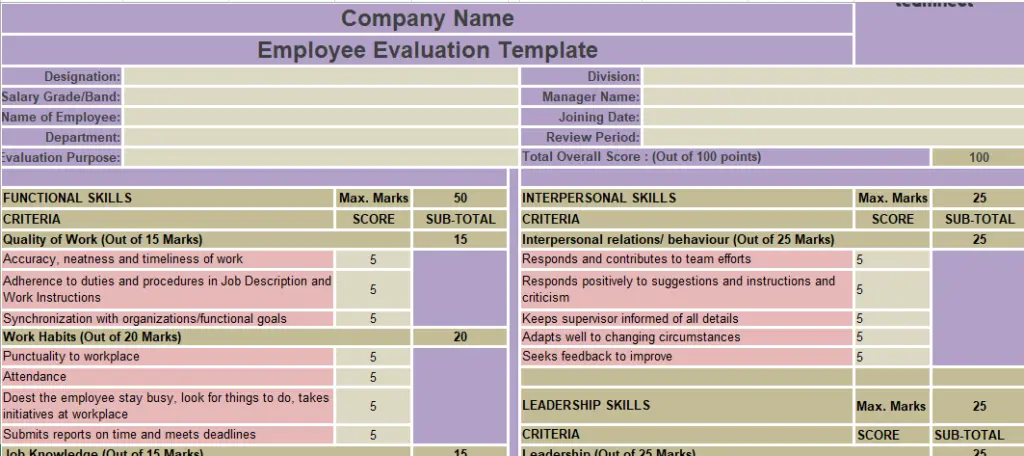
What's inside: eight rating criteria, scored 1 to 5 from a dropdown, a weight column that feeds the total, a comment field under each criterion, and a sign-off row for the reviewer and the employee.
The Structured Criteria-Based Review lays out a longer list of weighted criteria in Excel, grouped into sub-sections so a reviewer can move through one area at a time before the sheet totals the points.
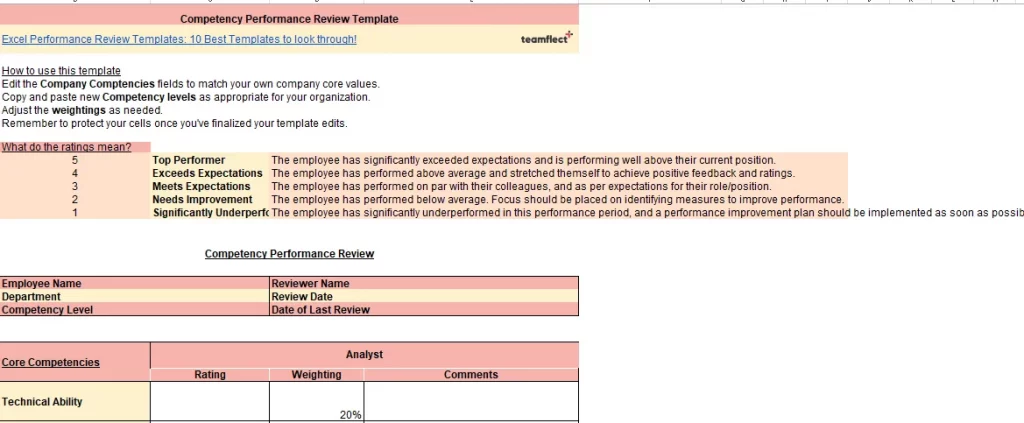
What's inside: ten rating criteria across four competency groups, scored 1 to 5 from a dropdown, no weight column since every competency counts equally, an open comment field under each group, and no signature row, so you can add your own.
The Customizable Competency Review starts as a mostly blank structure in Excel, built so a reviewer can add or rename competency rows without breaking the rating scale underneath.
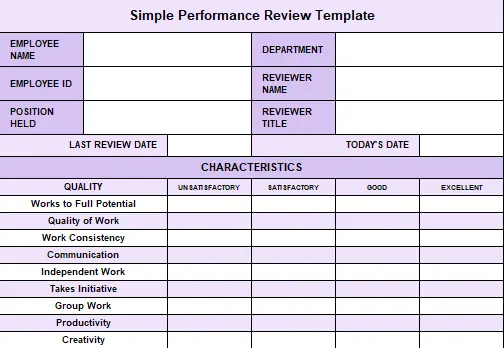
What's inside: six rating criteria, scored 1 to 5 from a dropdown, no weight column, a single comment field at the bottom for overall notes, and a signature row for the reviewer.
The Simple 5-Point Rating Evaluation keeps the sheet to a single tab in Excel, scoring every criterion against the same scoring rubric so the review stays quick without losing structure.
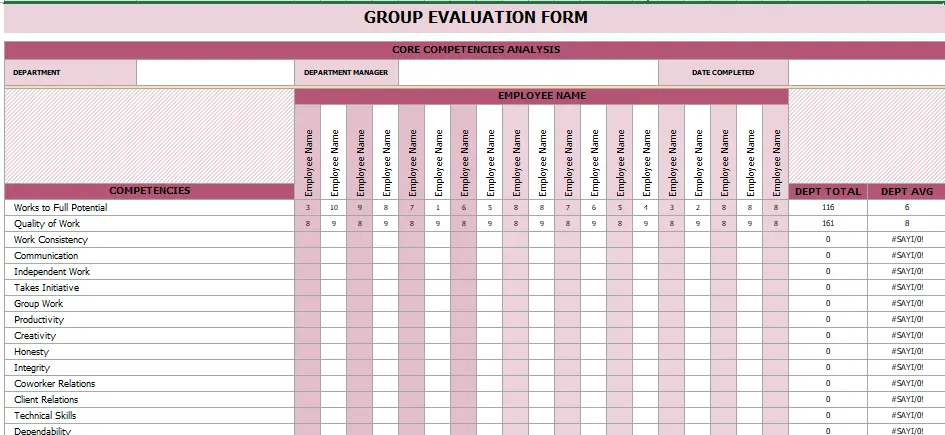
What's inside: seven rating criteria per employee, scored 1 to 5 from a dropdown, a weight column feeding the department average formula, a comment field per employee row, and a signature row for the department lead.
The Team & Department Performance Evaluation stacks every employee's ratings into one Excel sheet, with a pivot table pulling the department average the moment a manager finishes scoring the last row.
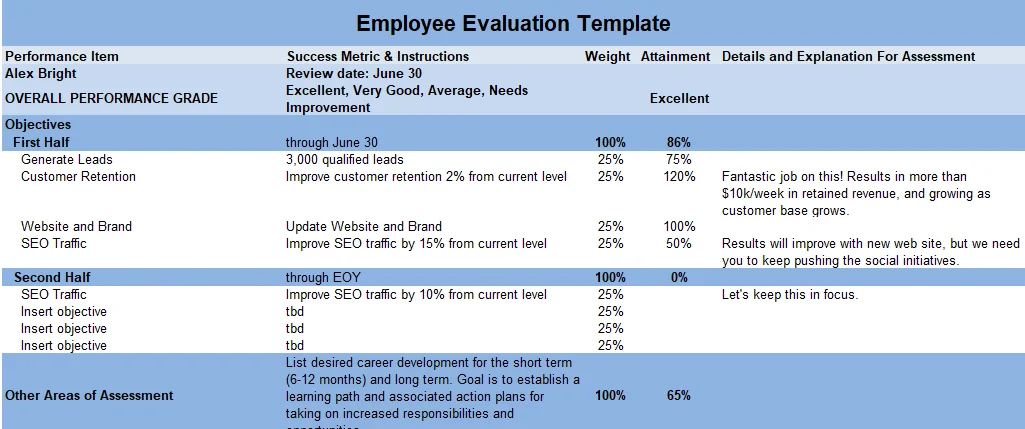
What's inside: nine rating criteria duplicated across manager and self-review columns, scored 1 to 5 from a dropdown, no weight column, a comment field next to each criterion, and a signature row for both the employee and the manager.
The Employee + Self-Review Combined sheet places the employee's own ratings next to the manager's in the same Excel workbook, though the two columns can run together visually without a bit of conditional formatting to tell them apart.
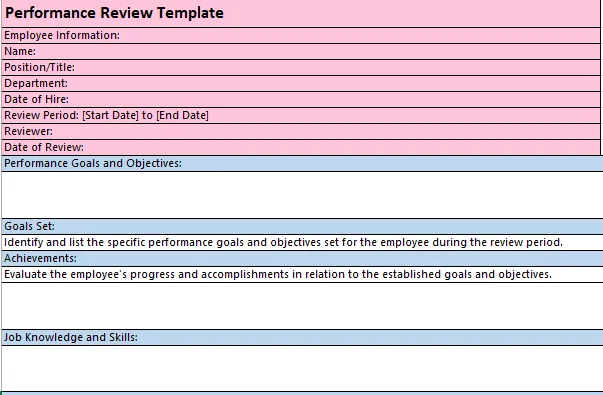
What's inside: twelve rating criteria split across goals and competencies, scored 1 to 5 from a dropdown, a weight column that separates goal criteria from competency criteria, a comment field under each section, and a signature row for the reviewer and the employee.
The Comprehensive Goals & Competencies Review spans two rating sections in the same shared workbook, moving from basic employee information into goal and competency scoring without needing a second file.
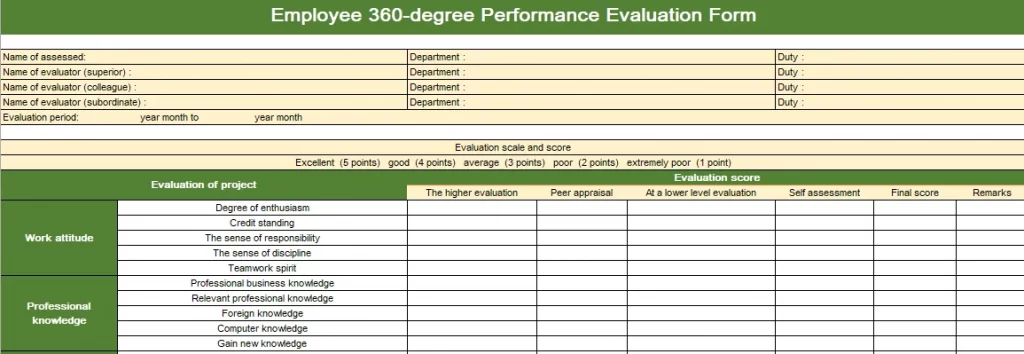
What's inside: fifteen rating criteria answered by manager, peer and self reviewers, scored 1 to 5 from a dropdown, no weight column since every rater's score is averaged equally, a comment field per rater group, and a signature row for the employee only.
The 360-Degree Evaluation collects manager, peer and self ratings inside one Excel file, using a data validation list on every rating cell so no rater can type a score outside the 1 to 5 range.
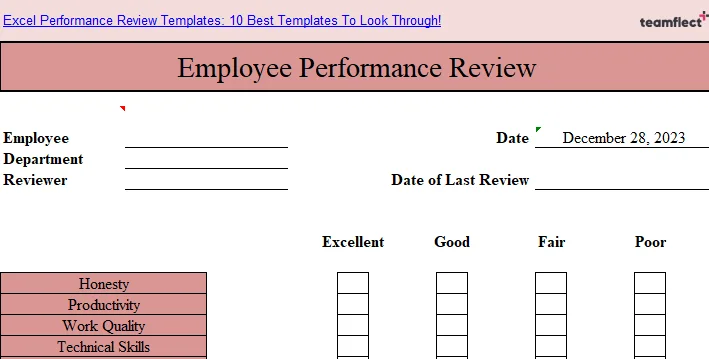
What's inside: five rating criteria, scored on a 4-option checkbox scale instead of a number, no weight column, a single comment field at the end, and no signature row.
The Quick Check-Box Style Assessment trades a numeric rating scale for four checkbox options per criterion, built for a faster review than a fully weighted sheet requires.
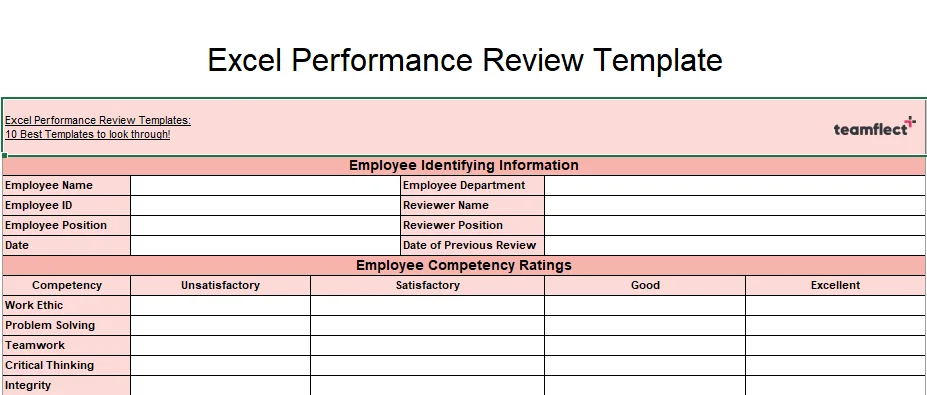
What's inside: eight rating criteria, scored 1 to 5 from a dropdown, a weight column that feeds the overall score, a comment field under each competency, and a signature row plus a goals section for the next period.
The Competency-Rated Performance Review keeps last cycle's scores in view next to this cycle's, so a manager can set the next goal with a baseline and target already on the same row.
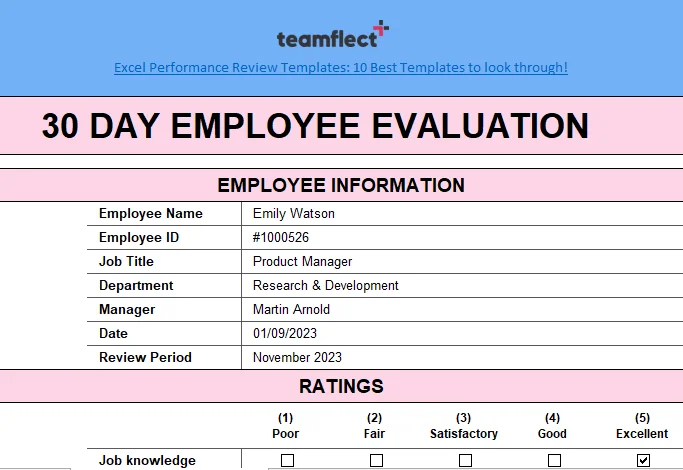
What's inside: six rating criteria suited to a first month in the role, scored 1 to 5 from a dropdown, no weight column, a comment field under each criterion, and a signature row for the manager and the new hire.
The 30-Day New Hire Evaluation uses a shorter list of criteria built for a first month in the role, with a named range on the scoring column so the sheet can be copied for the next new hire without breaking any formulas.
While we encourage you to scroll down and find out more about how you can use performance review software to conduct your evaluations much more easily, if you have gone through the sheets above and decided to use one of them, we are still here to help!
Once you’ve picked your template out of the ten options we’ve provided above, feel free to reach us! We can help you digitize your review processes and truly take your game to the next level!

Whatever format it is that you are using, feel free to reach us right here: [email protected]
We’ll help you digitize that appraisal process and give you the means to get better results!
A performance review spreadsheet needs four formulas: a weighted total, an average score, a rating label, and a goal completion percentage.
The goal completion formula only works if the underlying goals are written down somewhere consistent, which is exactly what a dedicated goal setting templates page is for.
Build the formulas once in a blank column, then copy them down. A spreadsheet that recalculates the total the moment a rating changes removes the most common source of review errors, which is a score added up by hand.
Point every formula at the same cell reference pattern across rows, so copying the formula down the sheet doesn't break it.
A performance tracking template records scores across several review periods in one sheet, so a manager can see the trend instead of a single snapshot.
A review template captures one cycle; a tracking template keeps every cycle side by side. Add one column per review period, keep the criteria rows identical across periods, and put the periods left to right in date order. With the rows fixed, a single AVERAGE across the period columns gives the running score for each criterion, and the gap between the first and last column shows the direction of travel.
Keeping every cycle in one sheet instead of one file per period also avoids the version control problem of several slightly different copies floating around. Pairing this tracker with an employee performance scorecard gives you the same running view with the metrics side already built in.
When it comes to reviews, using specialized performance review software has a number of advantages over using more traditional tools. By using a dedicated software, companies are able to automate processes, streamline employee feedback, and increase accuracy.
The first advantage of using an employee performance review solution is automated processes. Most of the solutions allow companies to create custom review library that they can use over and over again. This helps to automate the process of collecting employee feedback and ensures that everyone is following the same guidelines.
The second advantage is streamlined employee feedback. Because it's designed specifically for this purpose, employees can give feedback in a far more organized and structured way, making it easier for managers to review and act on.
Most solutions also come equipped with comment fields, rating scales, and feedback forms to keep the entire feedback process clean and efficient.
The third advantage is increased accuracy and it's a big one. Real-time performance tracking means reviews are always based on actual, up-to-date data rather than vague recollections of the past year.
On top of that, built-in data analysis tools give managers and HR professionals the ability to identify trends and make far more informed decisions.
The fourth advantage — and perhaps the most straightforward one — is that it simply makes the entire process easier. From keeping feedback accurate and organized to ensuring consistency across the board, the right performance review software ties everything together.
And when performance management has high utility, organizations can see a 24% increase in employee performance. That alone makes the case for moving beyond manual, spreadsheet-based reviews
Performance review software is an invaluable resource for businesses of all sizes, helping ensure employees are properly evaluated in an objective and consistent manner. Here are some features to look for:

"We went through a full performance cycle with Teamflect. It was phenomenal!"
To learn more about how Teamflect can streamline your performance review process, you can schedule a free demo with a product expert:

.svg)
.avif)

Create high-performing and engaged teams - even when people are remote - with our easy-to-use toolkit built for Microsoft Teams