.svg)
.svg)
Employee Engagement in Microsoft Teams: Strategies, Tools, and Best Practices

Updated on:
January 23, 2026

Prefer Teamflect as your HR source on Google
.svg)

Microsoft Teams has become more than a messaging platform. It now serves as the central workspace where employee engagement happens in real time, from recognition and feedback to goal tracking and performance conversations. So how can an organization facilitate employee engagement in Microsoft Teams, effectively? This article has everything you need to do just that.
To help your workforce thrive, engagement must happen where the work actually gets done. For HR managers, the challenge is often getting employees to use the tools provided.
HR initiatives often fail because of “digital tool fatigue.” When engagement programs require a separate login, participation drops. By hosting engagement tools within the platform, organizations ensure that checking in or providing feedback becomes a natural part of the workday.
As teams remain spread across various locations and time zones, this platform serves as the digital office. Because it already hosts daily chats, video calls, and meetings, it acts as the primary bridge for a distributed workforce to stay aligned and connected.
Engagement isn't just about talk; it’s about working together. Since the platform manages shared files and real-time document editing, it provides a functional base for teamwork. These collaborative moments offer consistent, organic openings for coworkers to support one another and share ideas.
With communication and decision-making flowing through channels and announcements, the platform creates a visible stage for appreciation. Organizations can use these existing conversation threads to provide immediate feedback and celebrate wins, making the employee experience a core part of the digital office environment.
To maximize your impact as an HR manager, it’s vital to understand that engagement is not a one-time event but a series of small, consistent interactions.
| Touchpoint | Primary Function | Engagement Impact |
|---|---|---|
| Chat | Quick check-ins and private feedback | Builds personal rapport and trust |
| Channels | Public praise and team-wide collaboration | Increases visibility and reinforces culture |
| Meetings | Video calls and face-to-face alignment | Strengthens human connection in hybrid work |
| Goal Tracking | Monitoring progress and milestones | Keeps employees focused on their purpose |
| Recognition Feeds | Dedicated streams for celebrating wins | Boosts morale across the entire organization |
| Feedback Tools | Integrated surveys and suggestion boxes | Drives continuous growth and active listening |
Consider these Microsoft Teams workspace engagement touchpoints:
Inside Microsoft Teams, these moments happen in real time, providing a clear picture of your company culture and the health of your workforce.
Engagement starts with presence. When employees are truly connected, they don't just lurk; they contribute to channels, respond to polls, and join conversations. High levels of activity in community spaces are a clear sign that your people feel comfortable sharing their voices and ideas.
The platform turns “thank you” into a visible cultural asset. Whether it is a manager praising a win in a public channel or a peer sending a quick appreciative DM, recognition happens instantly. These interactions reinforce your company values and ensure that hard work is acknowledged immediately rather than months later.
Gone are the days of waiting for an annual survey. Microsoft Teams allows for a constant flow of information. Dedicated feedback channels provide a space for improvement discussions to happen organically, allowing leadership to address concerns and implement changes without the need for formal, time-consuming meetings.
Engagement is highest when employees know their work matters. By co-authoring documents and using shared channels, teams gain visibility into collective goals and progress.
Organizations use Teams for specific engagement activities that drive connection and performance. Each use case addresses a different dimension of engagement while keeping everything inside one platform. However, it is important to note that while all the four cases listed below are possible to implement inside Microsoft Teams, the app itself doesn't have built-in engagement features.
That is why it is an absolute necessity to take advantage of an employee engagement tool that has a seamless integration with Microsoft Teams. In this case, the examples below show Teamflect as said tool.
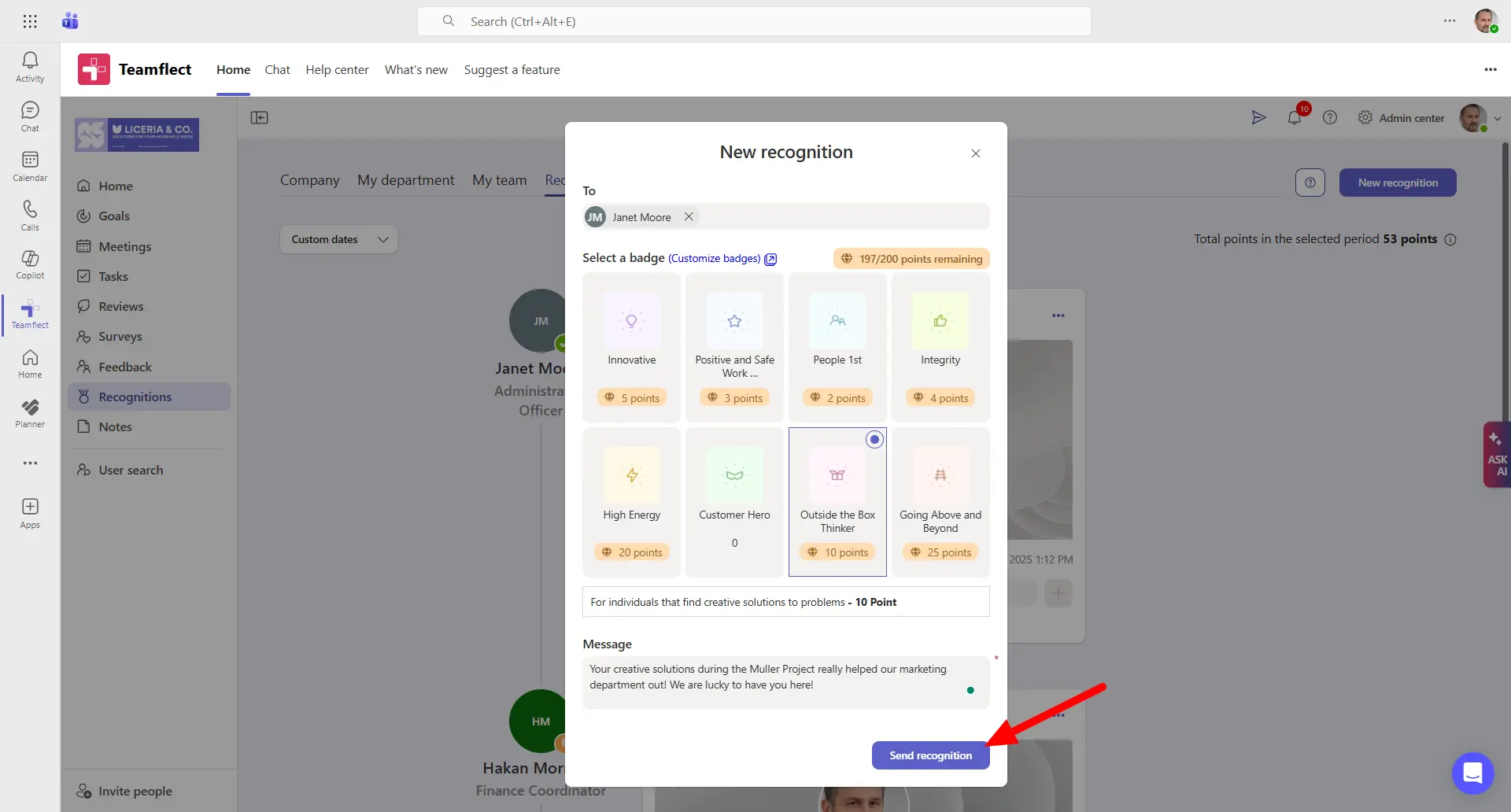
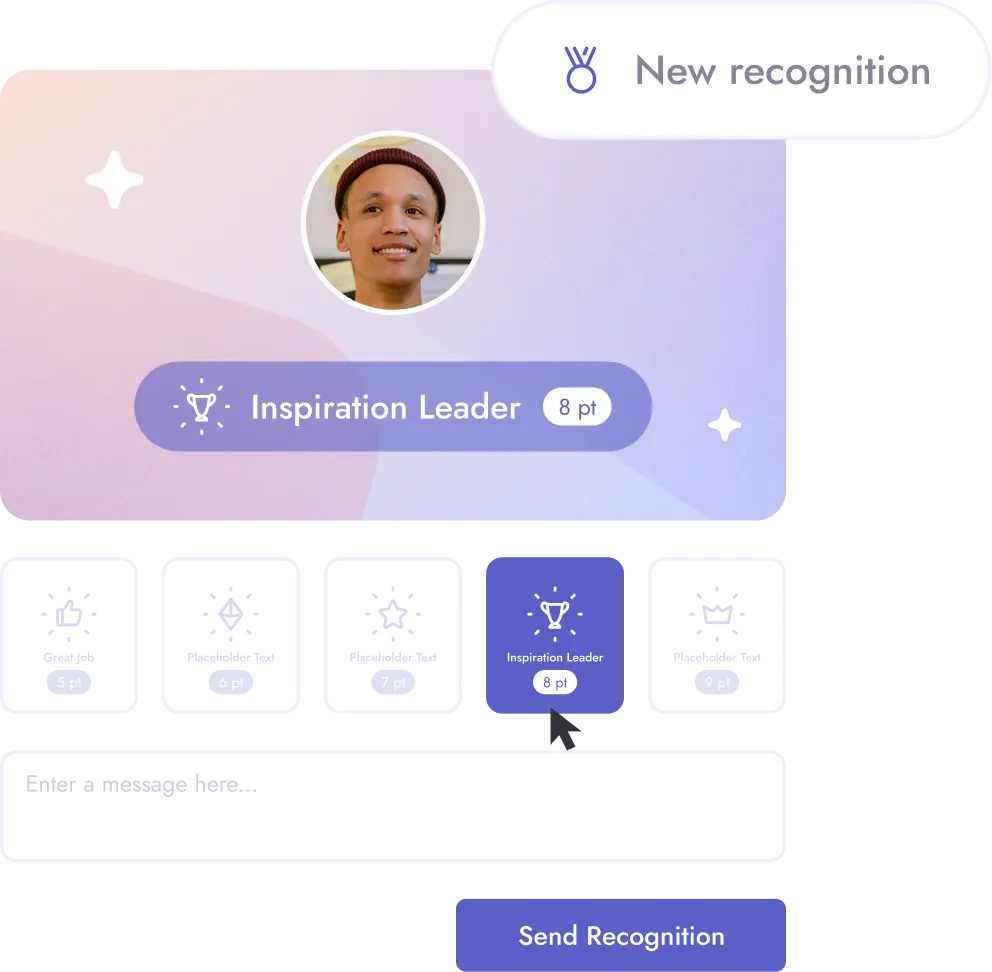
Recognition is one of the most direct ways to boost morale and reinforce positive behaviors. When employees feel seen and appreciated, they're more likely to stay motivated and go the extra mile. Microsoft Teams makes recognition visible and immediate, turning everyday wins into shared moments.
How it works in Teams:
Expected outcomes:
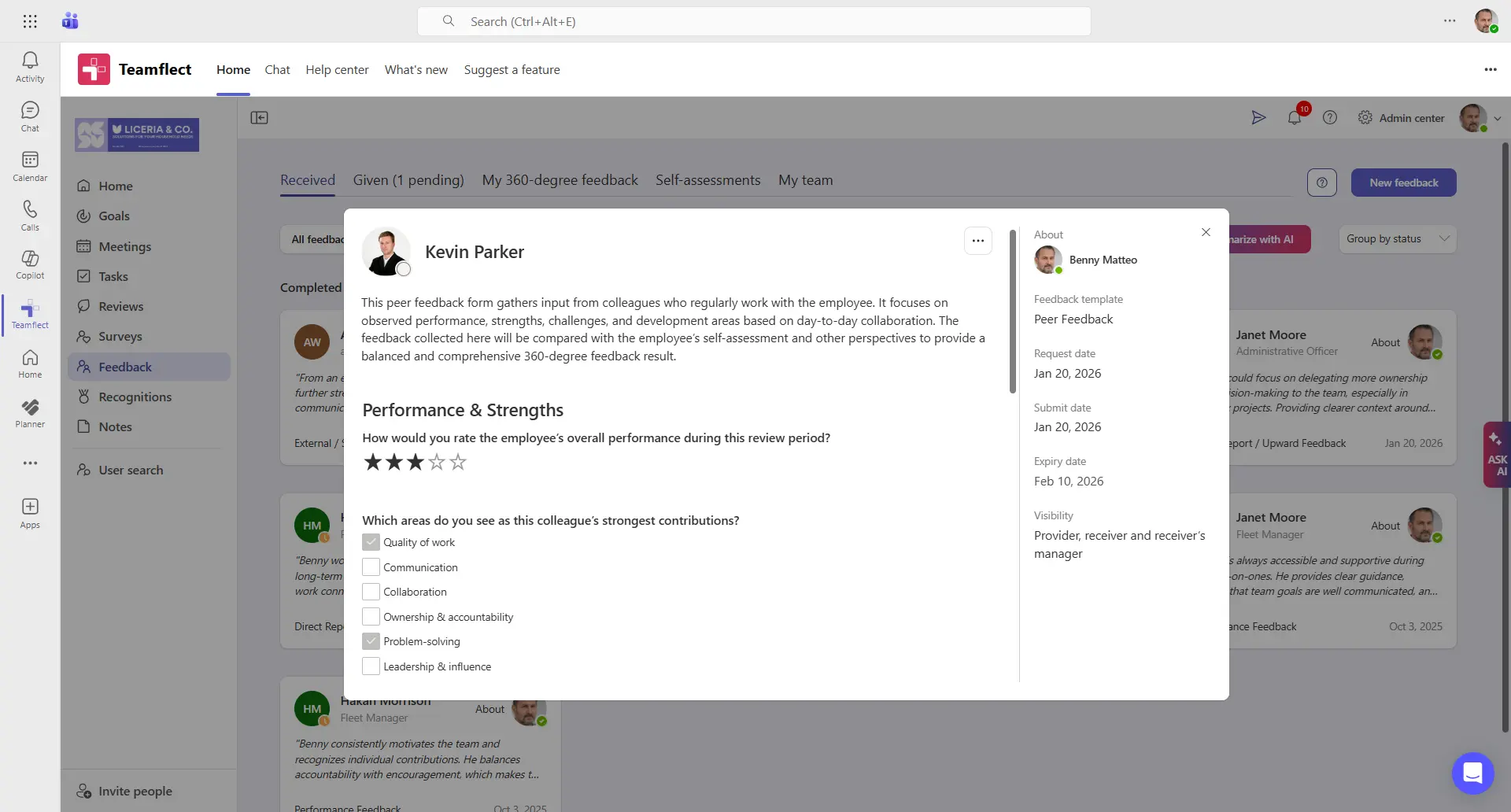
Ongoing feedback helps employees understand where they stand and what they can improve without waiting for annual reviews. It creates a culture of openness where course corrections happen in real time. Microsoft Teams provides multiple touchpoints for feedback to flow naturally within daily work.
How it works in Teams:
Expected outcomes:
Looking to build a culture of feedback? Check Out Teamflect's Feedback Template Library
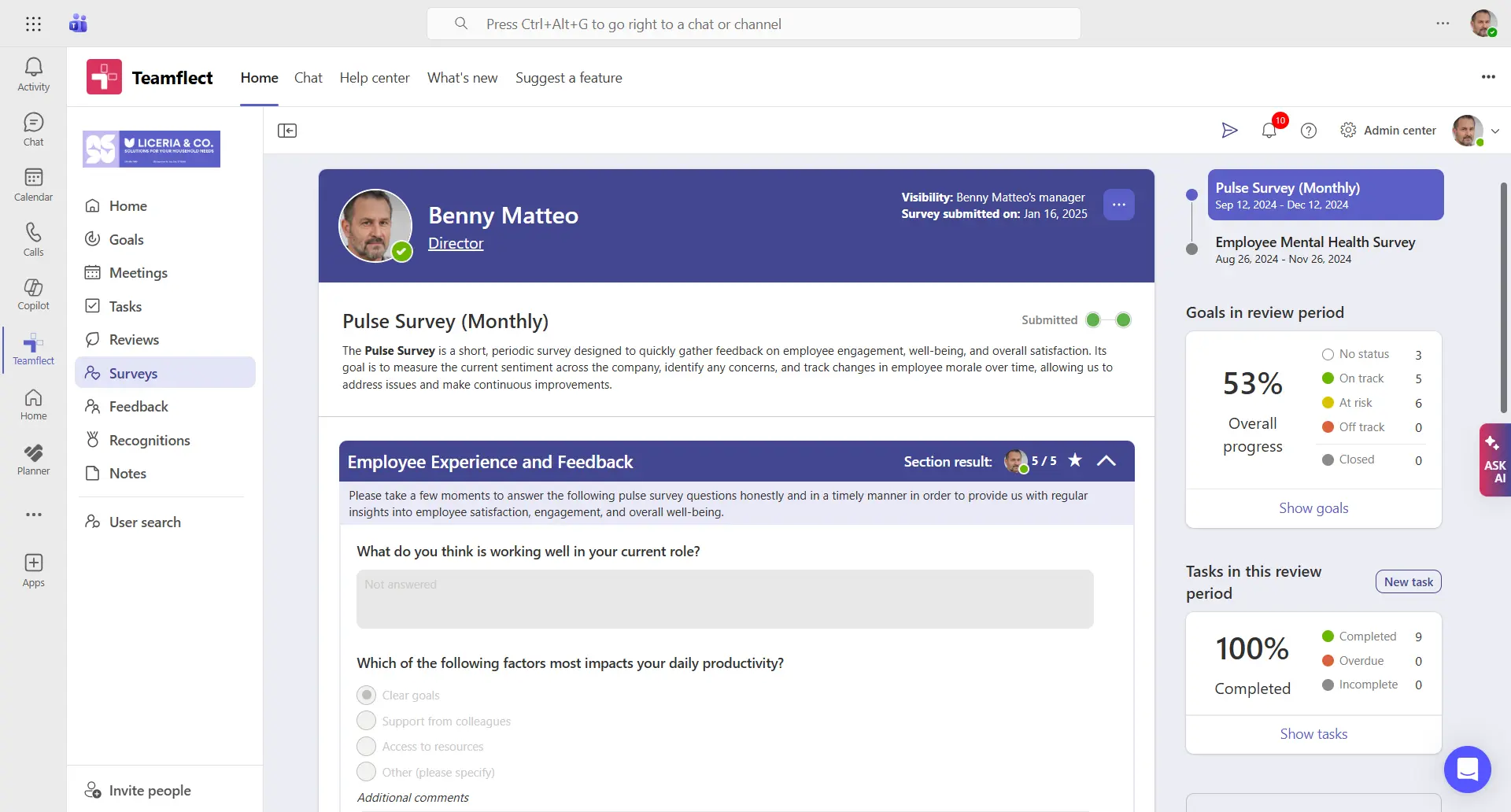
Surveys capture the pulse of your workforce and surface issues before they escalate. Quick, frequent check-ins give leadership actionable data without overwhelming employees. Microsoft Teams makes it easy to gather feedback where people already spend their time..
How it works in Teams:
Expected outcomes:
Curious? Explore Teamflect's Employee Engagement Survey Template Library
Collaboration is the foundation of team engagement. When people work together seamlessly, they build trust and feel more connected to their colleagues. Microsoft Teams centralizes communication and project work, so collaboration happens without friction.
How it works in Teams:
Expected outcomes:
Several Microsoft teams employee engagement apps extend the platform's native capabilities with specialized features.
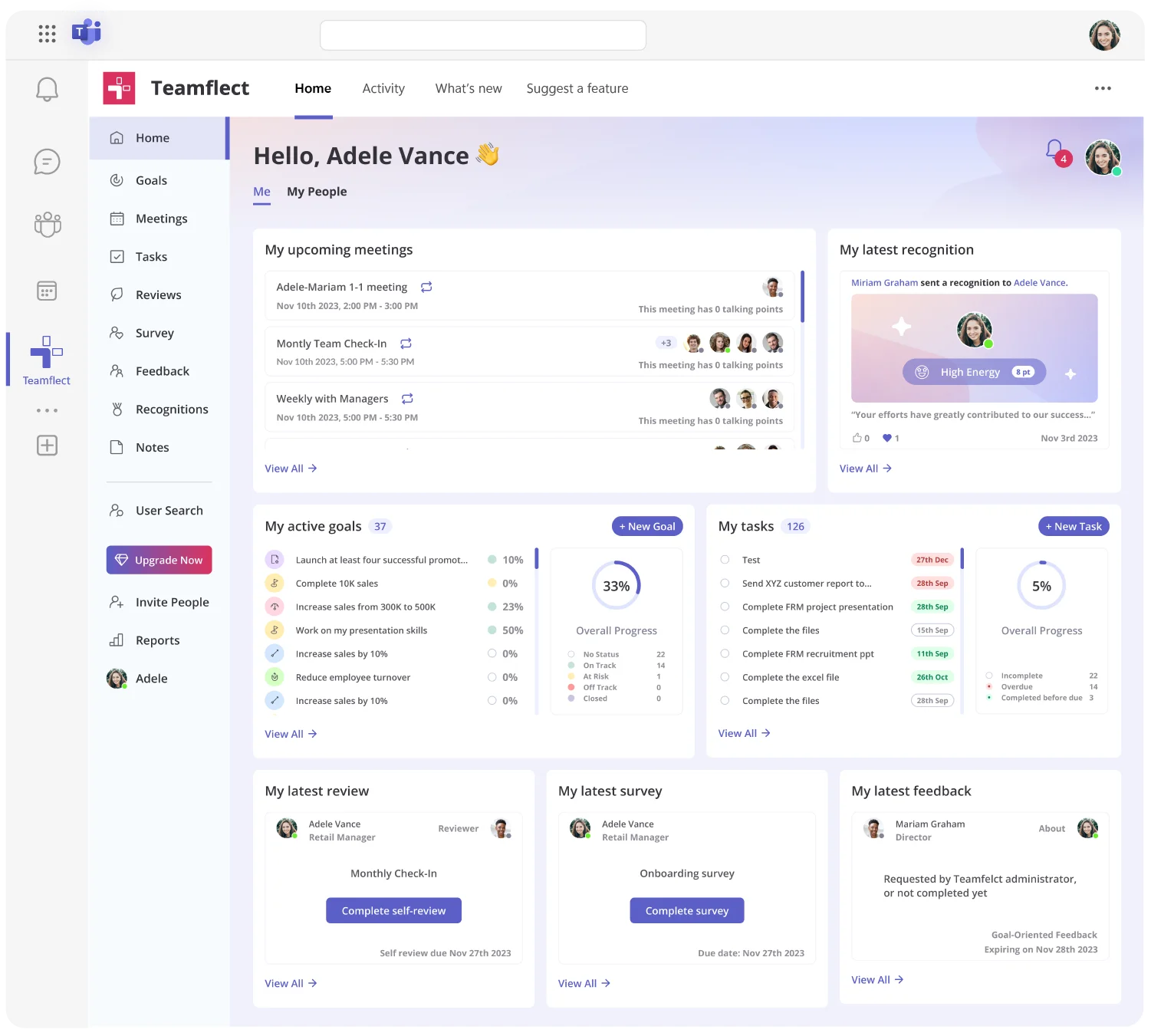
Teamflect provides the most comprehensive employee engagement solution built natively for Microsoft Teams. The platform combines recognition, feedback, goals, and performance management in one integrated system.
Its recognition software allows users to send customizable badges that reflect company values directly within Teams. Managers conduct performance conversations directly in Teams without switching platforms. The employee engagement survey feature delivers customizable survey templates and detailed engagement analytics that reveal patterns and trends.
Goal tracking happens inside Teams with visibility across the organization. Feedback channels enable continuous conversations about development and improvement.
Teamflect also includes employee onboarding tool that creates structured welcome experiences for new hires. Adoption rates remain high because everything works inside the platform people use daily.
Microsoft's built-in Praise app offers simple recognition through pre-designed badges. Employees can send praise in channels or direct messages with badges like "Great Idea" or "Team Player."
The app works well for organizations starting with basic recognition. It requires no setup or additional cost since it comes with Teams. However, it lacks advanced features like custom badges, recognition analytics, or reward systems.
Polly specializes in surveys and polls inside Teams. Teams can create quick pulse checks, gather feedback on decisions, or run icebreaker questions. The app makes it easy to measure team sentiment and collect input. Results appear in real time with visual charts. Polly works well for regular check-ins but doesn't address other engagement needs like recognition or performance.
The Kudos feature adds a points-based recognition system to Teams. Employees earn points for achievements and redeem them for rewards from a catalog.
The app creates structured recognition programs with measurable participation. Organizations that want to tie recognition to tangible rewards find Kudos effective. Setup requires more configuration than simpler tools.
Microsoft Viva Engage (formerly Yammer) builds communities and social connections inside Teams. Employees can join interest groups, share updates, and participate in company-wide conversations.
The app strengthens culture through informal interaction. It works best for large organizations wanting to build connections across departments and locations. Engagement happens through content sharing and discussion rather than structured programs.
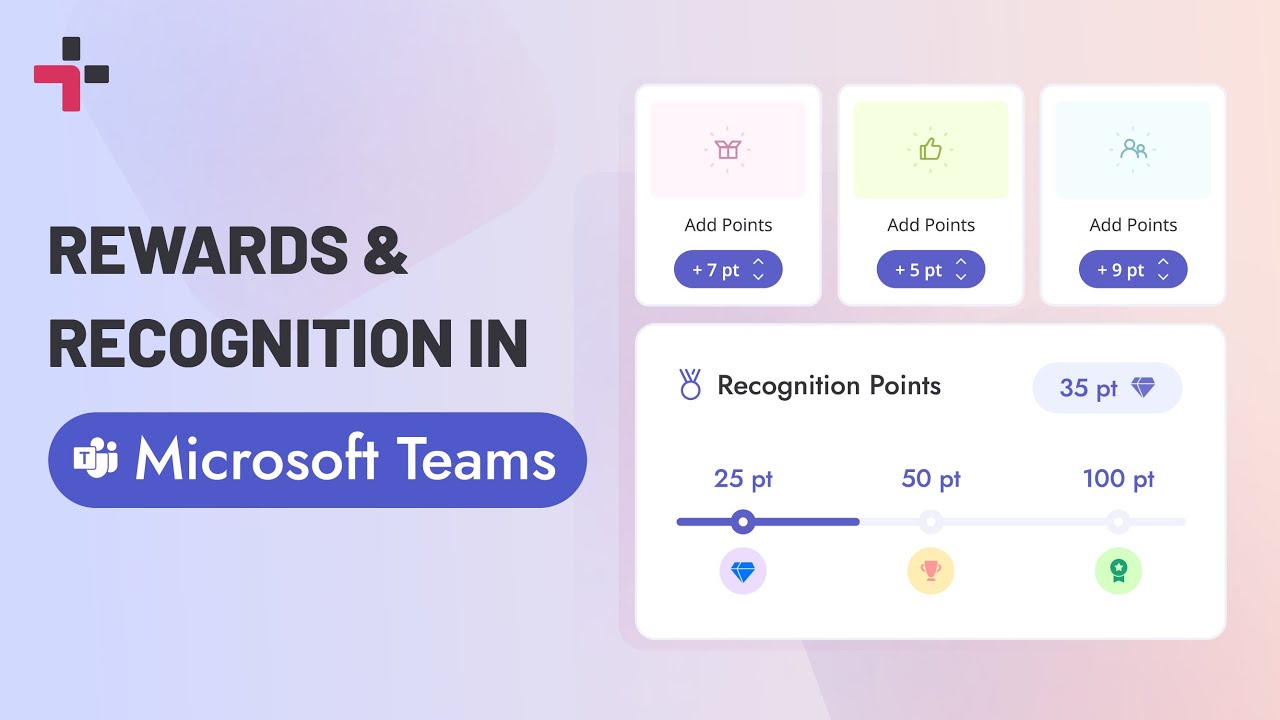
Recognition and feedback form the foundation of employee engagement in Microsoft Teams. These interactions happen naturally when built into daily workflows.
Team channels serve as a digital stage for public acknowledgment. When colleagues recognize each other's contributions in these open spaces, it creates a ripple effect of positive reinforcement. Seeing a teammate’s hard work celebrated motivates others and makes success visible across the entire department.
Not every moment of gratitude needs a spotlight. Direct messages allow for personal, one-on-one "thank you" notes that can feel more sincere and targeted. Balancing public praise with private messages ensures that every employee receives recognition in the way they find most meaningful.
Moving away from the anxiety of annual reviews, the platform encourages quick, informal check-ins. Managers can share suggestions immediately after a presentation or ask for input on a decision via chat. This high-frequency, low-pressure approach makes growth part of the daily routine rather than a stressful event.
To prevent feedback from falling off the radar, organizations can use automated prompts and check-in reminders. These tools help managers maintain a consistent schedule for reflection and input, ensuring that supporting their team remains a top priority even during busy project cycles.
Integrated programs allow HR to track participation and visibility. By reviewing analytics on who is being recognized and how often, you can identify hidden stars or notice if certain groups are being overlooked. This data ensures that your recognition efforts are fair and reach every corner of the organization.
The role of a manager has shifted from overseeing tasks to building a supportive digital environment. Because leadership accounts for the vast majority of variance in employee engagement, the way a manager shows up in Microsoft Teams can either build trust or create isolation.
Consistent internal communication is the bedrock of a healthy team. Managers who provide regular updates, respond to questions quickly, and maintain an active presence in channels create an atmosphere where employees feel safe to speak up.
Small, frequent acknowledgments often carry more weight than a single large award at the end of the year. By praising daily wins or weekly progress, managers provide sustained motivation.
Not every check-in requires a 30-minute calendar invite. Managers can use quick messages to offer support, share a helpful resource, or ask about project status.
These brief touchpoints add up over time, building a stronger relationship and showing employees that their manager is genuinely invested in their success.
By actively participating in channels and reviewing shared documents, managers gain a front-row seat to the hard work that often goes unnoticed. This visibility allows leaders to catch "quiet wins" and acknowledge high performance that might have been missed in a more siloed work environment.
Transparency regarding objectives helps every team member understand their purpose. Managers who use the platform to share progress and celebrate milestones help employees see how their individual contributions fit into the company’s bigger picture.
Effective leadership is a conversation, not a broadcast. Managers who use the platform to solicit ideas, ask for input on their own leadership style, and act on team suggestions build deep trust. When employees see their feedback resulting in real change, they become much more engaged with the organization's mission.
Organizations face predictable obstacles when building engagement inside Teams. Each challenge has a practical solution that uses Teams features or apps to create better engagement.
Every notification feels urgent until nothing does. Important updates get buried under casual chatter, and employees waste time digging through channels just to find what matters. The result is stress, missed deadlines, and a team that's always catching up.
Better approach:
Expected outcomes:
When communication flows in only one direction, team members disengage and feel like passive observers rather than active contributors. Low participation signals a disconnect between leadership and the workforce. Without intentional efforts to draw people in, collaboration tools become broadcast platforms.
Better approach:
Expected outcomes:
Good work that goes unnoticed doesn't get repeated. It's easy for managers to assume people know they're valued, but assumptions don't pay the bills. A simple "great job" in a public channel can do more for motivation than a delayed bonus.
Better approach:
Expected outcomes:
Waiting six months to tell someone they're off track helps no one. Feedback works best at the moment, but without structure, it just doesn't happen. Most managers mean well—they're just busy and need a system that makes check-ins automatic.
Better approach:
Expected outcomes:
When team members don't know what success looks like, they struggle to prioritize and second-guess their decisions. Ambiguity around goals creates anxiety and misaligned effort. Clear, shared objectives give everyone a north star to work toward.
Better approach:
Expected outcomes:
Back-to-back video calls drain energy and reduce the quality of engagement over time. When every conversation requires a meeting, employees spend more time talking about work than doing it. Rethinking when synchronous communication is truly necessary protects attention and productivity.
Better approach:
Expected outcomes:
Out of sight, out of mind. Remote employees do the same work as everyone else but miss the hallway moments that build reputations. Making contributions visible takes intention, but it's the difference between a connected team and a fragmented one.
Better approach:
Expected outcomes:
To maximize the impact of Microsoft Teams, HR leaders must move beyond simple installation and focus on intentional habits. Creating a thriving digital culture requires a strategic approach that turns a communication tool into a vibrant community.
Leadership modeling sets the tone for the entire organization. When executives actively use Teams for recognition, feedback, and communication, it signals importance to everyone.
Leaders should visibly participate in channels, acknowledge contributions publicly, and demonstrate the behaviors they want to see.
Consistent rituals create predictable engagement touchpoints. Weekly team meetings, daily standup channels, or monthly recognition celebrations give structure to engagement activities. Consistency matters more than frequency for building habits.
Recognition cadence should happen weekly at minimum. Teams that recognize achievements at least once per week maintain higher motivation than those with monthly or quarterly recognition. Daily recognition creates even stronger cultures when sustainable.
Feedback loops need regular intervals rather than annual events. Monthly or quarterly check-ins keep development conversations current and relevant. More frequent feedback prevents surprises during formal reviews.
Tool adoption requires training and reinforcement. Simply installing apps doesn't guarantee usage. Managers need guidance on how to use engagement tools effectively. Teams benefit from examples and templates that show good practices.
Separate channels for team collaboration, social connection, recognition, and announcements help information reach the right audience. Too few channels create chaos, too many create ghost towns.
Measurement drives improvement. Tracking engagement signals like participation rates, recognition frequency, and survey responses reveals what works. Organizations should review engagement analytics monthly and adjust strategies based on data.
Communication flow should balance structure with spontaneity. Scheduled updates provide reliability while allowing room for organic conversations. Over-scheduling kills authentic engagement, under-scheduling creates confusion.
Microsoft Teams supports employee engagement by centralizing communication, collaboration, and recognition in one platform. Daily interactions create natural opportunities for feedback, praise, and connection without requiring separate tools or logins.
The best Microsoft Teams employee engagement apps include Teamflect for comprehensive engagement solutions, Praise for simple recognition, Polly for pulse surveys, Kudos for reward programs, and Viva Engage for community building. Teamflect offers the most complete feature set with recognition, feedback, goals, performance, and survey capabilities.
Teams can replace traditional engagement platforms when combined with purpose-built apps that add specialized features. Organizations using Teamflect inside Teams eliminate the need for separate performance management, survey, or recognition systems while improving adoption through familiar interfaces.
Managers measure engagement inside Teams through participation metrics, recognition frequency, survey responses, and behavioral signals like meeting attendance and channel activity. Engagement analytics from apps like Teamflect reveal patterns across teams and identify areas needing attention.
Teams features that improve employee experience include channels for organized communication, meetings for face-to-face connection, file collaboration to foster a productivity culture, and integrations with engagement apps. Recognition tools, feedback channels, and goal tracking create comprehensive engagement when added through specialized apps.
Managers should give recognition in Teams at least weekly to maintain motivation and culture. Daily recognition creates even stronger engagement when sustainable. Frequent, small acknowledgments work better than rare, large rewards for building consistent appreciation.
Using Microsoft Teams for employee engagement works because it meets employees where they already spend their workday. Integration with existing workflows reduces friction, increases adoption, and makes engagement activities feel natural rather than forced or separate from daily work.

.svg)
.avif)

Create high-performing and engaged teams - even when people are remote - with our easy-to-use toolkit built for Microsoft Teams