.svg)
.svg)
Top 10 Employee Recognition Software in 2026: Compare Features & Pricing

Updated on:
January 29, 2026

Prefer Teamflect as your HR source on Google
.svg)

Employee recognition is a major organizational vulnerability.Gallup reports that only one in three workers in the U.S. strongly agree they received praise recently, and those who feel unrecognized are twice as likely to say they'll quit in the next year.
This explains why so many internal programs, despite good intentions, quickly collapse into sporadic, meaningless gestures. Managers forget, employees feel undervalued, and HR teams struggle to track acknowledgment, resulting in a system that contributes to low morale and unnecessary turnover risk.
Modern employee recognition software directly solves this failure by embedding appreciation into existing workflows. These platforms ensure recognition is immediate, visible, and tied to actual performance, transforming the process from a mere HR initiative into a natural, core part of team culture.
This guide examines 10 leading recognition platforms for 2026, breaking down features, pricing, and use cases. For organizations utilizing Microsoft 365, Teamflect stands out due to its native Teams integration and comprehensive performance management capabilities.
| Product | Starting Price | Free Trial | Free Plan | Key Differentiator |
|---|---|---|---|---|
| Teamflect | Free (up to 10 users) | Yes | Yes | Native Microsoft 365 integration |
| Vantage Circle | Custom pricing | Yes | No | Global rewards marketplace |
| Nectar | Custom pricing | Yes | No | Points-based peer recognition |
| Achievers Platform | Custom pricing | Yes | No | Enterprise recognition suite |
| Workhuman Social Recognition | Custom pricing | Yes | No | Social recognition feed |
| Assembly | $2/user/month (billed annually) | Yes | No | Budget-friendly startup option |
| Awardco | Custom pricing | Yes | No | Amazon Business integration |
| Kudos | Custom pricing | Yes | No | Culture analytics dashboard |
| Motivosity | Custom pricing | Yes | No | Community-driven recognition |
| Cooleaf | Custom pricing | Yes | No | Challenges and competitions |
Even with a healthy budget, many organizations fail to see a return on their investment because they treat appreciation as a "set-it-and-forget-it" task. Simply buying the best employee recognition software won't transform your culture if the implementation ignores human psychology and daily workflows.
To ensure your platform actually drives results in 2026, stay clear of these common pitfalls:
Industry Insight: According to a 2026 SHRM State of the Workplace report, workers who feel their organization effectively addresses their needs are 91% more likely to report high job satisfaction, compared to just 44% who feel their needs go unmet. High-quality recognition is no longer a perk—it is the primary driver of organizational resilience.
Choosing recognition software means finding a platform that fits how your team actually works. The wrong choice creates another abandoned tool that nobody uses, wasting budget and leaving employees feeling just as underappreciated as before.
Any solid recognition platform should support peer-to-peer recognition alongside manager-to-employee appreciation. Look for tools that let anyone recognize anyone, with options for public celebration or private acknowledgment. The system should connect recognition to company values, making it clear what behaviors you're reinforcing.
Recognition only works when it's easy. Platforms that integrate with your communication tools (Slack, Microsoft Teams, email) see dramatically higher adoption than standalone systems.
Native integrations beat third-party connectors for stability and user experience. When employees can recognize colleagues without switching apps, recognition becomes habitual instead of occasional.
Consider whether your program needs points, gift cards, or other tangible rewards. Some teams prefer social recognition alone, while others want redeemable rewards. Budget matters here. Points-based systems add ongoing costs beyond software fees, so calculate the total monthly spend per employee.
Good recognition software shows you who's being recognized, who's doing the recognizing, and which behaviors get acknowledged most. These insights help identify recognition gaps, measure program adoption, and connect recognition data to drivers of employee engagementlike retention and performance.
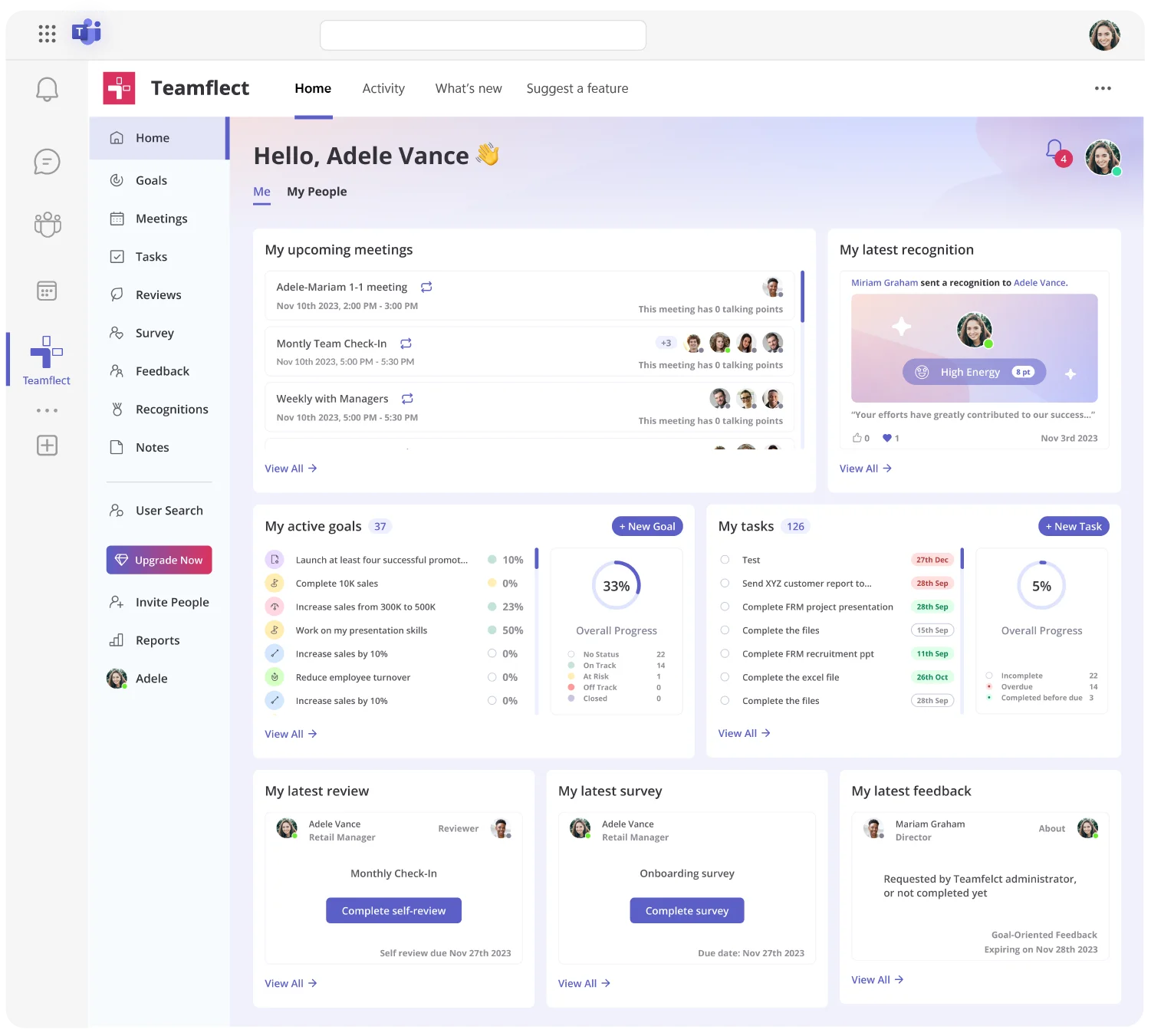
Teamflect is the best employee recognition software for Microsoft 365 Teams. While other tools add Teams integration as an afterthought, Teamflect operates entirely within the Microsoft ecosystem. Recognition happens where your team already works, not in yet another login portal that everyone forgets to check.
The platform removes the friction that kills recognition programs. Employees give kudos, celebrate wins, and acknowledge contributions directly in Microsoft Teams channels and chats. Recognition connects to performance reviews and goal evaluation, creating a complete picture of employee contributions. Your org chart syncs automatically from Microsoft Entra ID, so recognition data maps to your actual team structure without manual updates.
Recognition in Teamflect works alongside employee engagement surveys, 360-degree feedback, and employee performance tracking. When a team member hits a milestone, managers can recognize it in the same platform where they track progress. This integration makes recognition meaningful rather than performative.
Key Features:
What Makes Teamflect Stand Out:
Pros & Cons
Pros: "I appreciate how it integrates with Outlook, offering useful organizational features such as the meetings function, as well as options for recognition.” - Microsoft AppSource Review
Cons:
Pricing
Check out Teamflect plans to compare what's included at each level.
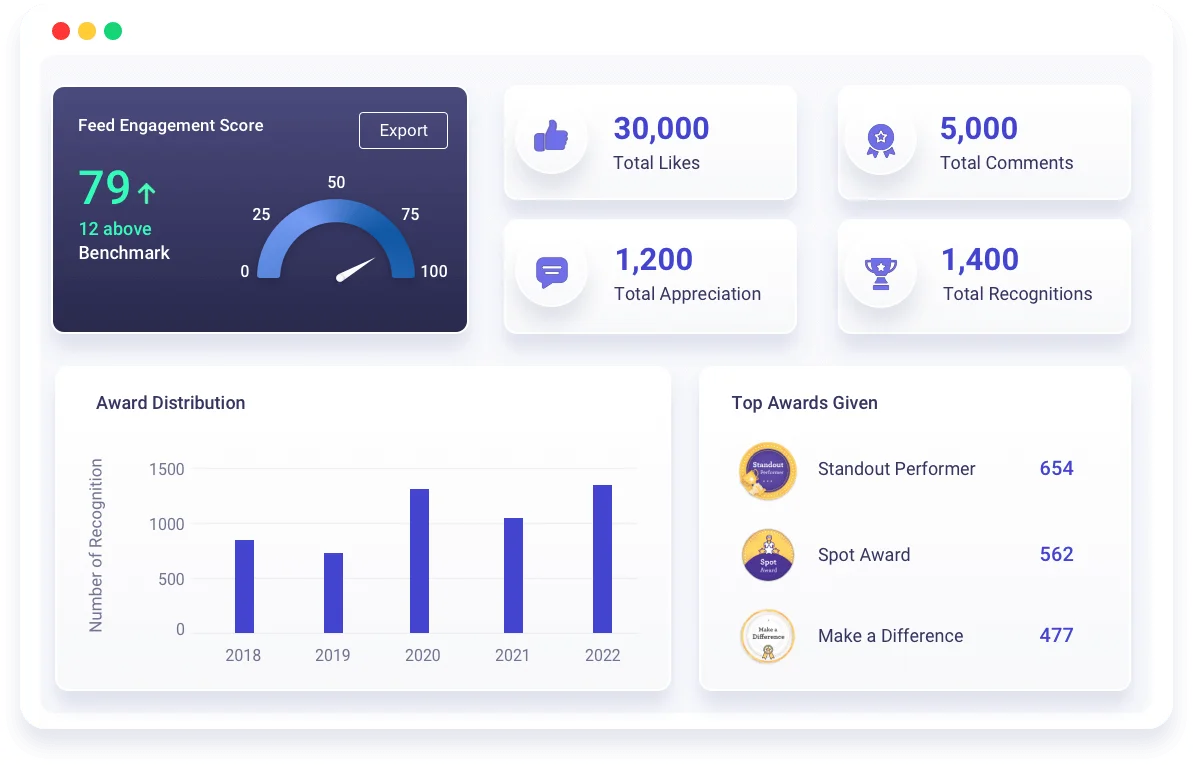
Vantage Circle excels at recognition for distributed, international teams. The platform offers a rewards marketplace with options across 100+ countries, making it practical for companies with global workforces who need region-specific gift cards and perks.
The system supports points-based recognition where employees accumulate points for achievements and redeem them for rewards they actually want. Managers set budgets, employees give recognition, and the platform handles fulfillment across different currencies and regions. This removes the logistical headache of managing recognition programs across multiple countries.
Key Features:
Best For:
Pros: "It supports real-time appreciation with reward points and helps build a culture of gratitude and motivation." - G2 Review
Cons: "On the downside, the reward options could be more diverse, and the reporting features sometimes feel limited for in-depth analytics. Additionally, international employees might find fewer relevant reward choices." - Software Advice Review

Nectar focuses on peer-to-peer recognition with a straightforward points system. Employees receive monthly allowances of points to distribute to colleagues, encouraging regular appreciation across teams. The platform makes recognition social by displaying kudos in a company-wide feed.
Points accumulate over time and redeem for gift cards, company swag, or charitable donations. The system works well for companies that want structured recognition with tangible rewards but don't need complex workflows or enterprise features.
Key Features:
Best For:
Pros: "Nectar is one of the most engaging ways to do peer-to-peer recognition of great work or gratitude. In remote work environments, it's sometimes hard to show gratitude." - Software Advice Review
Cons: "One challenge we’ve noticed is that some employees wait until the end of the month to distribute all their points at once, often without adding meaningful comments." - Capterra Review
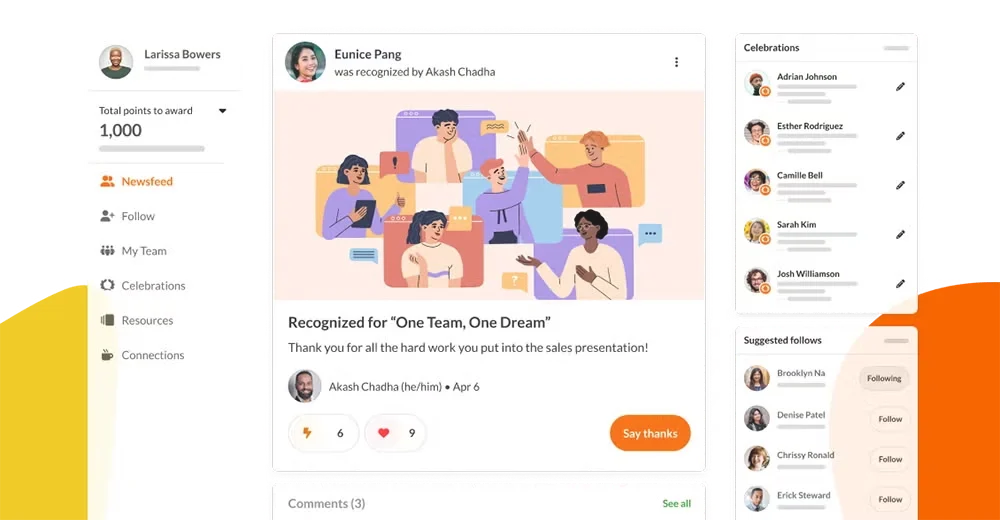
Achievers targets large organizations needing sophisticated recognition programs. The platform handles complex approval workflows, multi-tier recognition structures, and integration with enterprise HRIS systems. Companies with thousands of employees benefit from the platform's ability to manage recognition across divisions, regions, and business units.
The system emphasizes social recognition, displaying achievements in a feed that functions like an internal social network. Employees can comment, react, and amplify recognition from colleagues. Leadership gets visibility into recognition trends through detailed analytics that connect appreciation to retention and performance outcomes.
Key Features:
Best For:
Pros: "Overall a really easy way to award points, and to cash in points received." -G2 Review
Cons: "I don't like being reminded constantly to give points out, so the emails really can get a bit old." - Capterra Review
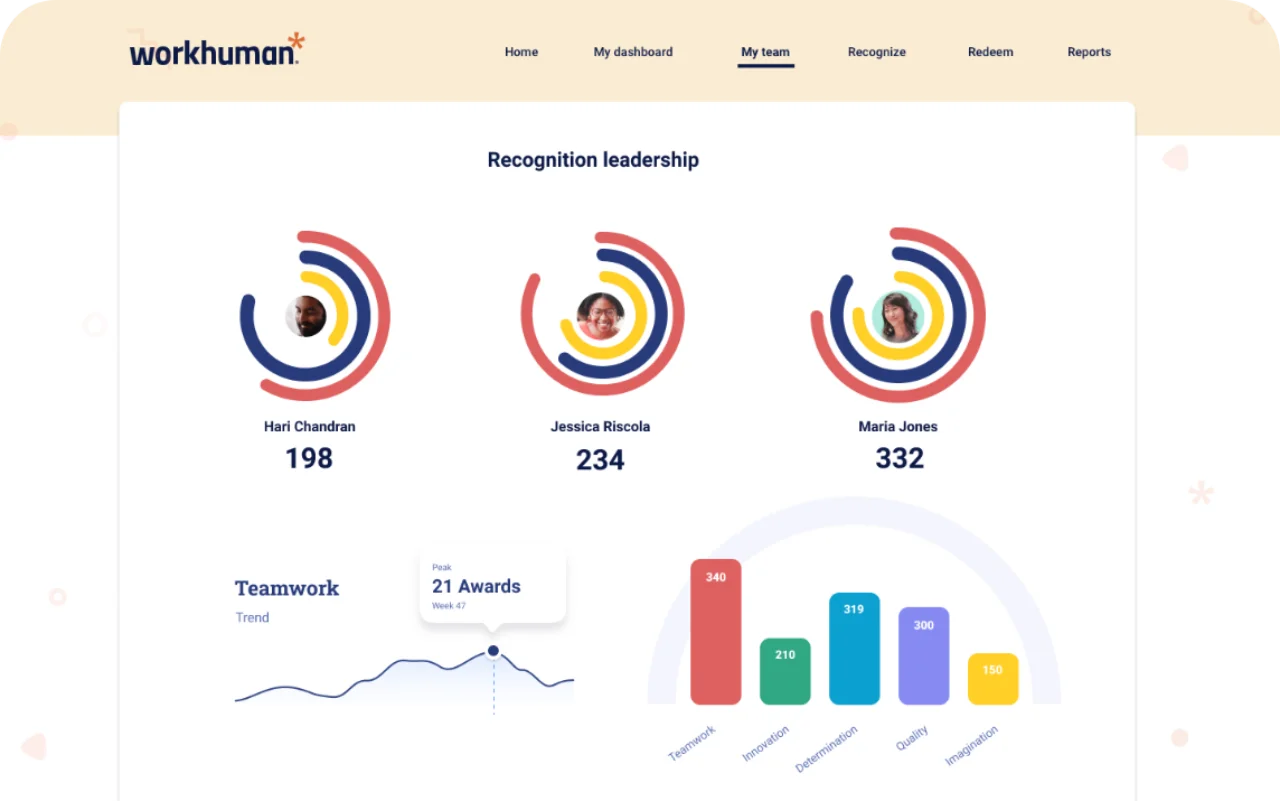
Workhuman approaches recognition as a culture-building tool rather than a transactional reward system. The platform emphasizes meaningful, frequent recognition that connects to company values and reinforces desired behaviors. Social features make appreciation visible across the organization, creating momentum around positive contributions.
The system includes sophisticated analytics that measure recognition's impact on engagement, retention, and performance. Companies can track which values get reinforced most, which teams give and receive recognition, and how appreciation patterns correlate with employee satisfaction scores.
Key Features:
Best For:
Pros: "This is by far the most robust recognition and engagement platform I've ever used. It's quick and easy to provide someone with the recognition they deserve." - G2 Review
Cons: "The points system is great, but using those points to purchase things is way [too] high, the amount of points you have to spend to get something so basic is wild." - Capterra Review
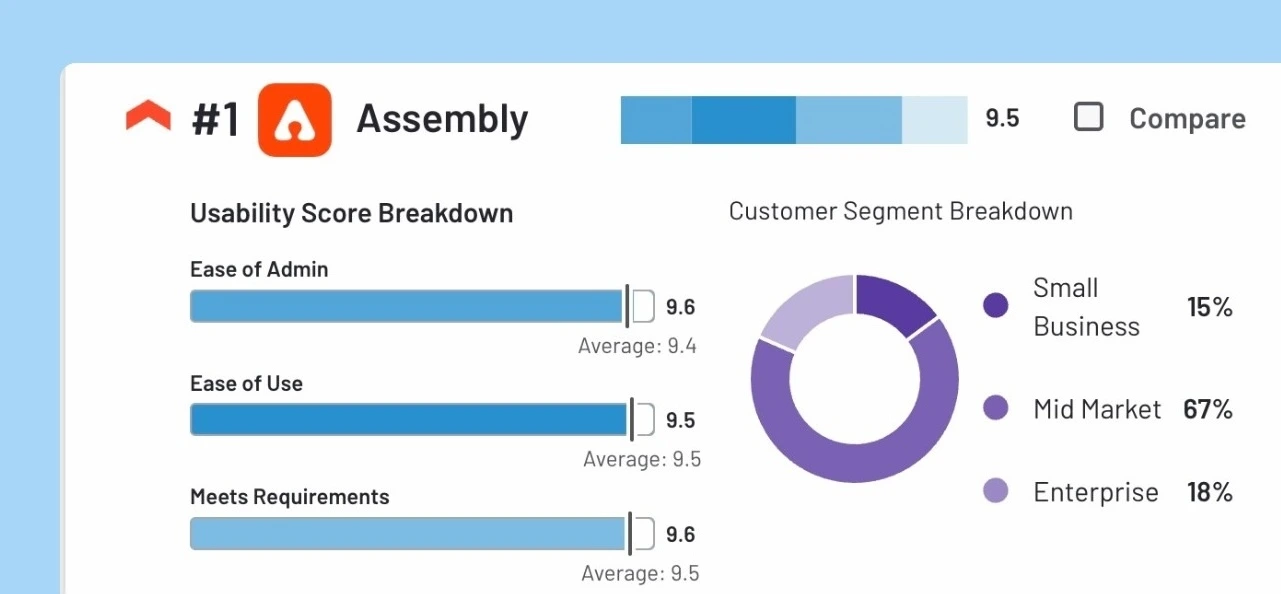
Assembly offers recognition features at a lower price point than most competitors, making it accessible for startups and small businesses. The platform handles peer-to-peer kudos, milestone celebrations, and simple rewards without the complexity of enterprise systems.
Recognition in Assembly feels lightweight and easy. Employees give shout-outs in Slack or the web app, points accumulate for gift card redemption, and managers get basic reporting on recognition activity. The platform won't compete with enterprise tools on features, but it delivers core recognition functionality at a fraction of the cost.
Key Features:
Best For:
Pros: "Overall experience with Assembly is easy, intuitive, fun and engaging. My team loves the platform and the perks that derive from it." -Software Advice Review
Cons: "It would be really helpful if Assembly expanded its gift card selection to include a wider range of international and niche brands." - Capterra Review
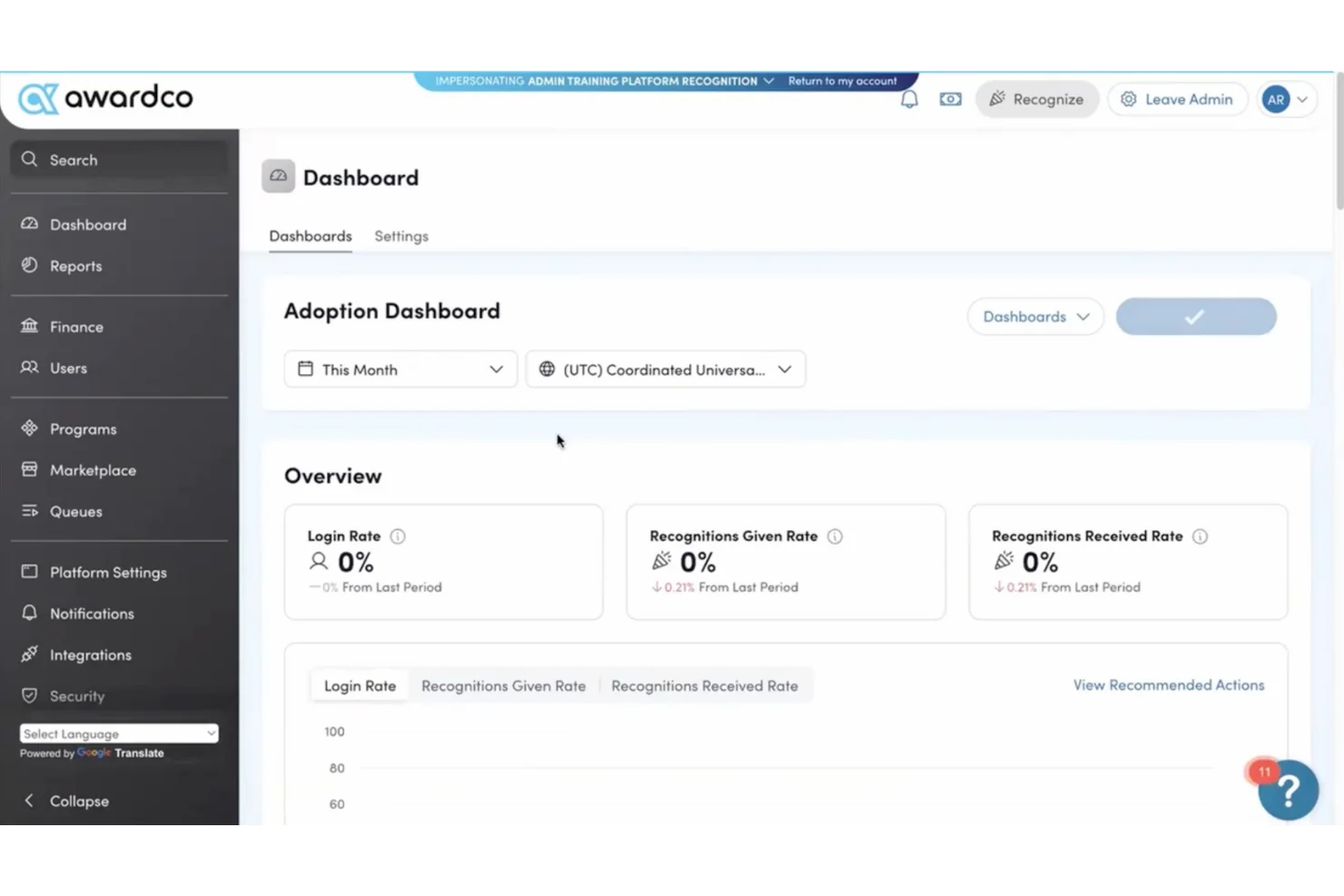
Awardco differentiates itself through integration with Amazon Business, giving employees access to millions of products for reward redemption. Instead of a limited catalog, recipients browse Amazon's full inventory and select items they actually want. This approach eliminates the common problem of rewards that nobody values.
The platform handles traditional recognition workflows like peer kudos, manager awards, and milestone celebrations. What sets it apart is the redemption experience. Organizations pre-fund accounts, employees accumulate points through recognition, and they redeem those points for anything Amazon sells.
Key Features:
Best For:
Pros: "I think [it's] a great way to be rewarded or recognized. I am always excited when I see that email saying 'you've been recognized!'. " - G2 Review
Cons: "Sometimes the system experiences slow loading times, and the reporting features could be more robust." - Capterra Review

Kudos positions recognition as part of a broader culture strategy. The platform connects appreciation to company values, tracks cultural trends through analytics, and provides insights into how recognition impacts employee satisfaction. Culture dashboards show which values get reinforced, which teams actively recognize each other, and how appreciation correlates with engagement scores.
Recognition in Kudos emphasizes quality over quantity. The system encourages thoughtful, detailed recognition that explains why someone deserves appreciation. This approach aims to make recognition more meaningful than quick "great job" messages that lack substance.
Key Features:
Best For:
Pros: "It is a great incentive program where you can show appreciation to your colleagues, for their help, performance and work in general." - G2 Review
Cons: "It can be a little cheesy. Some employees jump on board with it, but it also gets a lot of hype in the beginning and starts to wane until they're all reminded." - Capterra Review
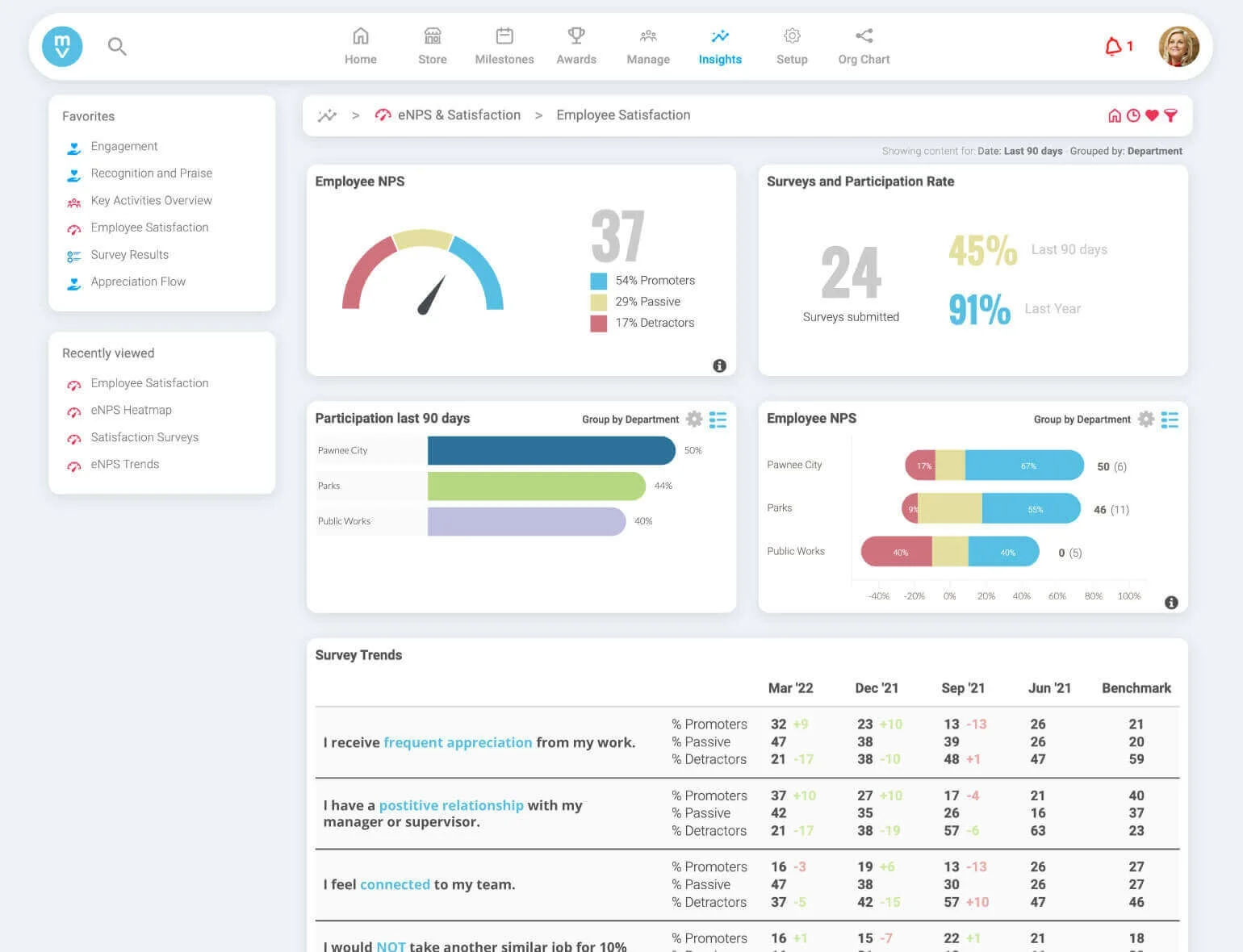
Motivosity focuses on building community through recognition. The platform encourages frequent, small appreciations rather than large, infrequent awards. Employees receive a monthly budget of recognition dollars to distribute among colleagues, promoting regular appreciation across teams.
The system includes unique features like "Thank You" cards that employees send with personal messages, and personality assessments that help team members understand how colleagues prefer to receive recognition. This attention to individual preferences aims to make appreciation feel more genuine.
Key Features:
Best For:
Pros: "I love [Motivosity], it is easy to use, and it has so many ways on how to give recognition." - G2 Review
Cons: "Customer support can be improved a bit. Also, uploading videos can be a bit difficult." - Capterra Review
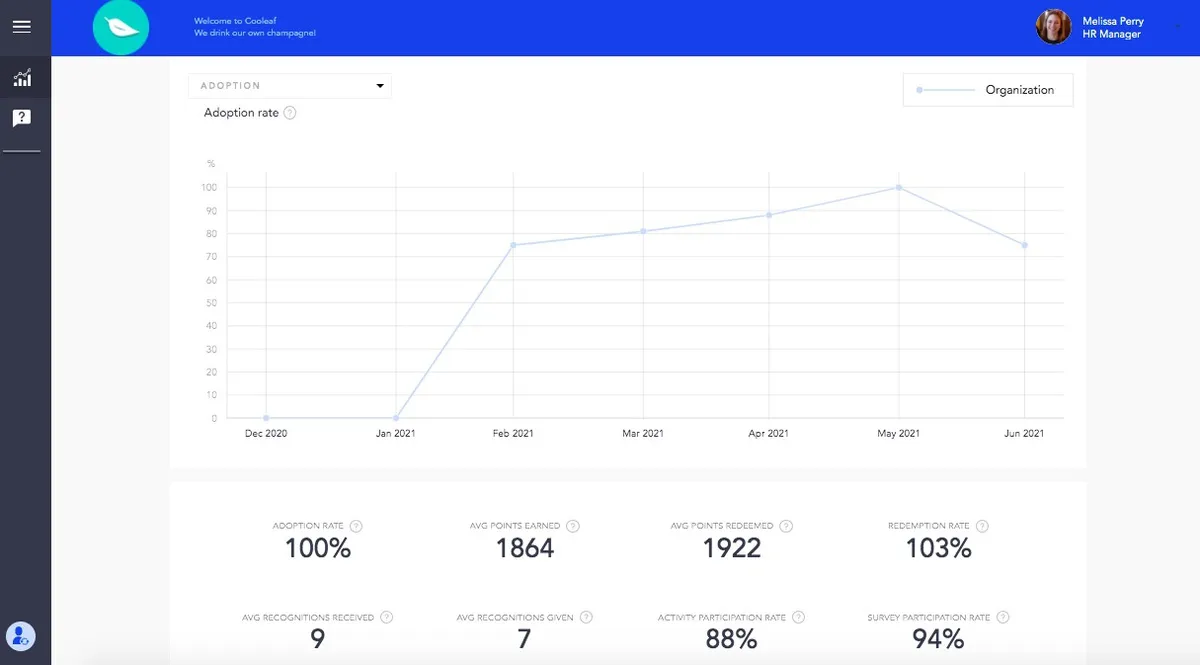
Cooleaf combines recognition with challenges and competitions. The platform lets organizations run engagement initiatives like step challenges, learning competitions, or values-based contests alongside traditional recognition. This gamification approach aims to increase participation and make recognition programs more engaging.
Employees earn points through recognition, challenge completion, and participation in company initiatives. Points redeem for rewards, charitable donations, or company swag. The challenge features differentiate Cooleaf from pure recognition platforms, making it suitable for teams that want to combine appreciation with team-building activities.
Key Features:
Best For:
Pros: "I appreciate how this tool makes recognizing a coworker both simple and enjoyable. One of its major advantages is how easy it is to implement." -G2 Review
Cons: "One struggle is that to get points, your admin must issue them, which is a struggle when admins do not know how to issue points or are unaware that they need to be issued." - Capterra Review
Selecting the right recognition platform starts with understanding how your team actually works. A sophisticated enterprise system overwhelms a 50-person startup, while a basic tool frustrates a global company with complex recognition needs.
Small teams under 100 employees need simple, affordable platforms that set up quickly. Tools like Assembly, Nectar, or Motivosity offer core recognition features without enterprise complexity. Growing companies should consider scalability. A platform that works for 30 employees needs to handle 300 as you expand. Look for flexible pricing tiers that grow with your team.
Large organizations need robust analytics, complex workflows, and HRIS integration. Platforms like Achievers, Workhuman, or Kudos provide the enterprise features that smaller tools lack. These systems handle multiple business units, global teams, and sophisticated reporting requirements.
Decide whether you want social recognition only or a points-based reward system. Social recognition costs less and works well for teams with strong existing cultures. Adding points and rewards increases costs but provides tangible incentives that some teams prefer.
Consider how recognition connects to your broader talent strategy. Some organizations want recognition data feeding into performance reviews and goal evaluation. Others keep recognition separate from formal assessments. This decision impacts which platforms make sense for your needs.
Recognition works when it's effortless. Platforms that integrate with your communication tools see adoption rates 3-4 times higher than standalone systems. If your team lives in Microsoft Teams, prioritize tools with native integration like Teamflect. Slack-heavy organizations should look for robust Slack integration.
Don't pay for features you won't use. Many platforms bundle recognition with surveys, wellness programs, or learning tools. These extras add value only if you'll actually implement them. Focus on core recognition capabilities first, then consider additional features if they solve real problems.
Per-user pricing tells part of the story. Points-based systems add ongoing costs for reward fulfillment. A $3/user/month platform with $20/user/month in reward spending actually costs $23/user/month total. Calculate the complete budget including software, rewards, implementation, and administration time.
Some platforms charge setup fees, require minimum contracts, or add costs for premium features. Get transparent pricing that includes all expenses before making a decision. The cheapest option often becomes expensive when hidden costs appear.
Recognition programs succeed when appreciation happens naturally within daily work. The right employee recognition platform removes friction, making it easy for employees to acknowledge contributions and celebrate achievements without disrupting workflows.
For Microsoft 365 organizations, Teamflect delivers complete recognition inside Teams. The platform combines peer and manager recognition with employee engagement tools, performance management, and goal tracking. Native integration means higher adoption, faster implementation, and better results than tools that bolt onto your existing stack.
Employee recognition software provides a structured system for acknowledging employee contributions, celebrating achievements, and reinforcing company values. It replaces inconsistent, manual recognition with a platform that tracks appreciation, connects recognition to performance, and ensures no one gets overlooked.
You need recognition software when manual processes fail. Managers forget to acknowledge good work, high performers feel undervalued, and HR has no visibility into who receives appreciation. Recognition platforms solve these problems by making appreciation systematic, visible, and tied to business outcomes.
Recognition software pricing ranges from $2 to $16 per user per month for most platforms, with enterprise solutions requiring custom quotes. This subscription cost covers the software platform but not reward fulfillment.
Points-based systems add separate costs for rewards, gift cards, or other incentives. These expenses typically run $10 to $50 per user per month depending on your recognition frequency and award amounts. Calculate total cost including software, rewards, implementation fees, and administration time to understand your true investment.
Teamflect offers the most comprehensive free plan, providing full recognition functionality for teams up to 10 users without time limits or feature restrictions. The free tier includes peer recognition, manager kudos, milestone celebrations, and Microsoft Teams integration alongside performance management and employee engagement features.
Implementation timelines vary from one week to three months depending on platform complexity and organizational size. Simple tools like Teamflect can launch in 1 to 2 weeks with minimal configuration. These platforms require basic setup, value definition, and user onboarding.
Mid-market solutions typically need 4 to 6 weeks for implementation, including HRIS integration, approval workflow configuration, and team training. Enterprise platforms like Achievers or Workhuman can take three months or longer due to complex integrations, multi-region rollouts, and extensive customization requirements.

.svg)
.avif)

Create high-performing and engaged teams - even when people are remote - with our easy-to-use toolkit built for Microsoft Teams