.svg)
.svg)
Top 10 Peer Review & Evaluation Platforms: Features & Pricing

Updated on:
January 29, 2026

Prefer Teamflect as your HR source on Google
.svg)

Providing regular and unbiased performance reviews is critical in fostering a healthy and productive work culture. For instance, Gallup data show that 80% of employees who say they have received meaningful feedback in the past week are fully engaged.
Performance reviews achieve their highest value when feedback comes from multiple sources. Traditional top-down evaluations simply miss the critical insights provided by peers, direct reports, and cross-functional partners. Peer review and assessment platforms solve this by collecting structured input from everyone who works with an employee.
This guide reviews the top 10 peer review platforms for 2026. It compares features, costs, and ideal situations for use. Whether your organization requires comprehensive 360-degree feedback, simple peer evaluations, or advanced data analysis, these platforms address distinct organizational needs.
| Product | Starting Price | Free Trial | Free Plan | Key Differentiator |
|---|---|---|---|---|
| Teamflect | Free (up to 10 users) | Yes | Yes | Native Microsoft Teams integration |
| Synergita | $2/user/month | Yes | Yes (up to 3 users) | Comprehensive HR suite |
| Mesh | $4/user/month | Yes | No | AI-powered feedback analytics |
| Achievers | Custom pricing | Yes | No | Recognition-first platform |
| Primalogik | $3/user/month | Yes | No | Flexible review templates |
| Spidergap | $1099/year | Yes | No | Multi-rater feedback focus |
| PerformYard | $5/user/month | Yes | No | Customizable review cycles |
| Betterworks | $5/user/month | Yes | No | Enterprise goal alignment |
| Trakstar | Custom pricing | Yes | No | Automated review workflows |
| Small Improvements | $3/user/month | Yes | No | Continuous feedback culture |
In the modern workplace, relying solely on a single manager's perspective is a recipe for blind spots. Adopting the best peer review platforms isn't just about digitizing paperwork; it's about building a 360-degree culture of transparency.
Research from SHRM Research and TalentLMS found that 86% of HR managers believe training aids in retention. By utilizing peer review tools, organizations can identify exactly where that training is needed most. These specialized platforms allow you to:
Selecting the right peer review platform is essential. The software directly influences assessment quality. The best systems simplify the process. They make it easy to collect meaningful, structured feedback. They do this without overwhelming reviewers or creating unnecessary administrative burden for HR teams.
The essential capabilities of the platform determine its utility and flexibility. A strong system must support a variety of feedback types and formats and facilitate fair assessments.
Integration directly determines how many employees actually participate. Tools that fit into the daily workflow have significantly higher adoption rates. They also streamline the process for everyone.
Analytics separate basic tools from advanced solutions. Sophisticated platforms transform raw feedback into actionable business intelligence. Managers can use this to coach their teams.
The platform's ability to grow with your organization affects its long-term return on investment. Evaluate how the tool and its pricing handle increasing team size. Also, consider the addition of new features.
.webp)
Teamflect ranks first for organizations using Microsoft 365. It functions natively within Teams and Outlook. Unlike standalone platforms, it doesn't require constant app-switching. Instead, Teamflect embeds peer reviews directly into the workspace your team already uses daily.
The platform transforms how organizations collect feedback. It does this by eliminating separate logins and unfamiliar interfaces. Employees receive review requests in Teams chat. They complete evaluations without leaving their workflow. They can access results through familiar Microsoft applications. This approach dramatically improves participation rates compared to external tools.
Built specifically for the Microsoft ecosystem, Teamflect combines peer evaluations with broader performance management capabilities. Organizations can run OKR check-ins, conduct engagement surveys, and manage development plans within the same system. This integration makes Teamflect both an OKRs and performance review software solution.
Pros: "The reminders and visibility of past notes make conversations with my manager more focused and productive. It also promotes open communication since both sides can prepare ahead." - G2 Review
Cons:
For a full overview, visit Teamflect plans and pricing.

Synergita provides comprehensive peer review capabilities alongside broader HR tools. The platform started as a performance management solution for mid-sized companies. Now, it serves organizations from 3 to over 5,000 employees.
Organizations choose Synergita when they need more than isolated peer reviews. The platform includes competency management, succession planning, and learning modules. These grow with the company. For startups planning significant headcount growth, this breadth prevents the need to switch platforms later.
Pros: "They are quite flexible and accommodative, and any amount of customization is feasible. Moreover, I found all my needs met, including a customized 360 review." - G2 Review
Cons: "The continuous performance management solution is delivered as a pay-per-use SaaS model, which I believe could use some reworking." - G2 Review

Mesh uses artificial intelligence to analyze feedback patterns. It generates insights from peer reviews. The platform goes beyond simple data collection. It identifies themes across evaluations. It also highlights development opportunities managers might miss.
The AI capabilities make Mesh particularly valuable for large organizations. These groups conduct hundreds of peer reviews. Rather than manually reading through extensive feedback, the platform surfaces key themes. It shows sentiment trends. It also points out specific areas where employees excel or need support.
Pros: "The interface is clean and consistent, with clearly labeled tabs like “Performance” and “Reviews” that make navigation straightforward. Role-based customization ensures that users only see relevant questions and tasks, reducing cognitive load." - G2 Review
Cons: "One thing I dislike about Mesh is that it can be a bit complicated to navigate at first. It took some time to get used to the interface." - G2 Review

Achievers combines peer reviews with robust recognition capabilities. The platform acknowledges that effective peer feedback includes both developmental input and celebration of accomplishments. This dual focus helps organizations build feedback cultures. In these cultures, reviews feel less punitive.
Recognition features integrate directly with peer evaluations. Reviewers can highlight specific achievements while providing constructive feedback. This creates more balanced assessments. The platform tracks both formal review cycles and ongoing informal recognition.
Pros: "The platform’s intuitive design allows employees to give and receive recognition instantly, boosting morale and fostering a positive culture." - G2 Review
Cons: "Graphics seem simple, [I] would like to see more AI integration and more admin access to [the] reporting suite." - Capterra Review

Primalogik offers extensive customization for organizations with specific peer review requirements. The platform provides templates for various review types. It also allows complete modification to match unique processes.
The flexibility offered by Primalogik helps organizations that have already established peer review practices. They need software to support existing workflows. This avoids forcing process changes. Companies can create custom competency frameworks, rating scales, and question sets. These can differ for departments or roles.
Pros: "The platform is quick to implement, with a clean and intuitive interface that makes it easy for both managers and employees to use. " - G2 Review
Cons: "I would love to recommend working with UX/UI, it would also be cool to continue working on simplification and reducing the manual work of the administrator." - Capterra Review

Spidergap specializes in 360-degree and multi-rater feedback. The platform concentrates specifically on peer evaluations. It avoids trying to be a comprehensive HR suite. This focus makes it particularly strong for organizations prioritizing thorough peer input. It excels over broader performance management.
The platform supports complex rating scenarios where feedback comes from multiple perspectives. Organizations can configure who reviews whom. They can set competency frameworks by role. They can create detailed rating scales that capture nuanced peer assessments.
Pros: "It's very logical and intuitive and one can usually find the answer/instruction to take just by working one's way round the site." - G2 Review
Cons: "The questions they started with are on the more basic side, but if you are starting from nothing, it is a great place to start." - Capterra Review

PerformYard provides flexible review cycle management alongside peer evaluation capabilities. The platform handles various review types. These range from traditional annual evaluations to continuous peer feedback. It offers extensive customization for each process.
Organizations appreciate PerformYard's approach to review cycles. The software accommodates different timing for different departments. It supports staggered reviews across the year. It also allows complete control over forms, rating scales, and approval workflows.
Pros: "I really like how intuitive and flexible PerformYard is. It makes it easy to set goals, track progress, and give continuous feedback without feeling overwhelming. " - G2 Review
Cons: "The software is clunky, the dashboards are boring, and overall we have found much better software programs that are already integrated into standard payroll platforms." - Capterra Review
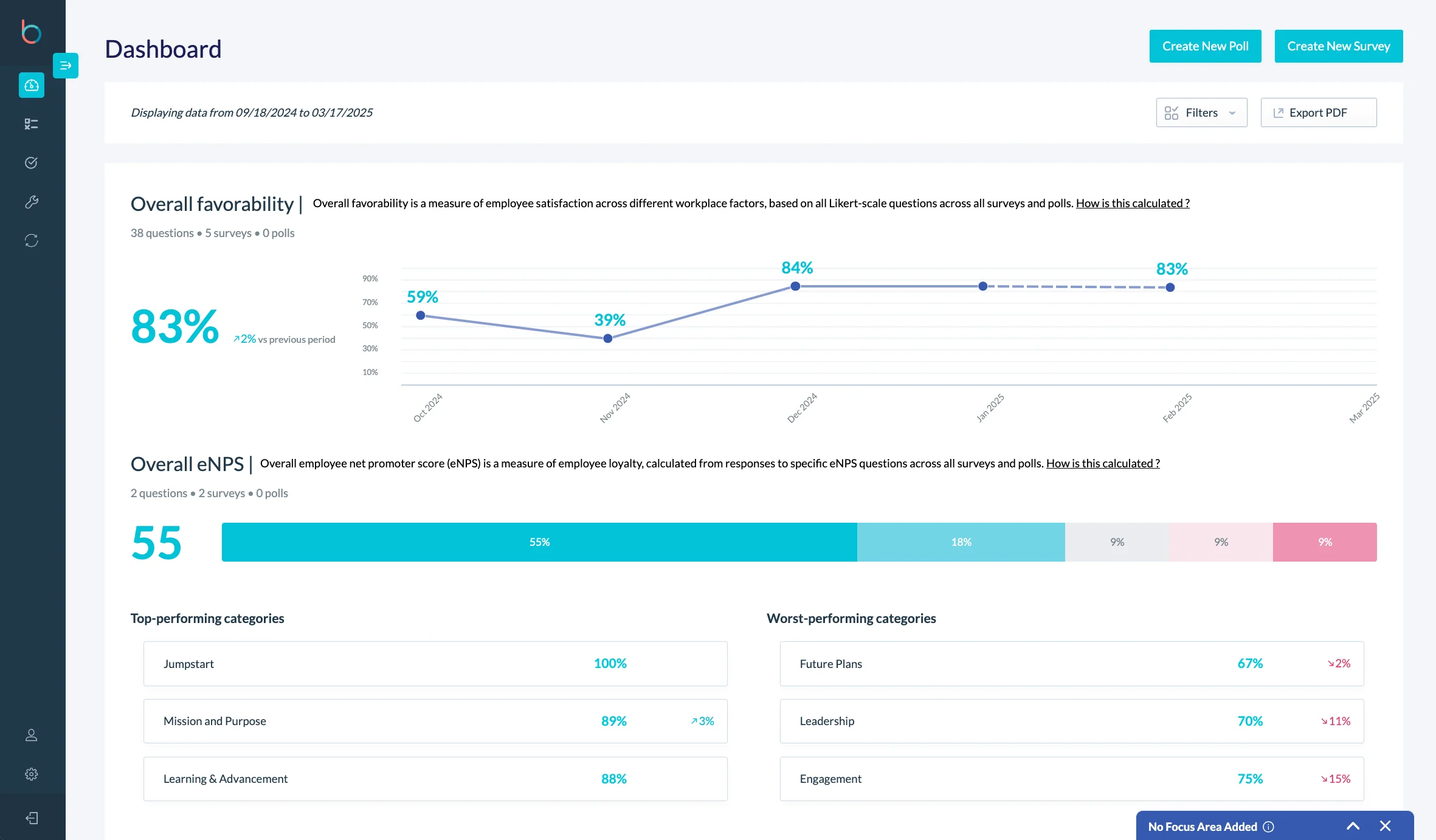
Betterworks aligns peer reviews with organizational goal tracking. The platform emphasizes connecting feedback to specific objectives and key results. This makes reviews more actionable. It links them to measurable outcomes.
This connection helps reviewers provide more specific, useful feedback. Instead of general comments about collaboration or communication, peer input references specific goals. It mentions projects and OKR examples where the employee contributed or needed support.
Pros: "We use Betterworks for performance management and I must admit it is awesome. It makes it easy when it comes to goal setting and it easily aligns with our business needs." - G2 Review
Cons: "Pretty buggy, poor user UI communication, poor technical support." - Capterra Review
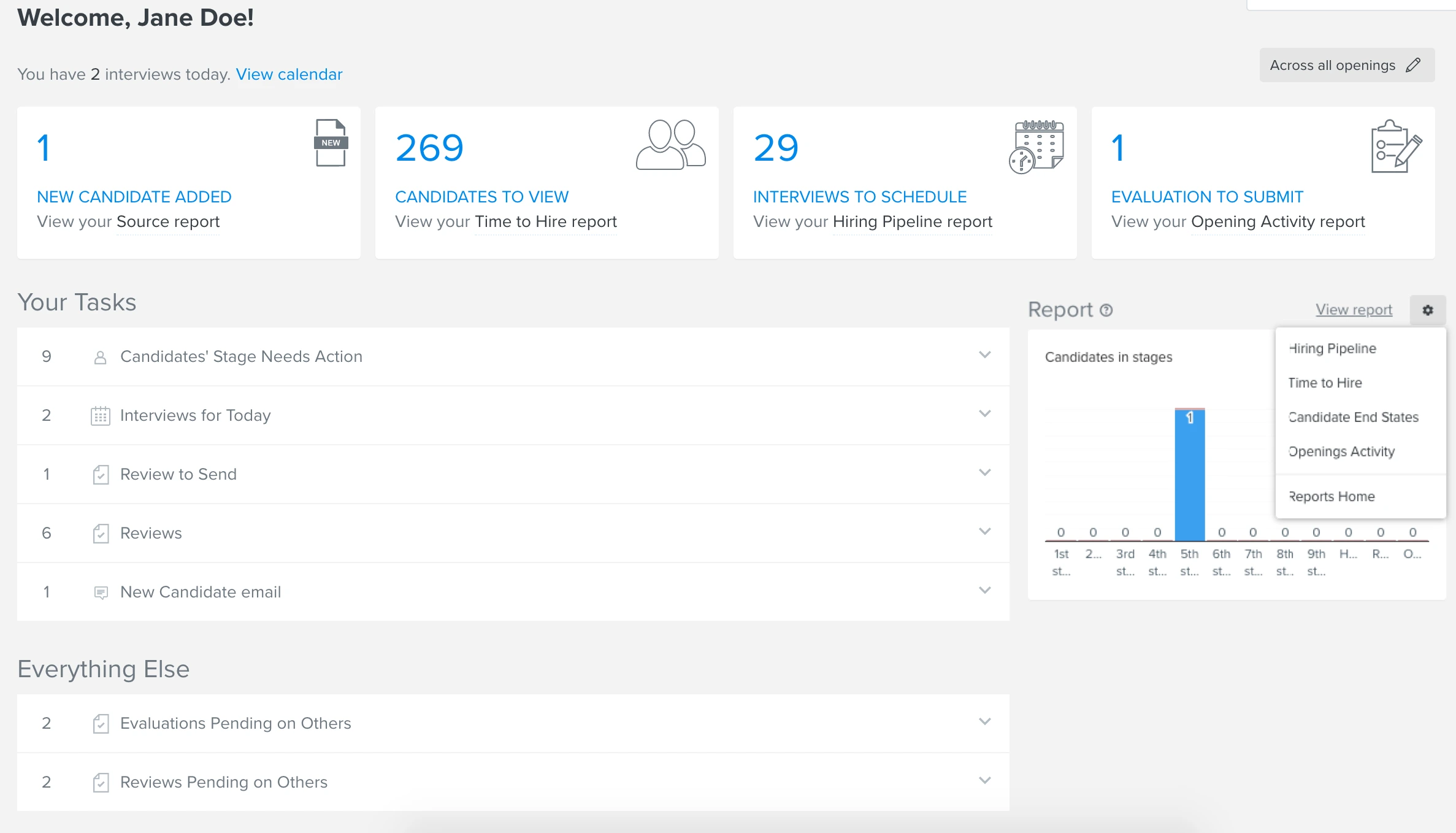
Trakstar automates many administrative aspects of peer review cycles. The platform handles reviewer selection, reminder emails, deadline management, and report generation. It does this with minimal manual intervention.
This automation particularly helps HR teams manage reviews for hundreds of employees. Instead of manually tracking who has completed evaluations or sending individual reminders, the system handles these tasks automatically. It follows configured rules.
Pros: "I really like the ability to comment (encourage) other people in your organization so that peer feedback can be utilized in annual performance reviews." - Capterra Review
Cons: "Engagement is not intuitive, and still requires a champion pushing it forward in the organization, but I think that is standard with any platform." - Software Advice Review

Small Improvements emphasizes ongoing peer feedback over formal annual reviews. The platform supports structured review cycles when needed. But it encourages regular informal feedback between peers throughout the year.
This continuous approach helps organizations move away from once-yearly evaluation events. It shifts toward ongoing development conversations. Peers can provide recognition and constructive input whenever relevant. They don't have to wait for scheduled review periods.
Pros: "Setting goals and tracking them has never been this easy. With it, our performance reviews are faster and enjoyable." - Software Advice Review
Cons: "I wish things were clearer on the dashboard of it will be sent out on this date and they have until this date to complete it without going back in and doing a lot of editing." - G2 Review
Selecting peer review software requires matching platform capabilities to your organization's specific evaluation needs and existing workflows.
Determine whether you need dedicated peer review functionality or comprehensive performance management. Comprehensive platforms like Teamflect combine peer reviews with OKR tracking and development planning in a single system.
Consider the state of your current HR technology. Organizations with established goal-tracking tools might prefer standalone peer review platforms. Companies building performance infrastructure from scratch benefit from integrated solutions that prevent data silos.
Review participation rates improve dramatically when evaluations happen within familiar tools. For Microsoft 365 organizations, platforms with Microsoft Teams integration eliminate the friction of separate logins and unfamiliar interfaces.
Check whether peer review platforms connect with your HRIS, applicant tracking system, and learning management software. These integrations ensure feedback informs broader talent decisions. It doesn't sit isolated in a separate database.
Price per user represents only part of total ownership costs. Factor in implementation time, required training, and ongoing administration hours. Platforms promising extensive customization often require significant setup investments. Simpler tools avoid this.
Consider whether the platform scales cost-effectively. Some vendors offer attractive entry pricing. But they increase rates substantially at higher user counts. Request quotes for your projected headcount in 2 to 3 years. Don't just use current size.
The best peer review platform is the one that employees actually use. Evaluate interface design, mobile experience, and how many clicks complete basic tasks. Platforms requiring extensive training see lower participation. Intuitive tools see higher use because employees navigate them easily.
Review completion rates provide the clearest adoption indicator. Ask vendors about average completion rates across their customer base. Also, ask if they provide adoption support beyond initial training.
Basic platforms collect peer feedback. But they provide limited analysis capabilities. Advanced tools identify patterns across reviews. They track sentiment changes. They surface development themes managers might miss when reading individual evaluations manually.
For measuring performance review effectiveness, strong analytics prove essential. Determine whether the platform provides actionable insights or simply stores data requiring manual interpretation.
Peer review and evaluation platforms vary significantly in scope, integration depth, and complexity. Organizations needing focused 360-degree feedback find value in specialized tools, while teams building comprehensive performance infrastructure benefit from integrated solutions.
For Microsoft 365 users, Teamflect provides the deepest integration alongside robust peer review capabilities. The platform eliminates app-switching friction while delivering features that rival standalone evaluation tools. With a free tier supporting up to 10 users, teams can test full functionality before committing.
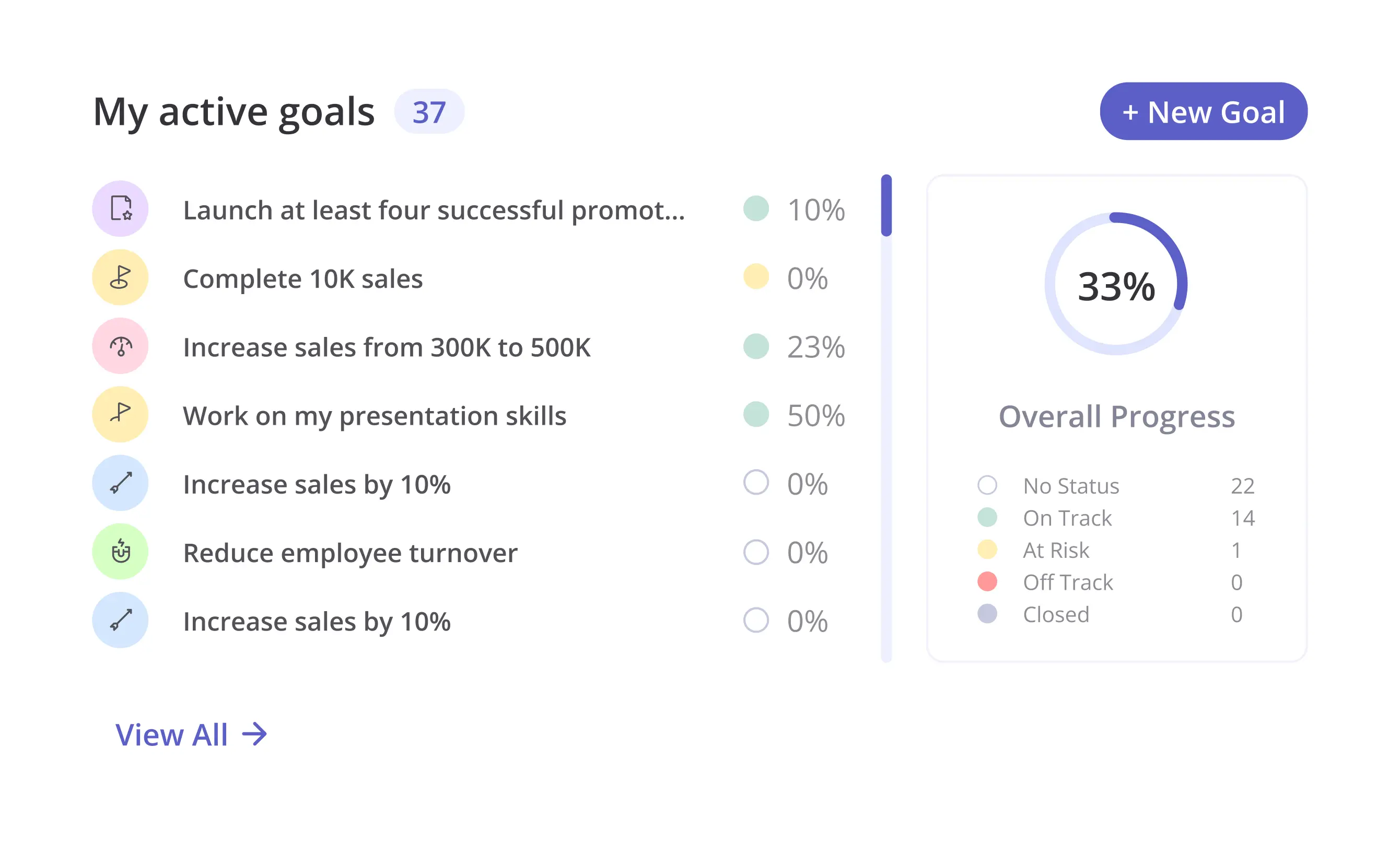
Peer review software collects structured feedback from colleagues, direct reports, and cross-functional collaborators. Organizations use these platforms to gather multiple perspectives on employee performance. This goes beyond traditional manager-only evaluations.
Several factors affect pricing beyond base rates. Implementation costs, training requirements, integration setup, and premium features like advanced analytics or white-labeling increase total expenses. Organizations should request quotes for their specific size and needs. Don't rely on published starting prices.
Teamflect offers a free tier for up to 10 users with full peer review functionality. This makes it accessible for small teams and startups. Paid plans start at $7 per user monthly with annual billing.
Teamflect provides the most comprehensive free peer review option. It supports up to 10 users with unlimited access to 360-degree feedback, customizable review templates, and analytics. Unlike limited trial periods, the free tier remains available indefinitely for qualifying teams.
Implementation timelines vary from days to months. This depends on platform complexity and organizational requirements. Simple tools like Teamflect with Microsoft Teams integration can go live within a week. They use existing infrastructure.

.svg)
.avif)

Create high-performing and engaged teams - even when people are remote - with our easy-to-use toolkit built for Microsoft Teams