.svg)
.svg)
How to Build the Ideal HR Tech Stack for 2026

Updated on:
January 29, 2026

Prefer Teamflect as your HR source on Google
.svg)

An HR tech stack is the integrated ecosystem that drives recruiting, onboarding, performance tracking, and analytics across your organization. It’s a collection of tools designed to streamline HR workflows, but it’s far from the reality in many organizations.
Gartner reports that less than a quarter of HR employees derive maximum value from their current HR technology. This lack of confidence is widespread, and only 35% of HR leaders are confident their current approach achieves business objectives.
Calculate Total Cost of Ownership for each tool. Include license fees, implementation costs, training expenses, and staff time for administration. The same baseline helps you measure the return on investment from stack improvements and gives you the numbers for getting the spend approved.
This guide explains what an HR tech stack is, outlines the major HR software categories, and provides a Microsoft-native blueprint for building an integrated, secure, and AI-enabled HR ecosystem. You'll find practical implementation steps, integration requirements, and security considerations that help you make informed vendor decisions.
An HR tech stack is a comprehensive combination of software solutions, integrations, and data flows that power all HR operations, from hiring through offboarding. The stack generally includes core systems for employee records, specialized tools for functions like recruiting and performance management, and analytics platforms that transform HR data into meaningful business insights.
The stack typically includes core systems for employee records, specialized tools for recruiting and performance management, and analytics platforms that turn HR data into business insights. The best stacks balance specialization with integration.
Modern stacks prioritize interoperability. Each tool connects to others through APIs, creating automated workflows that eliminate redundant data entry. Your HRIS (Human Resources Information System) functions as the master data source, or "source of truth."
Consider an application like Teamflect, which connects performance management, 360-degree feedback, and analytics directly within Microsoft Teams. This type of tight integration defines effective HR tech stack architecture.
In the fast-paced landscape of 2026, many organizations find themselves struggling with a fragmented hr tech stack that creates more friction than flow. Gartner reports that 46% of HR leaders believe their current technology solutions do not cover their current and future business needs. When your software doesn't "talk" to each other, your HR team spends more time acting as data entry clerks than strategic partners.
Modernizing your HR tech stack isn't just about buying new software; it's about creating a seamless digital nervous system for your company. By upgrading your approach, you can:
HR has shifted from administrative support to strategic partnership. Technology enables this transformation by automating routine tasks and surfacing insights that inform talent decisions. Organizations with modern, integrated HR stacks report measurable improvements across multiple areas.
Productivity gains stem directly from workflow automation. HR teams redirect time toward strategic work like talent planning and organizational development when routine tasks are automated.
This autonomy not only increases employee satisfaction but also significantly reduces the administrative burden on the HR department.
Data accuracy is a direct result of properly integrated systems. When systems integrate correctly, errors associated with manual data transfer disappear.
Cross-functional collaboration expands when HR data connects securely to other business systems, providing vital context for planning across the company.
These benefits compound over time. Organizations that invest in integrated HR technology gain competitive advantages in talent acquisition, retention, and development, while those relying on disconnected point solutions lose speed, accuracy, and strategic capability.
Understanding how components connect helps you design an effective stack. Each layer serves specific functions while exchanging data with others. This architecture ensures information flows smoothly from source systems to analytics dashboards.
The HR tech stack is organized by function, with data moving consistently between layers. The following table illustrates the main components, their role, example tools, and their primary data flow.
| Layer | Function | Example Tools | Data Flow |
|---|---|---|---|
| Core HR / HRIS | Master employee data | Workday, BambooHR, Personio | Source of truth → downstream sync |
| Performance Management | Goals, reviews, feedback | Teamflect, Lattice, Leapsome | Integrates with Teams & Outlook |
| Recruiting & Onboarding | Hiring & new hire setup | Greenhouse, Recruitee, Sapling | ATS ↔ HRIS sync |
| Payroll & Compliance | Compensation, benefits, local regulations | ADP, Rippling | Data exchange via APIs |
| Engagement & Recognition | Surveys, rewards, wellbeing | Teamflect, Nectar, Workstars | HRIS → engagement dashboards |
| Analytics Layer | BI dashboards & insights | Power BI, Tableau, Visier | Data warehouse aggregation |
| Automation & AI | Chatbots, copilots, workflow bots | Teamflect Agent, Paradox | Natural language layer for actions |
Your HRIS (Human Resources Information System) sits at the foundation, maintaining authoritative employee records. This system acts as the primary data trigger for many internal processes.
Recruiting and onboarding systems manage the transition from external candidate to internal employee. Your ATS (Applicant Tracking System) tracks applicants through hiring stages. Once someone accepts an offer, their information transfers to onboarding tools, like Teamflect's software, that guide them through paperwork, training, and system access within collaboration tools like Microsoft Teams.
Performance management tools pull employee data but maintain their own records for goals, feedback, and review cycles. Tools like Teamflect sync with your HRIS to display current team structures while storing performance data independently. This separation allows you to maintain detailed performance histories even as organizational structures change.
The Analytics Layer and Automation & AI Layer sit on top, adding intelligence and insight across the entire stack.
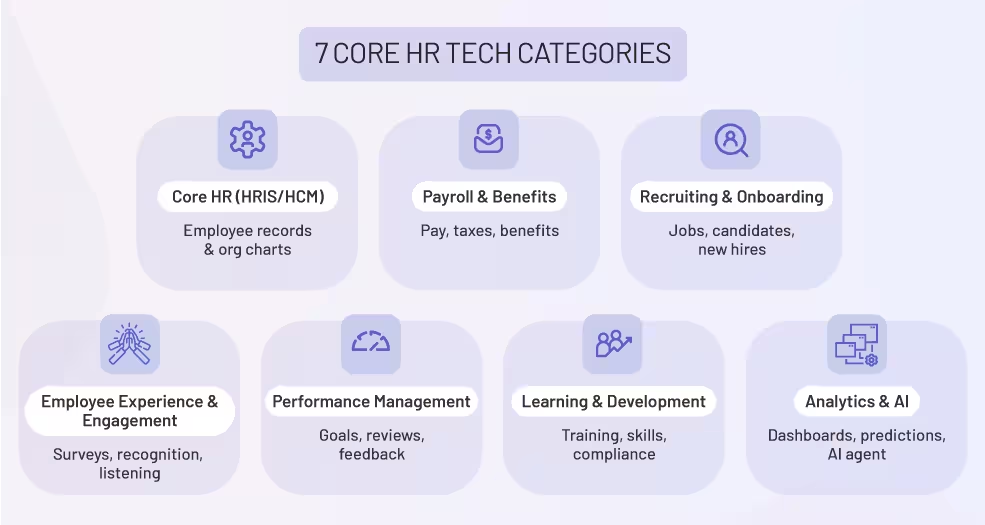
Modern HR stacks contain six to eight core categories. Each addresses specific business needs while connecting to your broader ecosystem. Understanding these categories helps you evaluate vendors and identify gaps in your current setup.
Core HR systems manage employee records, organizational structures, and compliance documentation. These platforms store demographic data, job histories, reporting relationships, and employment status. They generate org charts, track headcount changes, and maintain audit trails for regulatory requirements.
Most organizations select their HRIS first because other systems depend on it for master data. Look for platforms with strong API capabilities, flexible data models, and compliance certifications relevant to your regions. With a strong core in place, layering performance on top of an HCM becomes a real option instead of relying on the suite’s built-in module.
Payroll systems calculate compensation, process deductions, and handle tax withholdings. They integrate with time tracking tools to capture hours worked and with benefits platforms to manage insurance premiums and retirement contributions.
Modern payroll tools handle multi-country requirements, supporting different currencies, tax codes, and labor regulations.
Accuracy and compliance matter more than features in this category. Verify that vendors support your locations and maintain certifications from relevant authorities. Integration with your HRIS should be bidirectional, pulling employee data and pushing compensation information back for reporting.
Applicant tracking systems (ATS) manage job postings, candidate pipelines, and interview scheduling. They automate communication with applicants, collect feedback from interviewers, and generate offer letters.
Onboarding platforms then guide new hires through paperwork, training modules, and team introductions.
Integration between recruiting and onboarding tools prevents duplicate data entry and speeds time-to-productivity. Teamflect's employee onboarding capabilities work within Microsoft Teams, allowing new hires to complete setup tasks alongside their regular collaboration tools.
Engagement platforms measure employee sentiment through surveys, track recognition between team members, and provide channels for continuous feedback. They help HR teams identify issues early and track improvement initiatives over time. The best platforms make participation effortless, meeting employees where they already work.
Teamflect's employee engagement features integrate directly into Microsoft Teams, turning engagement from a quarterly survey into an ongoing conversation. Employees share feedback, receive recognition, and participate in pulse surveys without leaving their collaboration workspace. This approach captures more authentic insights compared to standalone platforms.
Performance management software supports goal setting, continuous feedback, and formal reviews. Modern platforms emphasize ongoing conversations over annual reviews, incorporating check-ins, peer feedback, and development planning.
Strong performance tools connect individual objectives to company goals, creating alignment across the organization.
Teamflect's performance management capabilities work seamlessly within Microsoft 365, allowing managers to set goals, request feedback, and conduct reviews without switching applications.
The platform supports competency frameworks, goal evaluation methods, and customizable review cycles that adapt to your organization's needs.
Learning management systems (LMS) deliver training content, track completion, and manage certifications. They support both compliance training and professional development, offering libraries of courses or integrating with external content providers. Modern LMS platforms use adaptive learning paths that adjust based on role, performance, and career goals.
Your LMS should pull employee data from your HRIS to automatically assign required training based on job role or location. Completion data flows back to employee records, maintaining compliance documentation.
People analytics platforms transform HR data into actionable insights. They combine information from multiple systems, apply statistical analysis, and generate predictive models for turnover, performance, and workforce planning. AI capabilities automate routine decisions, surface anomalies, and answer natural language questions about your workforce.
Teamflect's AI agent interprets natural language questions about team performance, engagement trends, and goal progress. Instead of building dashboards manually, managers ask questions and receive instant answers based on real-time data. This capability makes analytics accessible to leaders without technical expertise.
Building an effective HR tech stack requires systematic planning and phased implementation. This nine-step process helps you audit current systems, prioritize improvements, and roll out new tools with minimal disruption.
Start by documenting every HR tool your organization uses. Gaining a complete picture is the first critical action.
Rank potential improvements based on their business impact and implementation difficulty. This ensures you target the most valuable changes first.
Create a detailed features matrix for each category in your stack to guide objective vendor selection.
List requirements in three tiers: must-have, should-have, and nice-to-have.
Use this matrix to score candidates objectively during vendor evaluation. Finalists meet all must-have requirements and most should-have features.
Document your scoring methodology and share it with decision-makers. This transparency speeds approval processes and builds confidence in your recommendations.
Integration architecture determines the stack's functional efficiency. Prioritize robust, real-time data exchange methods.
Teamflect's Microsoft Teams integration demonstrates this depth. Employees access performance reviews, submit feedback, and check goal progress without leaving Teams, keeping users in their established workflow.
Security requirements protect both your organization and your employees. Thoroughly vet vendor certifications and compliance support.
Teamflect maintains SOC 2 Type II and ISO 27001 certifications, with regional data residency options covering the US, EU, and UAE, which helps satisfy global compliance requirements.
Adoption rates are critical for tech stack success. The most powerful platform fails if people don't use it. Evaluate the experience across key user groups:
AI capabilities fundamentally transform how employees interact with HR systems, moving beyond menu navigation to natural language interactions.
Evaluate AI readiness across three dimensions:
Look for vendors with open APIs and well-documented data models, which simplify connecting AI tools and extracting insights.
Teamflect's AI agent represents the current state of HR automation. It answers performance questions, analyzes engagement trends, and identifies employees ready for promotion.
Implement your stack in stages to reduce risk and manage costs effectively, since implementing a new system in the stack is a project of its own.
A successful tech stack requires ongoing monitoring and review to ensure it remains aligned with business strategy.
Security and compliance requirements vary by industry and geography. This checklist covers baseline standards that apply across most organizations. Verify that vendors meet these requirements before finalizing contracts.
Teamflect covers all these areas, maintaining SOC 2 Type II and ISO 27001 certifications with support for GDPR and CCPA requirements. Regional data residency options in the US, EU, and UAE give you control over where employee information resides.
.webp)
Organizations using Microsoft 365 need HR tools that work within their existing environment. Switching between disconnected applications slows productivity and reduces adoption.
Teamflect solves this by integrating talent management capabilities directly into Microsoft Teams, creating a unified experience for performance, engagement, and analytics.
Teamflect supports complete performance cycles, from goal setting to annual reviews, without users leaving their collaboration workspace.
The integration uses Teams notifications, conversations, and calendaring, making performance management a natural part of work and driving significantly higher adoption rates than standalone platforms.
Teamflect seamlessly connects to your broader Microsoft ecosystem for powerful analytics and robust security.
Start building a connected HR ecosystem with Teamflect. Its deep Microsoft 365 integration eliminates the friction that often limits the success of HR tools.
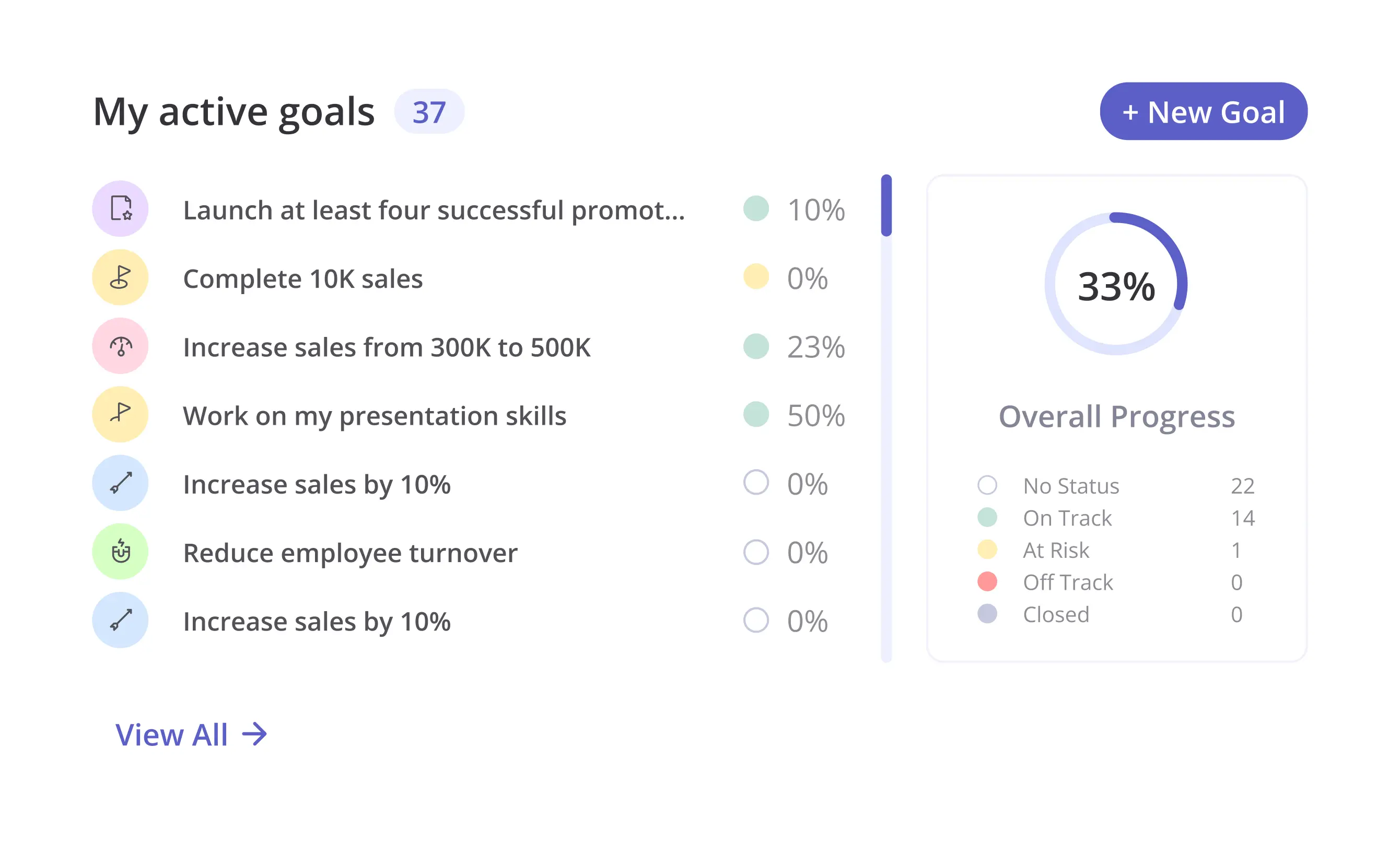
A complete HR tech stack includes core HR systems for employee records, recruiting and onboarding tools, performance management platforms, learning management systems, payroll and benefits software, engagement tools, and analytics layers. The specific combination depends on your organization's size, complexity, and strategic priorities.
Look for vendors that offer native Microsoft 365 integrations rather than basic embedding. Native integrations use Microsoft Graph API to access Teams channels, calendars, and user data. They support SSO through Entra ID and follow Microsoft's design patterns for consistent user experience.
Teamflect demonstrates this integration depth, providing full performance management and employee engagement capabilities within Teams.
HRIS (Human Resource Information System) focuses on core administrative functions like employee records, org charts, and compliance tracking. HCM (Human Capital Management) includes HRIS capabilities plus talent management features like recruiting, performance management, and learning.
The terms often get used interchangeably, but HCM represents a broader, more strategic approach to managing people.
Verify that vendors maintain SOC 2 Type II and ISO 27001 certifications. Check compliance with regulations affecting your employees, including GDPR and CCPA. Review data processing agreements to understand where information gets stored and how it's protected.
Implement SSO through Entra ID or similar identity providers. Require multi-factor authentication for all users. Monitor access logs regularly and conduct periodic security audits.
Organizations typically measure ROI through time savings, cost reductions, and improved outcomes. Time savings come from automated workflows that eliminate manual data entry and approval routing.
Cost reductions result from better compliance, lower turnover, and more efficient HR operations. Improved outcomes include faster hiring, better retention, and stronger performance. Most organizations see positive ROI within 12 to 18 months, with benefits increasing as adoption grows and processes mature.

.svg)
.avif)

Create high-performing and engaged teams - even when people are remote - with our easy-to-use toolkit built for Microsoft Teams