.svg)
.svg)
Pros and Limitations of 360-Degree Feedback [+Solutions]

Updated on:
December 12, 2025

Prefer Teamflect as your HR source on Google
.svg)

360-degree feedback can transform performance assessment by collecting input from multiple sources, a crucial step since meaningful feedback drives commitment. In fact, according to Gallup, 80% of employees who receive weekly meaningful feedback are fully engaged.
However, 360-degree feedback presents real challenges managers must address. Understanding its advantages and disadvantages is key to deciding if this approach suits your team and how to implement it successfully.
Traditional top-down performance reviews miss critical information. Managers can't observe every interaction, collaboration pattern, or communication style their team members demonstrate daily.
The shift toward 360-degree feedback reflects several workplace changes:
Organizations implementing performance management systems discovered that multi-source feedback provides a more complete picture than any single perspective alone.
The pros of 360-degree feedback become clear when managers use structured processes and follow through on insights.
Managers gain perspective on behaviors they don't directly observe. Peer feedback reveals collaboration patterns, while upward feedback exposes leadership blind spots that self-assessment and manager reviews miss entirely.
Colleagues see daily interactions that shape team effectiveness. This visibility helps managers identify both strong contributors and employees who create friction, even when individual output appears acceptable.
Single-source reviews amplify individual biases. Multiple raters balance personal preferences, creating more objective assessment through aggregated views rather than one person's opinion.
When feedback distribution includes peers, direct reports, and managers, development needs become clear. Employees can't easily dismiss feedback that multiple sources independently identify.
Upward feedback holds managers accountable for their impact on team culture and individual growth. This creates pressure for leaders to practice what they preach about communication and support.
Employee performance review tool that aggregates 360-feedback, like Teamflect, gives calibration teams better data. Managers can compare their assessments against peer input to identify rating inconsistencies before finalizing reviews.
360-feedback focuses on observable actions rather than personality judgments. This shift improves feedback reliability and reduces legal risk from subjective performance decisions.
Understanding the disadvantages of 360-degree feedback helps managers prevent common pitfalls. These issues don't make 360 reviews ineffective but they do require active management.
Personal relationships skew feedback. Well-liked employees receive inflated ratings while unpopular colleagues get harsher evaluations regardless of actual performance. This happens when organizations fail to train raters on objective assessment.
Asking employees to evaluate 8 to 10 colleagues with 40-question surveys creates exhaustion. People rush through responses or skip participation entirely. Long feedback cycles reduce both response quality and completion rates.
Some raters provide specific, actionable insights while others submit vague comments or numerical ratings without context. This inconsistency makes peer evaluation difficult to interpret and act on.
Anonymous feedback encourages honesty but removes accountability. Signed feedback creates responsibility but reduces candor. Organizations struggle to balance these competing needs, often choosing one at the expense of the other.
Without clear processes, managers receive unorganized feedback they can't synthesize effectively. Raw data dumps overwhelm rather than inform, leading to analysis paralysis or cherry-picking convenient responses.
Collecting feedback without action plans wastes everyone's time. When issues with 360-degree feedback go unaddressed and development planning never happens, employees view the entire process as performative rather than meaningful.
Raters asked to assess skills they don't understand provide useless input. Without calibration on what "strategic thinking" or "executive presence" actually means, feedback becomes subjective noise rather than useful signal.
Each limitation has practical solutions that managers can implement. The table below connects common drawbacks to their root causes and recommended fixes.
Yes, when structured well and managed actively. No, when organizations collect feedback without proper training, clear processes, or meaningful follow-through.
The effectiveness of 360-degree feedback depends on three factors:
Teams that treat 360 reviews as check-box compliance waste time and frustrate employees. Teams that integrate peer feedback into continuous development create measurable performance improvements.
The advantages of 360-degree feedback appear only when managers receive training on interpreting multi-source data and translating insights into development conversations. Without this capability, even well-designed feedback cycles produce limited value.
The bigger question isn't whether 360 reviews work but whether your organization can commit to the structure, training, and follow-through required to make them work. Half-implemented 360 processes often create more problems than they solve.
Follow this six-step process to avoid common pitfalls and maximize the value of multi-source feedback.
Identify 5 to 7 specific competencies you want to assess. Vague categories like "teamwork" or "leadership" produce vague feedback. Instead, define observable behaviors such as "provides constructive input during team discussions" or "responds to questions within 24 hours."
Clear competencies give raters concrete standards to evaluate against. This reduces subjectivity and improves consistency across multiple feedback sources.
Quality matters more than quantity. Choose 4 to 6 raters who actually work with the person being evaluated. Include peers, direct reports if applicable, and the manager.
Avoid asking people to evaluate colleagues they rarely interact with. These responses add noise rather than signal. Performance management platforms like Teamflect help managers identify appropriate raters based on project collaboration and communication patterns.
Before launching feedback cycles, conduct 30-minute calibration sessions. Walk through examples of behavior-based evaluation versus personality judgments. Show weak vs strong feedback samples to clarify expectations.
Training prevents rater bias and improves the reliability of input. Even 20 minutes of preparation dramatically improves feedback quality compared to sending surveys with no context.
Use structured templates that prompt specific examples alongside ratings. Open-ended questions should ask "What specific actions did this person take?" rather than "What do you think of this person?"
Normalize the data by identifying common themes across multiple raters. Performance review software with Microsoft Teams integration, such as Teamflect, makes this step faster by automatically categorizing responses by competency and flagging outlier assessments.
Managers should review aggregated feedback before sharing it with employees. Look for patterns across multiple sources rather than focusing on individual comments. Prepare to discuss both strengths and development areas with specific examples.
Documentation consistency matters here. Keep notes on how you interpreted feedback and why you prioritized certain themes. This creates accountability and helps track progress over time.
Schedule one-on-one meetings within two weeks of feedback collection. Create 30-60-90 day action plans that address specific feedback themes. Assign concrete development activities like job shadowing, skill training, or adjusted work assignments.
Follow up at 30, 60, and 90 days to track progress. Use employee engagement surveys implemented in platforms like Teamflect to gauge whether the feedback process feels valuable or performative. Adjust your approach based on what you learn.
Effective 360 feedback depends on asking the right questions and providing clear examples of strong responses.
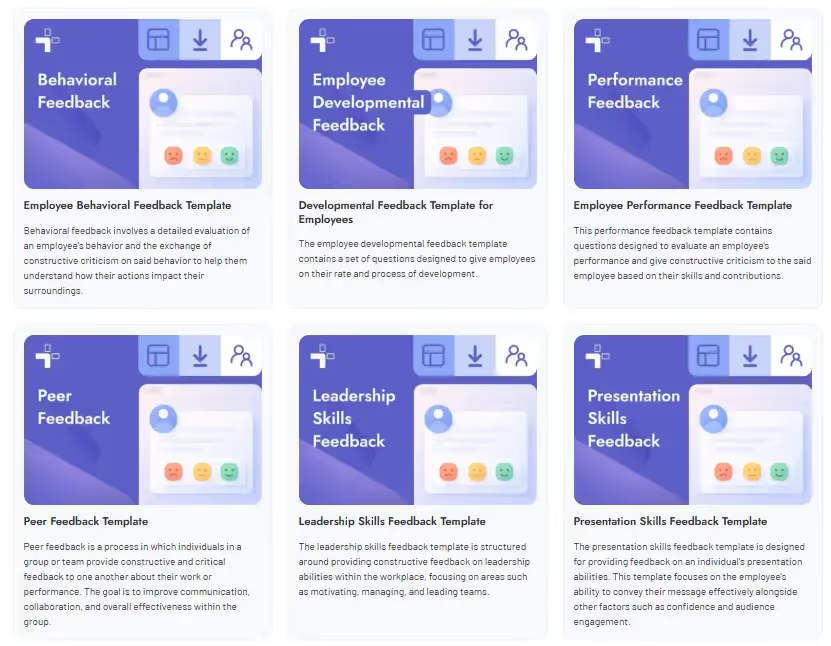
A well-designed 360-degree feedback form moves past simple judgment and focuses on providing specific, behavior-based input. That being said, there is no "one-size-fits-all" feedback template. That is why we put together an extensive feedback template gallery just for you. Not only do these 360-feedback templates cover all scenarios and occasions, they function right inside Microsoft Teams & Outlook, making it easy for managers, direct reports, and external participants to access.
Strong feedback is specific, actionable, and focused on observed behaviors. The examples below show the difference between vague comments and useful input.
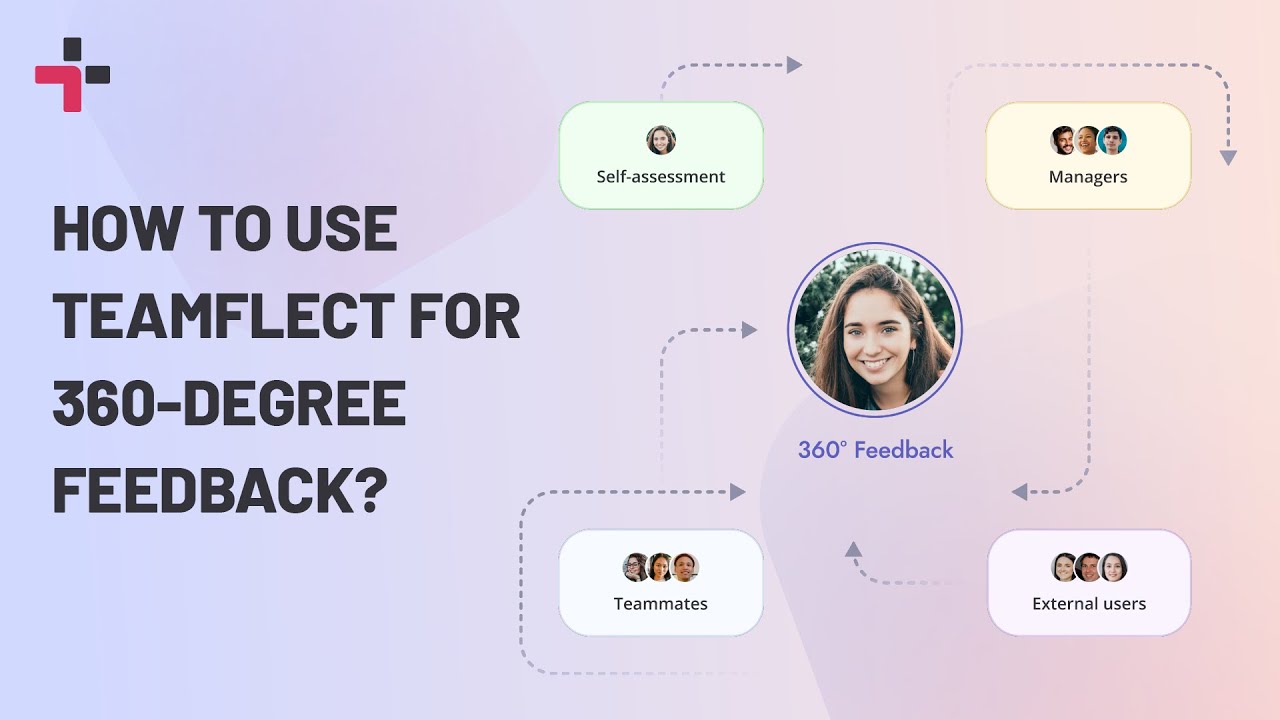
Teamflect addresses the most common challenges of 360-degree feedback through structured workflows and intelligent automation.
Ready to implement a credible and consistent multi-source review process? Schedule a demo with Teamflect today to transform your 360-degree feedback into a tool for real growth and performance improvement within Microsoft Teams.
Rater bias remains the most significant challenge. Personal relationships and popularity influence ratings more than actual performance when organizations don't provide training on objective assessment. This makes feedback unreliable and can create legal risk if used for high-stakes decisions like promotions or terminations.
Not when properly structured. Behavior-based evaluation frameworks and multiple rater perspectives reduce subjectivity significantly. The key is asking for specific examples alongside ratings and training raters to separate observations from personal preferences. Raw numerical scores without context are indeed too subjective, but that's a design flaw rather than an inherent limitation.
Only when poorly managed. Anonymous feedback without follow-up can breed resentment. Conversely, development conversations that focus on growth rather than blame turn potential conflict into productive dialogue. The process itself doesn't create conflict but weak implementation certainly can.
Yes, if designed poorly. Surveys with over 40 questions for 8 to 10 colleagues create excessive burden. Well-designed cycles limit assessments to 12 to 15 questions for 4 to 6 raters, requiring just 10 to 15 minutes per person. Performance review software further reduces manager time by automating data aggregation and pattern identification.
It can. When employees receive contradictory input from 10 different sources without prioritization, they shut down rather than improve. Managers must synthesize feedback into 2 to 3 priority development areas. More data only helps when someone translates it into clear action steps.
They're harder to implement but not impossible. Low-trust environments need to start with upward feedback only, letting employees see that honest input doesn't trigger retaliation. Once psychological safety improves, peer evaluation can follow. Forcing full 360 cycles before trust exists does more harm than good.

.svg)
.avif)

Create high-performing and engaged teams - even when people are remote - with our easy-to-use toolkit built for Microsoft Teams


.webp)
