.svg)
.svg)
How to Build a Business Case for a New HR System: Template + Worked ROI Model (2026)

Updated on:
October 9, 2026

Prefer Teamflect as your HR source on Google
.svg)

A business case for an HR system is the document that turns a purchase request into a funded decision: what is broken today, what it costs to leave it alone, what the new system costs, and when the two lines cross.
The Association for Project Management defines a business case as a document that justifies a project by weighing its benefits against its costs and risks. Written well, it shows what’s broken today and what leaving it alone will cost. From there, it puts the new system’s price next to that cost and marks the point where the two lines cross.
This guide gives you the six sections written out, a worked ROI calculation, and the questions IT will ask before HR gets to sign
A business case is a written argument for one specific purchase. Addressed to the people who control the budget, it compares the cost of the new system with the cost of keeping the current one.
However, a business case isn’t a vendor comparison. The business case answers whether you should buy at all, while a comparison answers which product to buy. Mix the two, and the document ends up doing neither job well.
Before any of that, you need a reason the request is happening now. A strong case usually starts from one of four triggers:
With the trigger clear, define the system category you’re asking for. Core HR and payroll solve different problems from applicant tracking or performance management, and each one brings its own cost lines. For this reason, it helps to look at the main types of HRIS systems and set the scope before the business case turns into a vague request for “better HR software.”
Every business case that gets funded answers the same six questions in the same order. The order matters more than it seems, since a finance reader tends to stop at the first section that doesn’t hold up.
| Section | What It Must Answer | Writing Pattern | Filled Example |
|---|---|---|---|
| 1. Executive summary | What are we asking for, and what is the return? | “We are requesting <amount> for <system> to <outcome>, with break-even projected at <month>.” | “We are requesting $32,760 per year for a performance and engagement platform to cut HR admin hours and reduce voluntary attrition, with break-even projected in month 9.” |
| 2. Current state and cost of inaction | What is broken now, and what does that cost? | “<Process> currently takes <hours> per <period> across <roles>, which is <cost> per year.” | “Review cycles run on spreadsheets and email. HR spends 22 hours per cycle chasing completion, and 31% of reviews closed late last year.” |
| 3. Proposed solution and scope | What exactly are we buying, and what is out of scope? | “<System> covering <modules> for <headcount> users; <items> are explicitly out of scope in year one.” | “A performance platform for 250 users that covers reviews and goals, plus 1-on-1s and 360 feedback; payroll and benefits administration stay where they are.” |
| 4. Quantifiable benefits and ROI | Where does the money come back, and when? | “<Saving line 1> plus <saving line 2> minus <annual cost> equals <net> in year one.” | See the ROI table in the next section. |
| 5. Qualitative benefits | What improves that we can’t put a number on? | “<Stakeholder> gains <capability> that is not currently possible.” | “Managers get a written record of every 1-on-1, so a mid-year conversation no longer depends on memory.” |
| 6. Rollout plan and risks | How long and how much? What could go wrong? | “<Phase> in <months>, at <cost>; the main risk is <risk>, mitigated by <mitigation>.” | “Phase 1 rollout in weeks 1 to 4 with no separate license purchase; the main risk is manager adoption, mitigated by launching inside the app managers already have open.” |
Write the executive summary last. After all, it summarizes the five sections below it rather than introducing them.
The proposed-solution section should also name the system category, not just the vendor. For example, performance review software can cover formal evaluations and goals alongside one-on-ones and feedback, all without pulling payroll or benefits replacement into year-one scope.
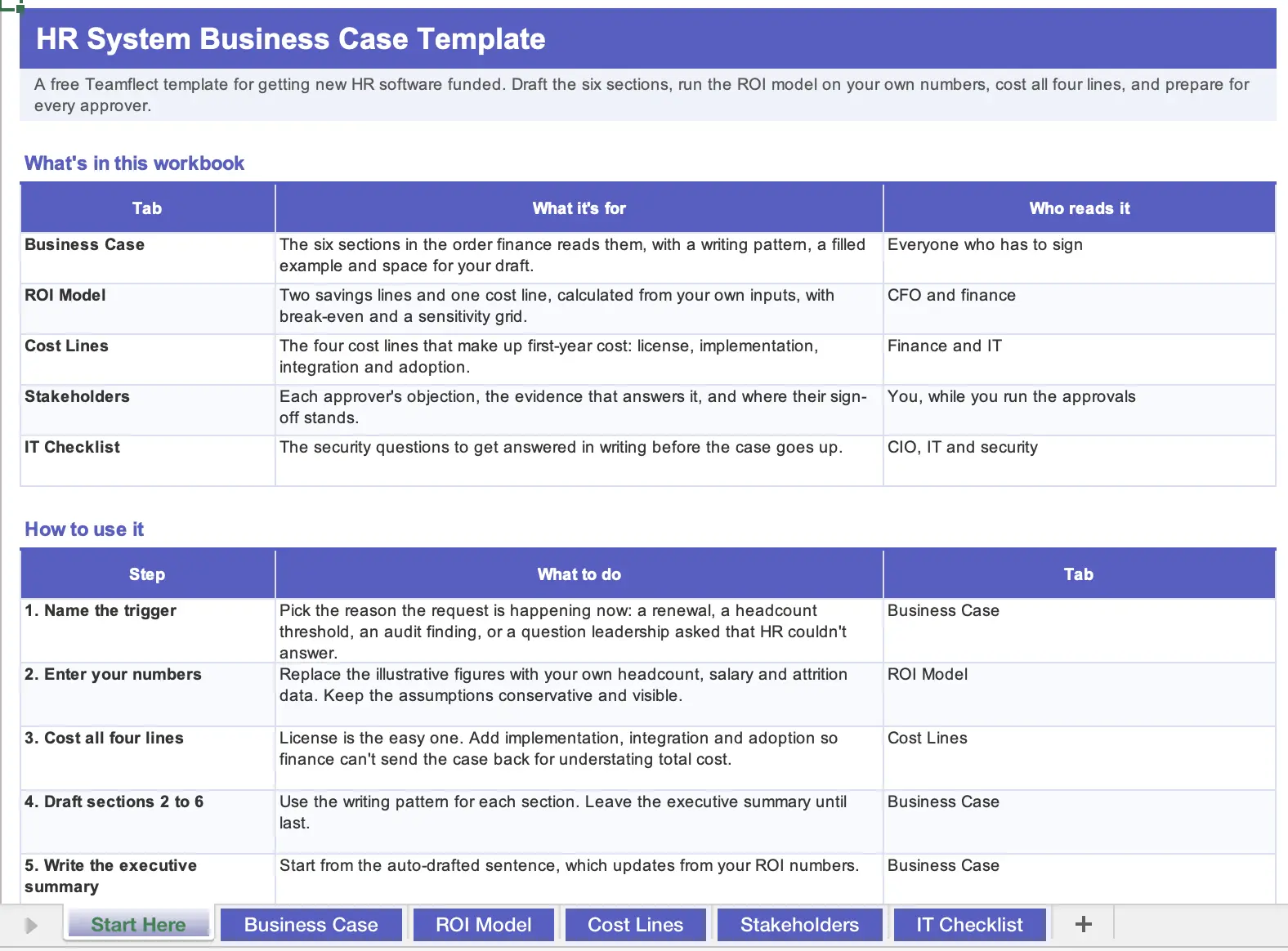
We built a free Excel business case template specifically around HR systems that includes every single section we've mentioned above. You can download it for free right here.
The calculation comes down to two savings lines and one cost line. The first saving is the salary cost of the hours the system automates, and the second is the cost of the people you stop losing. From there, you subtract what the software costs per year.
Both savings lines were chosen for a reason. You can calculate each one from your own organization’s data rather than borrowing an industry average. On top of that, finance already treats labor cost and replacement cost as real budget lines, so neither number needs defending from scratch.
| Line | How to Calculate It | Illustrative Figure |
|---|---|---|
| Inputs | Headcount and average fully loaded salary, plus the current voluntary attrition rate | 250 employees, $70,000 average salary, 14% voluntary attrition |
| Savings 1: HR admin time recovered | Hours per employee per year spent on performance admin, such as reviews and goal updates × hourly salary cost × headcount × share automated | 1.5 hours per employee per year recovered × $34/hour × 250 = $12,750 |
| Savings 2: Attrition avoided | Replacement cost per leaver (roughly half of annual salary, per Teamflect’s published ROI methodology) × number of leavers avoided | $35,000 replacement cost × 1 leaver avoided = $35,000 |
| Cost: Annual software | Per-user monthly price × 12 × users, less the 22% annual billing discount | $14/user/month × 12 × 250 × 78% = $32,760 |
| Net year one | (Savings 1 + Savings 2) − annual cost | $12,750 + $35,000 − $32,760 = $14,990 |
| Break-even | Annual cost ÷ monthly savings | $32,760 ÷ ($47,750 ÷ 12) = 8.2 months |
Keep the assumptions visible and keep them conservative. A finance reader who can see your inputs will argue with the inputs, whereas one who can’t see them will simply reject the output.
The replacement cost in this model is deliberately low. Teamflect’s methodology sets it at half of annual salary, which works out to $35,000 for an employee earning $70,000. By comparison, Gallup estimates that replacing an individual employee costs one-half to two times their annual salary, or anywhere from $35,000 to $140,000 at that same salary.
Before the numbers go in front of anyone, swap the illustrative figures for your own headcount and salary data, including your real attrition rate. Once you have them, run the ROI model on your own numbers instead of presenting a generic benchmark as your company’s result.
The license fee is the line everyone looks at, and with per-user pricing, it’s the easiest one to calculate. However, it’s rarely the whole first-year cost. A useful business case also accounts for implementation and the integration work behind it.
Getting people to actually use the tool takes effort as well, and that effort has a cost too. Otherwise, the proposal understates total cost of ownership and hands IT or finance an easy reason to send it back.
| Cost Line | What It Covers | What Reduces It | Illustrative Figure |
|---|---|---|---|
| License | Per-user subscription | Annual billing instead of monthly | As of September 2026, per-user pricing runs $9/user/month on Essential or $14/user/month on Professional, with 22% off for annual billing |
| Implementation | Configuration and admin setup, including data migration | A vendor that includes implementation support in the plan rather than charging for it | $0 where implementation support and admin training are included from the entry paid plan |
| Integration and identity | Connecting the HRIS and company directory, including SSO | Buying inside a stack the company already licenses, so no new identity provider is introduced | Often little or no new cost when sign-in runs through existing Microsoft 365 SSO and Azure AD; confirm your HRIS is among the 200+ that Teamflect connects to |
| Adoption and change management | Training and communications, plus following up on usage | A tool that opens inside an application people already have open all day | Lower where the tool runs in Microsoft Teams and Outlook rather than in a separate portal |
If your company already pays for Microsoft 365, the last two lines are where the savings sit. However, they’re also the two lines most business cases forget to include.
A business case usually fails in the room it wasn’t written for. To avoid that, write a version of the argument for each person whose signature it needs.
Each reader tests something different. Finance looks hard at the payback period, while IT focuses on risk and integration. Managers, on the other hand, want to know whether the change adds to their workload, and HR operations needs to see that someone can actually run the new process after launch.
| Stakeholder | What They Care About | The Objection You Will Hear | The Evidence That Answers It |
|---|---|---|---|
| CFO | Payback period and downside risk | “We can do this in spreadsheets for free.” | The ROI table with visible inputs, plus the annual cost of the hours those spreadsheets consume |
| CIO / IT | Identity and data location, plus the audit trail | “That is another vendor to review and another place our data lives.” | Certifications and data residency, along with audit-log answers from the IT checklist below; no new identity provider if the system runs on the existing stack |
| CEO / executive sponsor | Strategic fit and speed | “Is this the priority this year?” | The trigger from the first section tied to a company goal, plus a phased rollout that shows value inside one quarter |
| Line managers | Their own time | “One more system to log into.” | Where the tool actually opens; adoption is a cost line, not a hope |
| HR operations | Migration and day-to-day administration | “Who moves the data and who runs the cycles?” | Named implementation support and admin training in the plan you are buying |
A named customer in your own industry answers more objections than another paragraph of benefits. For instance, Andrew Stratton, General Manager at IRE, described the test his leadership applies every year. “Every time it comes up to the Teamflect renewal, the CEO and I look at the value and return on investment for the cost of the software, and it’s unmatched compared to other expenses,” he said.
At many companies with more than fifty employees, the business case needs two approvals. The second is usually a security questionnaire HR has never seen before. As a result, the fastest way to lose momentum is to submit the commercial case without written answers on identity and data handling, or on access controls and vendor assurance.
The answers in the right-hand column below come from what Teamflect documents for its Enterprise plan. Rather than a standard feature list, treat them as an example of what a complete answer looks like. Teamflect’s Enterprise page still refers to Azure AD, which Microsoft has since renamed Microsoft Entra ID, so expect IT to use the newer name.
| Question | Why IT Asks It | What a Complete Answer Looks Like |
|---|---|---|
| Which certifications do you hold? | Procurement and client audits ask by name | SOC 1 and SOC 2 (Type I and Type II) certification, plus GDPR compliance |
| Where is our data stored? | Regulatory or client obligations can require a specific region | Data residency controls, stated per deployment |
| Who holds the encryption keys? | Some contracts require customer-held keys | Customer-managed encryption keys |
| Is the environment shared with other tenants? | A shared database is hard to defend in an audit | Dedicated infrastructure with a separate database and application layer |
| Is every access logged? | Investigations need a trail | Real-time audit logs streamed to the company’s SIEM |
| How do people sign in? | IT doesn’t want a new identity provider or password policy | SSO through Microsoft 365 and Azure AD; IP allowlisting available |
| Who can see what? | Performance data is sensitive | Role-based permissions |
Get these answers from the vendor in writing before the case goes up, not after IT sends the questionnaire back. For larger deployments, write enterprise security and audit logging into the proposed scope, along with where your data will be stored, rather than assuming they come standard.
A business case rests on five core elements, starting with the problem and what inaction costs. Next comes the proposed solution and its scope, followed by the quantifiable benefits and ROI. After that, the qualitative benefits make the case for what numbers can’t capture, and the rollout plan with its risks closes it out. The template above adds an executive summary as a sixth section, which you should write last.
Follow the six sections in order, starting with the executive summary and ending with the rollout plan and its risks. Keep every assumption visible, so finance and IT can test the same document the executive sponsor reads. Comparing specific tools is a separate exercise, and one that belongs in a vendor shortlist rather than in the business case itself.
Use your own organization’s inputs rather than an industry benchmark. Calculate the salary cost of the admin hours the system can cut, then add a conservative retention benefit if you can defend the assumption. After subtracting the annual software and implementation costs, divide the annual cost by your monthly savings to estimate break-even.
The cost of doing nothing is what the current process keeps costing you every year. For HR systems, the biggest pieces are usually manual administration and late review cycles. Reporting gaps and audit findings add to the total, as does the manager time lost to spreadsheets and disconnected tools.
A decision document typically runs two to six pages plus appendices, depending on the size of the purchase and your procurement rules. Keep the executive summary to one page and put the calculations in tables. The security questionnaire and vendor proposal belong in the appendices along with the implementation plan, rather than in the main narrative.
IT and security usually need to approve how people sign in and where the data lives before HR can buy. Beyond that, expect questions about encryption and audit logs. Access controls and certifications usually come up next, along with how the system connects to your existing stack. Get written answers from the vendor before the business case goes in, rather than after IT returns a questionnaire.

.svg)
.avif)
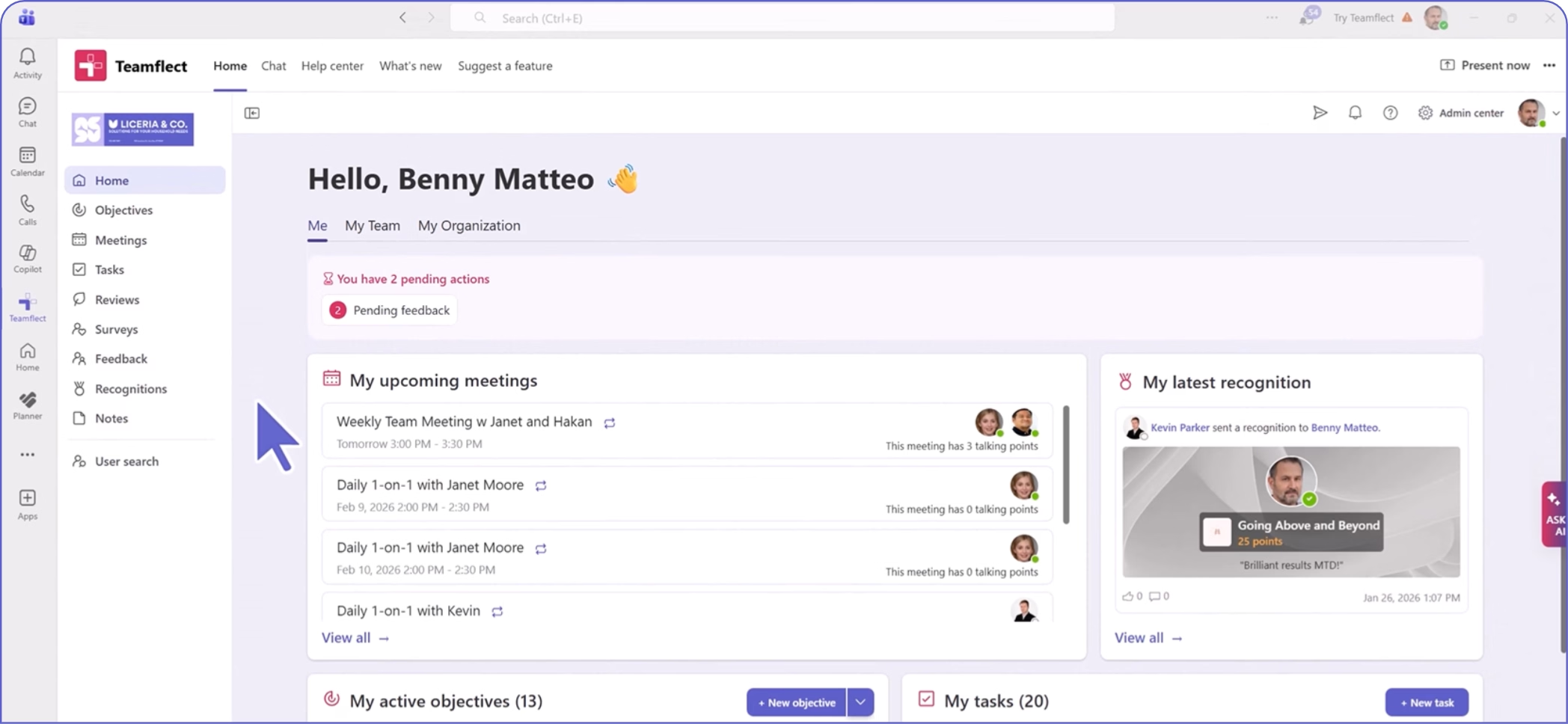
Create high-performing and engaged teams - even when people are remote - with our easy-to-use toolkit built for Microsoft Teams