.svg)
.svg)
10 Best Leadr Alternatives in 2026: Compare Features & Pricing

Updated on:
June 26, 2026

Prefer Teamflect as your HR source on Google
.svg)

Leadr is a people development platform built around the 1:1 meeting, with goals, feedback, performance reviews, engagement surveys, and learning in one place. A lot of teams rely on it to help their managers run better conversations and stay close to the people they lead.
Even so, the right performance platform for your team depends on how you work and what you need it to do. As organizations scale or their priorities shift, many start comparing options, whether they want tighter integration with the tools they already use or a pricing structure that fits their plans.
This guide reviews the 10 best Leadr alternatives in 2026 and compares them on features, pricing, and use cases, so you can find the option that fits your team. If your organization runs on Microsoft 365, Teamflect stands out, since it brings reviews, goals, feedback, and 1:1s directly into Microsoft Teams and Outlook.
📚 Recommended Reading: Our senior product manager personally tested 10 of the best performance review software available and ranked them.
Leadr works well for plenty of organizations, but no single platform fits every team. Here are five common reasons people start comparing it with other options.
Pricing isn't published. Leadr doesn't list prices on its site, so you have to book a demo and talk to sales to get a quote. Teams that want to budget upfront or line costs up against other tools often prefer a vendor with transparent, per-user pricing.
You want performance tools inside your daily workspace. Leadr runs as its own app and connects to your calendar, but it isn't built into the platform your team already works in. Companies that spend their day in Microsoft Teams, Outlook, or Slack increasingly want 1:1s, goals, and reviews to live right there.
You need more depth in a specific area. Leadr covers a lot of ground, which means some areas are lighter than a dedicated tool. Its engagement surveys aren't as deep or benchmarked as a specialist analytics platform, and its learning is built around assigning content like videos, articles, and podcasts rather than a full LMS.
The product is moving upmarket. Leadr has shifted from a straightforward people development tool toward an AI-driven continuous performance platform. That direction suits some teams, though others find it heavier than what they first signed up for, or they want a more configurable performance stack as they grow.
Some features are still maturing. Even reviewers who like Leadr point to rough edges in areas like notifications and calendar syncing, and there's a smaller pool of third-party reviews than you'll find for the larger platforms. Teams that want a more polished, widely proven system at scale tend to weigh other options.
.webp)
Leadr is a people development platform built around the 1:1 meeting. It began as a tool to help managers run better conversations and develop their teams, and it now positions itself as a continuous performance management platform, the idea being to give every manager a coaching system rather than just a review cycle.
Key Features:
Pros:
Reviewers consistently say it makes meetings and 1:1s more focused and gives them one running record of notes, decisions, and goals. As one G2 reviewer put it, Leadr helped her "build out meaningful and effective 1:1s" (Kailey D., Director of Culture & Formation). - G2 Review
Cons:
The most common critique is that Leadr is a separate system to log into rather than something built into the tools teams already use. One G2 reviewer said it "didn't integrate into Office365 but required a separate login" (Brian G., Executive Director). Others point to gaps that reflect a younger product. - G2 Review
Pricing:
Leadr doesn't publish pricing. There are no plans or per-user rates on its site, so you'll need to book a demo to get a custom quote. Some third-party listings float a wide range, but since Leadr doesn't confirm public pricing, treat any figure you see elsewhere as an estimate until you get a quote directly.
| Product | Starting Price | Free Trial | Best For |
|---|---|---|---|
| Teamflect | Free (up to 10 users) | Yes | Microsoft 365 teams |
| PerformYard | Custom pricing | Yes | Customizable review cycles |
| Small Improvements | $5/user/month | Yes | Flexible reviews and integrations |
| Peoplebox | $7/user/month (billed annually) | Yes | OKRs and goal alignment |
| Workleap | $5/user/month (billed annually) | Yes | Employee engagement |
| 15Five | $4/user/month (billed annually) | Yes | Manager enablement |
| Quantum Workplace | Custom pricing | Demo only | Engagement surveys and analytics |
| Engagedly | $5/user/month (billed annually) | Yes | All-in-one suite with learning |
| Culture Amp | Custom pricing | Demo only | Engagement and people analytics |
| BetterUp | Custom pricing | AI coach only | Leadership and executive coaching |
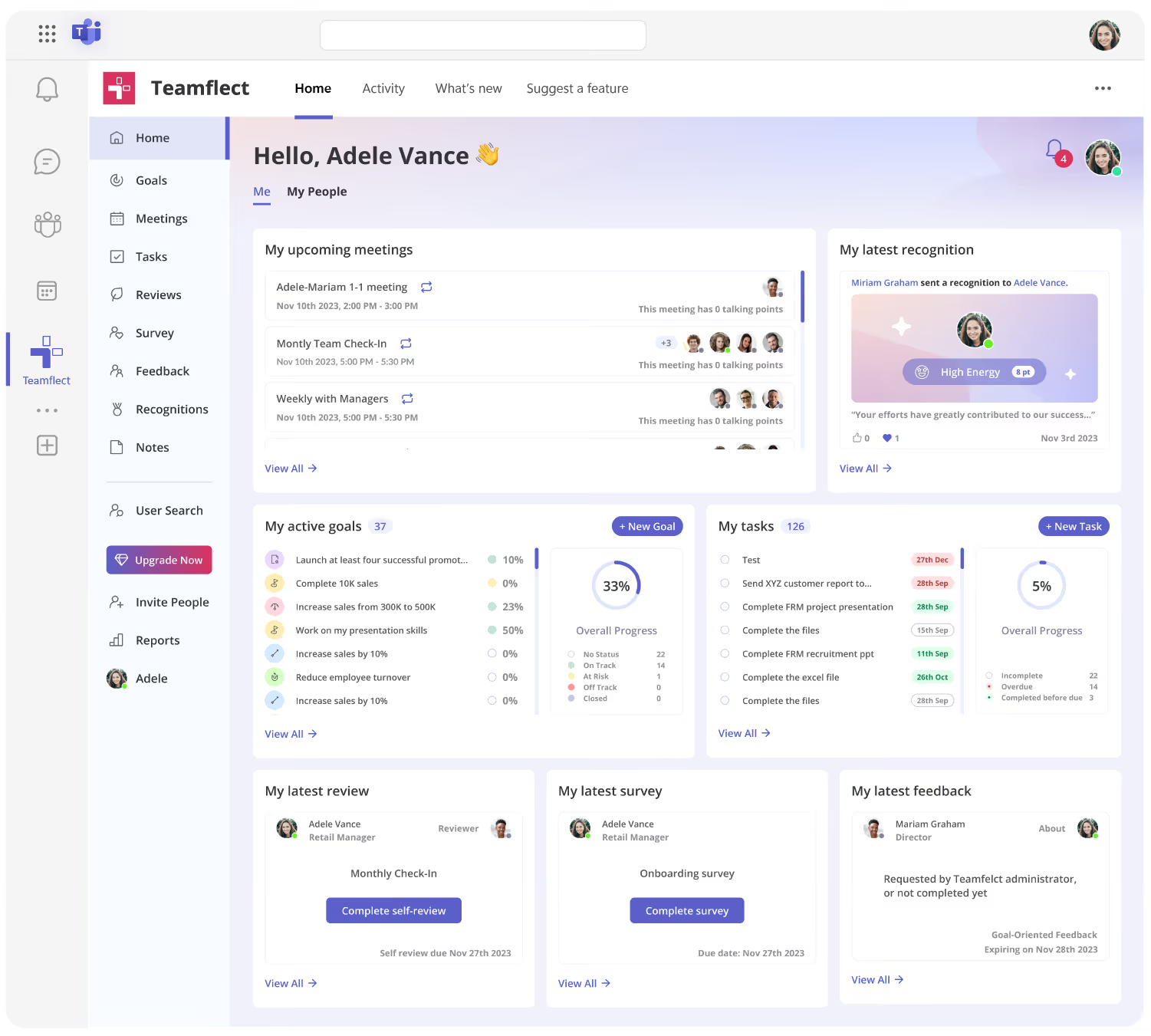
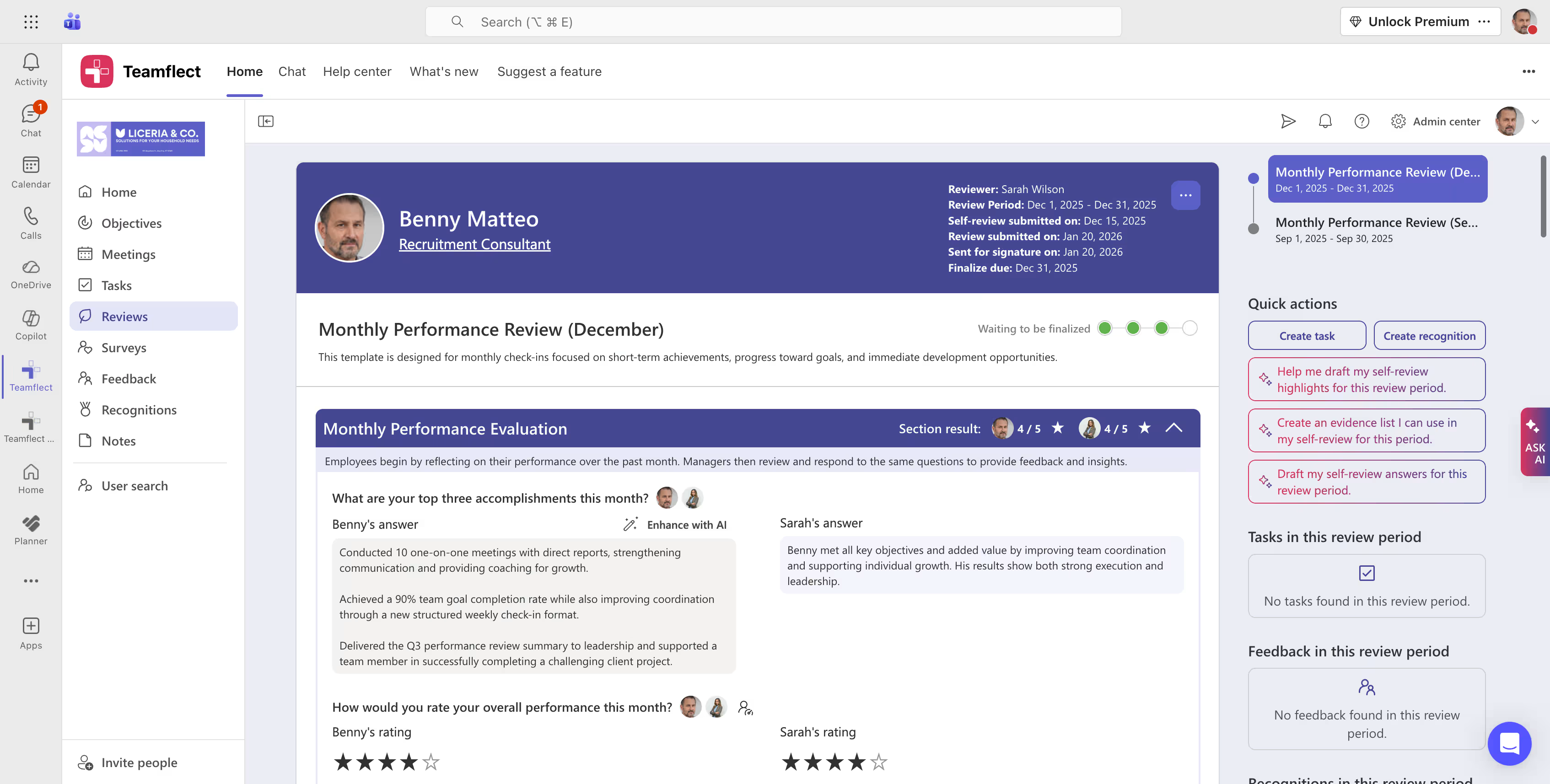
Teamflect is a performance management platform built to run entirely inside Microsoft Teams and Outlook. For organizations already on Microsoft 365, that's the main draw: 1-on-1 meetings, goals, performance reviews, feedback, and recognition all happen inside Teams, with no separate login or interface to manage. It fits HR and leadership teams at organizations from about 50 to several thousand employees who want their performance workflows where people already work, and it scales from a free plan for small teams up to enterprise use.
Key Features:
Pros:
“ What I like best about Teamflect is how easy it is to use while still providing useful tools for managing performance and feedback. It integrates well with Microsoft Teams, which makes it convenient to complete reviews, track goals, and give recognition without needing to switch platforms. The layout is clear and straightforward, making the whole process efficient.“ - G2 Reviewer
Cons:
"As with any comprehensive tool, it takes time to fully explore and configure all modules to match internal processes" - G2 Reviewer
Pricing:
Learn More About Teamflect's Pricing Plans
| Feature | Teamflect | Leadr |
|---|---|---|
| Primary Focus | Performance management inside Microsoft 365 | Manager coaching and 1:1 development |
| Feature Set | Reviews, goals, feedback, 1:1s, recognition, surveys | 1:1s, reviews, objectives, 9-box, surveys |
| Pricing Transparency | Transparent | Custom pricing |
| Workspace Integration | Native to Teams and Outlook | Separate login, no Office 365 |
| Best For | Microsoft 365 teams | Coaching-led 1:1 development |

PerformYard is a dedicated performance management platform built to simplify reviews for HR teams that want flexibility without a steep learning curve. It focuses on performance rather than trying to be a full HR suite, which keeps the setup short and the interface clean. It suits small to mid-sized companies, roughly 50 to 500 employees, that already have an HRIS and just want a focused layer for reviews and goals.
📚 Recommended Reading: See how Performyard compares to its competitors.
Key Features:
Pros:
"What I like most about PerformYard Performance Management is how it makes performance tracking structured, transparent, and continuous, instead of feeling like a once-a-year review." - G2 Review
Cons:
"I wish it were slightly easier to pull a quick summary of past feedback or goals without clicking through multiple pages" - G2 Review
Pricing:
| Feature | PerformYard | Leadr |
|---|---|---|
| Primary Focus | Flexible performance reviews and goal tracking | 1:1s and manager-led people development |
| Review Customization | Highly flexible cycles, forms, and directions | Review module is more limited in customization |
| Learning & Development | Not a focus, no built-in learning | Built-in learning assignments (videos, articles) |
| Pricing | From about $5/user/mo, billed annually (custom package) | Not published, quote only |
| Best For | Teams wanting flexible reviews with strong support | Manager-led development and 1:1 coaching |
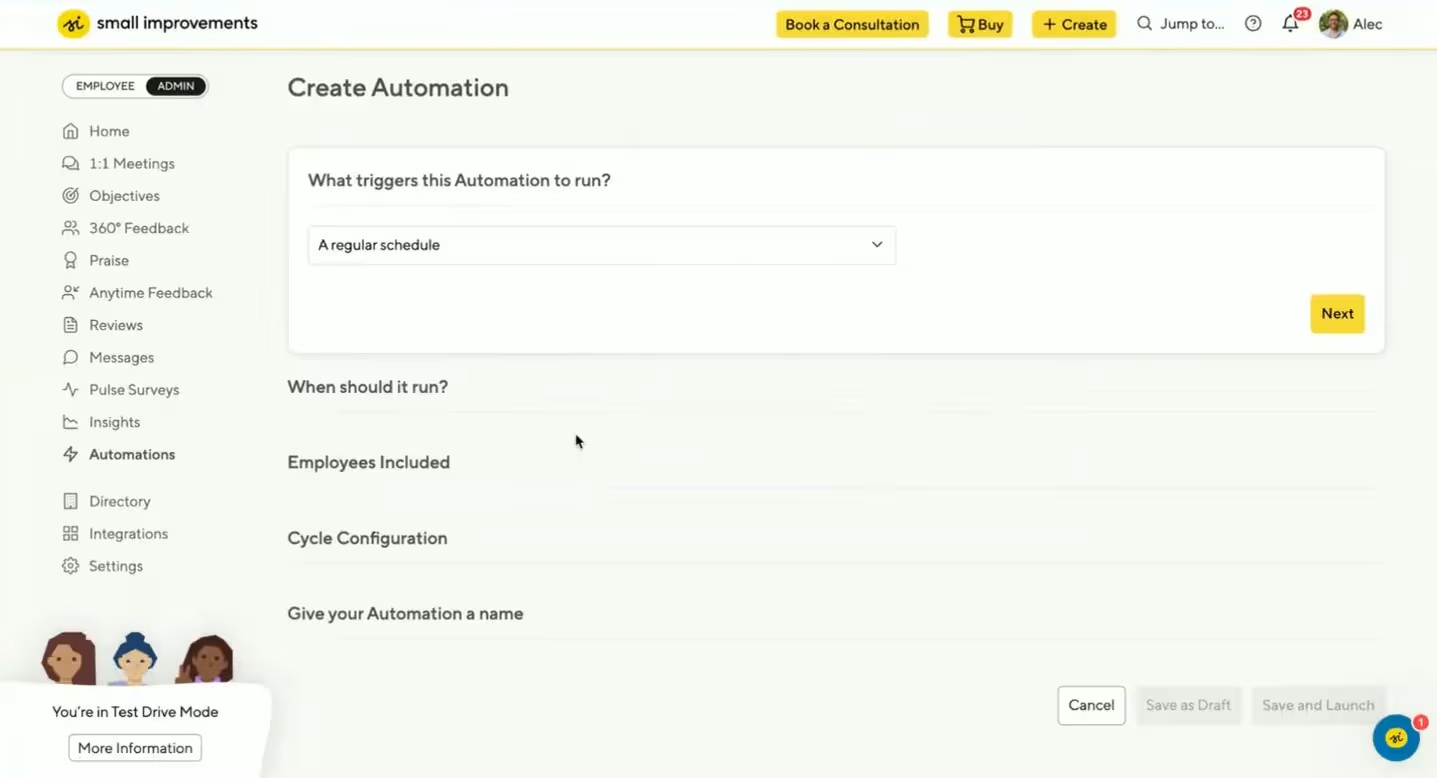
Small Improvements is a flexible performance management toolkit for companies of all sizes, that want reviews, 1:1s, and feedback without the weight of an enterprise system. It sets up in a few days, and the interface is simple enough that you won't need a dedicated HR administrator to run it, which has made it a favorite with tech-forward teams.
Key Features:
Pros:
"As a small company, this is a great tool to keep us on track without using up too much of any one person's time." - Capterra Review
Cons:
"Sometimes it not easy to look / browse for previous meeting notes. I would like to have few more integrations available." - Capterra Review
Pricing:
| Feature | Small Improvements | Leadr |
|---|---|---|
| Primary Focus | Lightweight reviews, 1:1s, and feedback | 1:1s and manager-led people development |
| Integrations | Strong, including Slack, Jira, GitHub, and Teams | More limited, with no native Office 365 integration |
| Learning & Development | Development plans, but no learning content library | Built-in learning assignments (videos, articles) |
| Pricing | From about $5/user/mo, billed annually | Not published, quote only |
| Best For | Small to mid-sized, tech-forward teams wanting simplicity | Manager-led development and coaching culture |
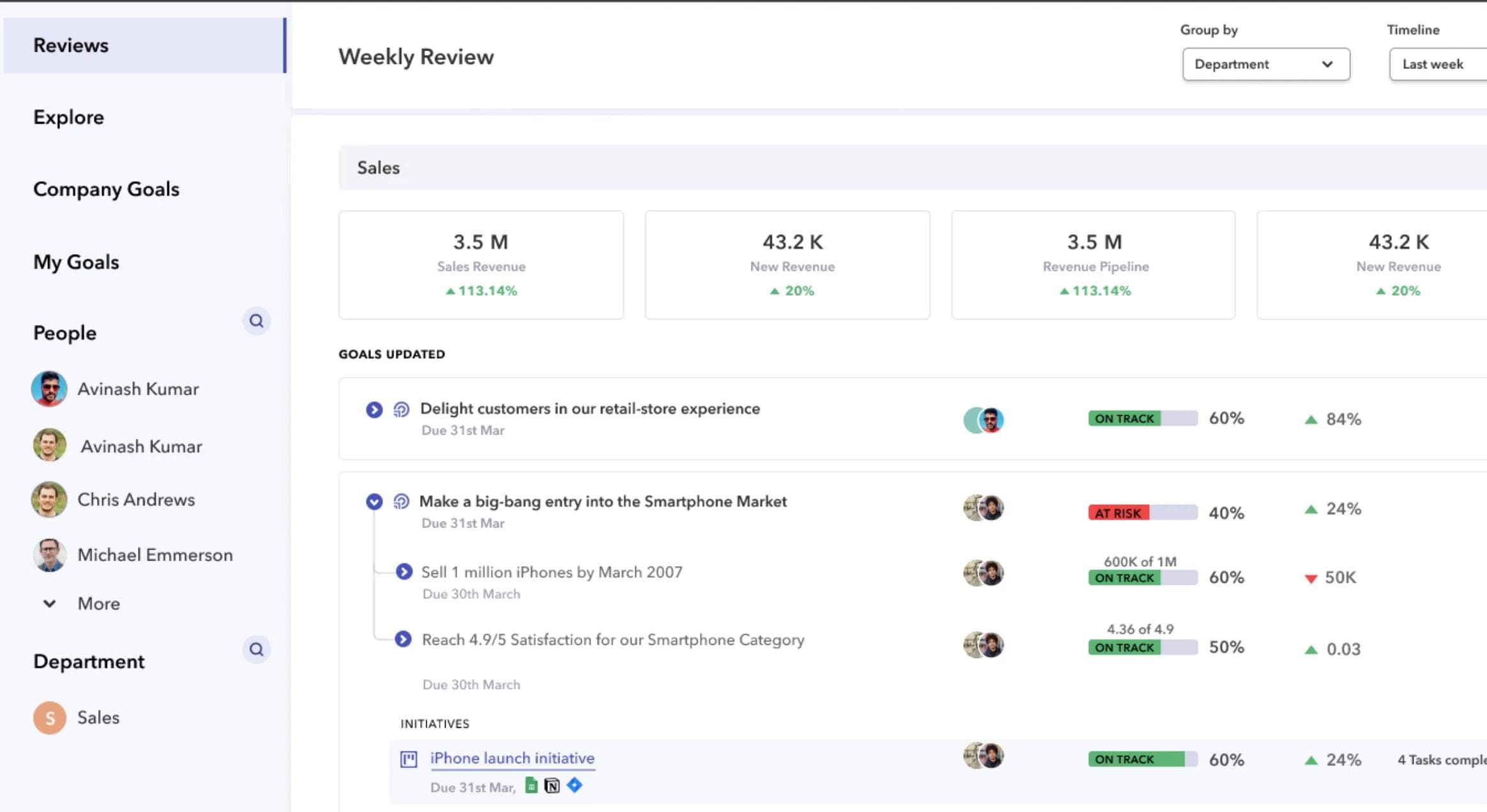
Peoplebox is an AI talent platform built around OKRs, with performance reviews, 360 feedback, 1:1s, engagement surveys, and people analytics in one system. It's aimed at fast-growing teams that want performance a simple performance management platform with a strong emphasis on OKRs.
Key Features:
Pros:
What I like about Peoplebox now is how it combines goal tracking, performance reviews, and feedback in one place, which helps teams stay aligned and work more efficiently. - Capterra Review
Cons:
“Difficult to navigate, too many sub fields to maintain for each task“ - Capterra Review
Pricing:
| Feature | Peoplebox | Leadr |
|---|---|---|
| Primary Focus | OKR-driven performance, goals tied to outcomes | 1:1s and manager-led people development |
| OKRs & Goal Alignment | Deep cascading, with auto-updates from Jira, Sheets, and Salesforce | Goals and objectives, tracked manually |
| Integrations | 50-plus native, including HRIS, Slack, and Teams | More limited, with no native Office 365 integration |
| Pricing | Published, from $7/user/mo (billed annually) | Not published, quote only |
| Best For | Fast-growing, data-driven teams wanting OKR depth | Manager-led development and coaching |
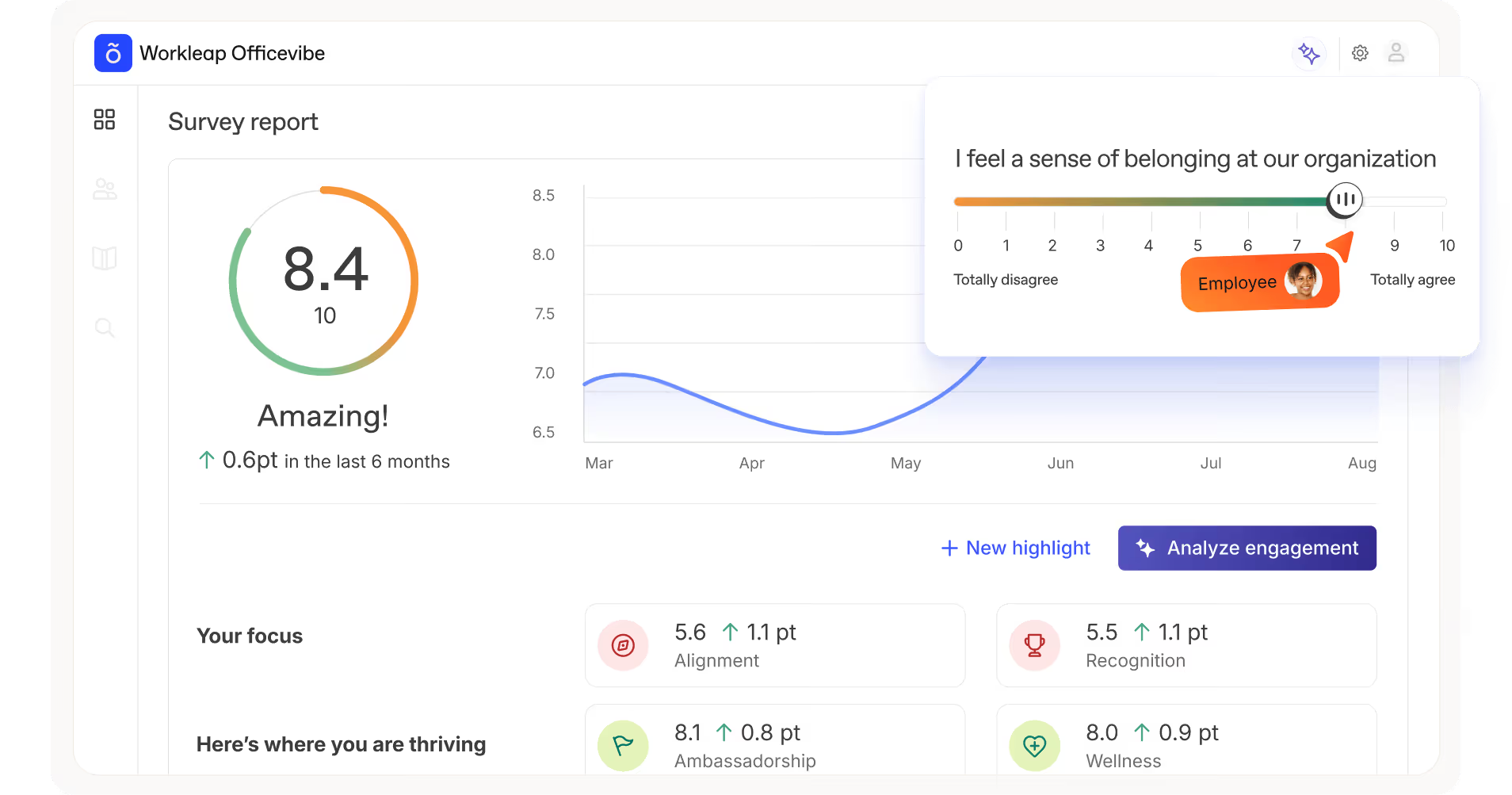
Workleap is a modular, AI-powered employee experience platform best known for Officevibe, its engagement and pulse-survey product, with separate modules for performance, onboarding, learning, and compensation.
Key Features:
Pros:
"Officevibe is a simple and intuitive pulse survey system that helps capture employee feedback. Competitively priced it gets the job done. Provides value over a DIY survey monkey system. Surveys are automatic and short enough to keep employee engagement." - Software Advice Review
Cons:
"The inability to customise questions is frustrating at times. Whilst most of the questions are very relevant, the pulse checks cover so many different areas and there is power in picking and choosing areas to survey on and focus improvement efforts." - Software Advice Review
Pricing:
| Feature | Workleap | Leadr |
|---|---|---|
| Primary Focus | Employee engagement and experience, with performance as a module | Performance and development centered on the 1:1 |
| Engagement Surveys | Core strength: pulse, eNPS, anonymous feedback, and benchmarks | Pulse surveys and eNPS, but secondary to its coaching focus |
| Pricing | Published, modular per-user ($5 a module, $9 to $12 bundles) | No public pricing (quote only) |
| Structure | A modular product family you assemble | A single connected platform, not modular |
| Best For | Budget-conscious teams that lead with engagement | Building a coaching habit around the 1:1 |
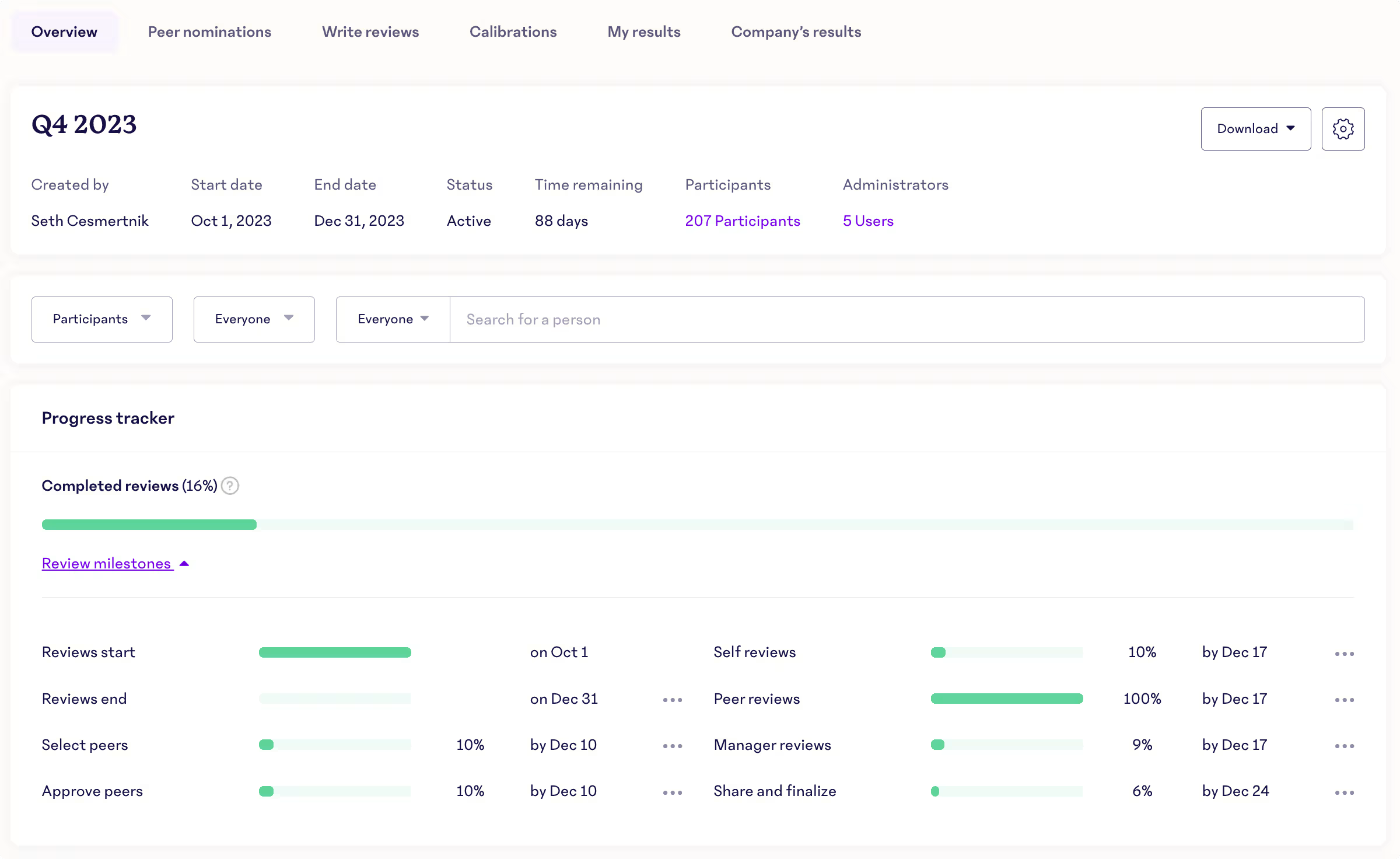
15Five is a continuous performance and engagement platform built around weekly check-ins and manager effectiveness. It bundles check-ins, 1:1s, OKRs, reviews, surveys, and recognition for mid-market and enterprise teams focused on improving how their managers lead.
📚 Recommended Reading: 10 Best 15Five Alternatives Available.
Key Features:
Pros:
"The platform’s intuitiveness is its biggest strength. It feels natural for both our employees and the management team, which made the rollout across departments impressively smooth. Implementation was fast and didn’t require much heavy lifting from IT." - G2 Review
Cons:
"The reporting suite has a bit of a learning curve, and it can take some time for new users to figure out exactly where the deep-dive analytics are located." - G2 Review
Pricing:
| Feature | 15Five | Leadr |
|---|---|---|
| Primary Focus | Manager effectiveness and continuous performance | Manager coaching built on the 1:1 meeting |
| Core Rhythm | Weekly written check-ins | Recurring 1:1 meetings with collaborative agendas |
| Manager Development | Transform microlearnings and Kona AI coaching (add-ons) | AI meeting intelligence that flags coaching gaps, plus learning assignments |
| Pricing | Published tiers ($4 / $11 / $16) | No published pricing, sales-led |
| Best For | Mid-market to enterprise focused on manager effectiveness | Teams that want development and 1:1 quality in one place |

Quantum Workplace is an employee engagement platform that pairs surveys and people analytics with a performance toolkit. It's built for mid-market and larger organizations that lead with engagement measurement and want the data to drive action.
Key Features:
Pros:
"Quantum Workplace is a Talent Management team’s dream come true—bringing all core functions together in one seamless, integrated system." - Capterra Review
Cons:
"There is a bit of a learning curve for understanding the analytics side, user friendly interface could be better or more simplified to gain employee usage and engagement." - Capterra Review
Pricing:
| Feature | Quantum Workplace | Leadr |
|---|---|---|
| Primary Focus | Engagement surveys and people analytics, with performance attached | Manager development anchored to the 1:1 |
| Survey & Analytics Depth | Deep surveys with benchmarking and AI analysis | Pulse surveys and eNPS, with lighter benchmarking and analytics |
| Performance Tools | Goals, 1:1s, feedback, reviews, and recognition | 1:1s, goals, reviews, and 9-box, with AI meeting intelligence |
| Pricing | Custom, reportedly from about $15,000/year | Not publicly listed, demo-based |
| Best For | Larger orgs that prioritize engagement measurement and analytics | Coaching-first teams with simpler survey needs |
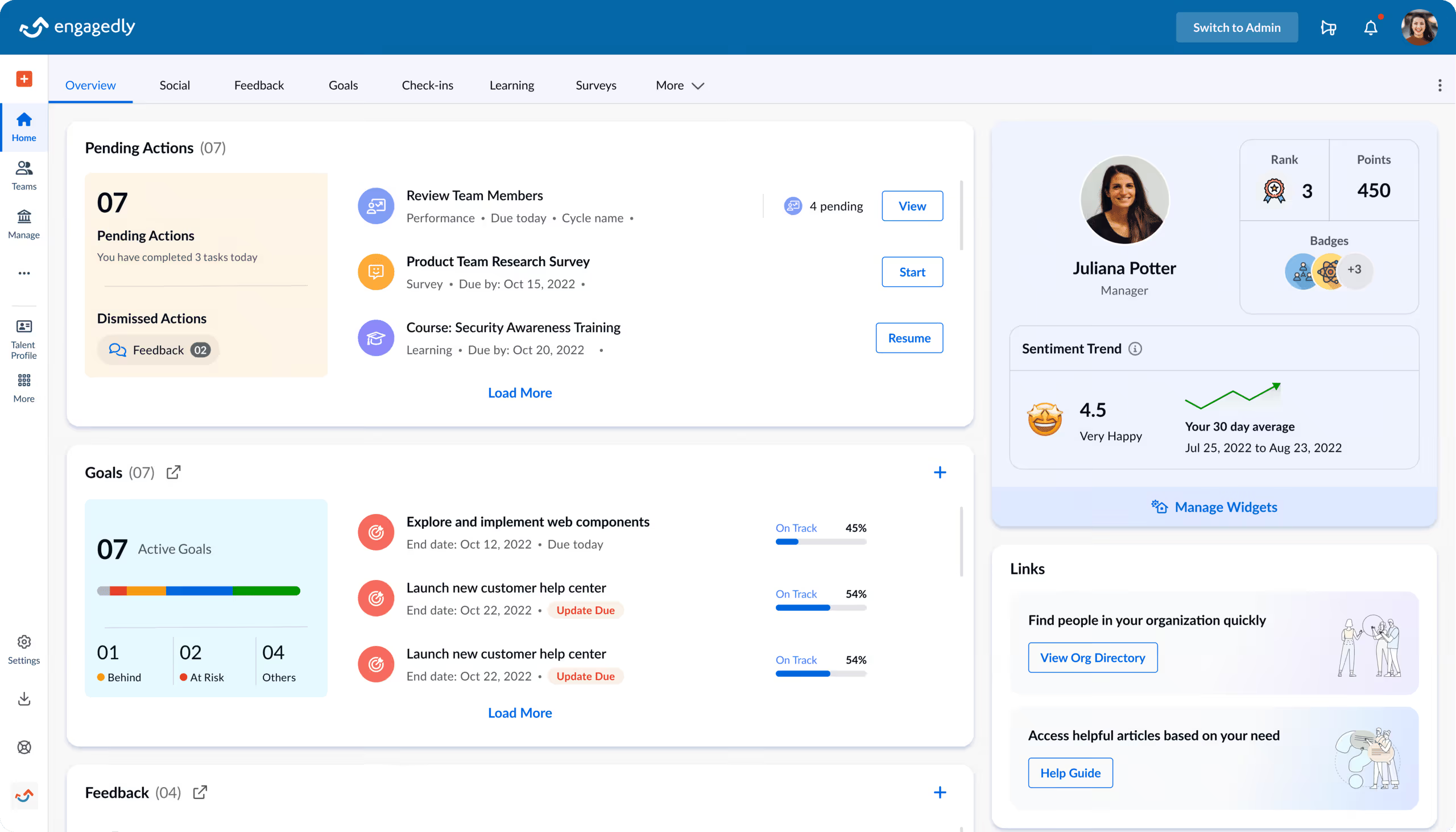
Engagedly is an AI-powered, all-in-one talent platform that combines performance management with a built-in learning system, engagement, and recognition. It brings reviews, OKRs, surveys, recognition, and an LMS into one subscription, so teams can run development and performance side by side.
📚 Recommended Reading: Compare 10 Best Engagedly Alternatives
Key Features:
Pros:
"One new thing I like about Engagedly is the learning and development module. It helps in skill growth with training options and learning paths." - G2 Review
Cons:
"One disadvantage of Engagedly is the inability to award multiple badges in 1 post to the same user. I'd like to see some aestetic enhancements - maybe adding more color." - G2 Review
Pricing:
| Feature | Engagedly | Leadr |
|---|---|---|
| Primary Focus | All-in-one talent suite: performance, learning, engagement | A focused people-development tool centered on 1:1s |
| Learning | Built-in LMS/LXP with courses, paths, and skill tracking | Learning assignments (videos, articles), not a full LMS |
| Breadth | Broad modules, including recognition, surveys, and talent mobility | 1:1s, goals, reviews, and surveys in one connected app |
| Pricing | From about $5/user/mo, with a ~$7,500/year minimum | Custom quote, not listed |
| Best For | Mid-size teams consolidating several HR tools | Teams wanting a lightweight, coaching-led setup |

Culture Amp is the category leader in employee engagement surveys and people analytics, with performance and development modules built on top. Its calling card is benchmarking, comparing your scores against data from thousands of companies, backed by a people-science team.
Key Features:
Pros:
"The platform is intuitive enough that managers actually use it, which isn't something you can take for granted with HR tooling. The survey and review cycle workflows are well thought through, and the reporting surfaces insights in a way that makes it straightforward to identify themes and prioritise action." - G2 Review
Cons:
"I find that in some ways, Culture Amp is not very intuitive. It's a bit hard to know whether you've saved a response or not. It's not very intuitive in terms of knowing what you need to do after your manager and you have caught up." - G2 Review
Pricing:
| Feature | Culture Amp | Leadr |
|---|---|---|
| Primary Focus | Engagement surveys and people analytics, with performance and development | The manager-employee 1:1 and development |
| Benchmarking & People Science | Benchmarks against thousands of companies, science-backed | No external benchmarking; surveys are basic pulse and eNPS |
| Performance Tools | Reviews, calibration, goals, and 1:1 templates (added on) | Built around the 1:1, with reviews, 9-box, and learning |
| Pricing | Custom, sales-led, with a ~$4,500/year minimum | Quote-based, no public pricing |
| Best For | Teams that lead with engagement and analytics | Teams that put coaching and 1:1s first |
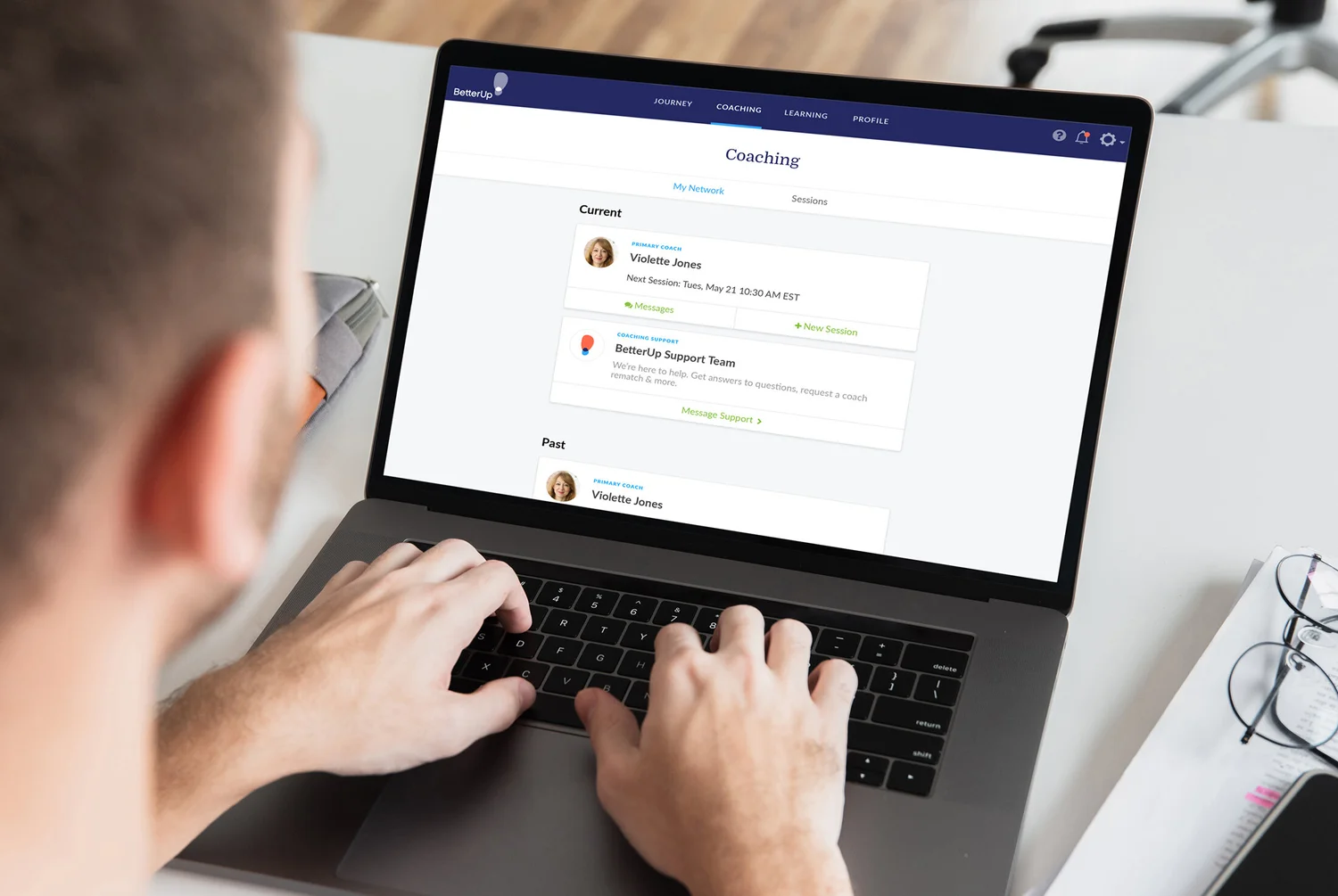
BetterUp is the leading enterprise coaching platform, pairing a large network of credentialed human coaches with always-on AI coaching. It's a different kind of tool than the others here, built to develop leadership and behavior change through coaching rather than to run reviews or goals. Since Leadr is a performance management tool with an emphasis on coaching overall, we wanted to include one of the best coaching software available today, on this list.
Key Features:
Pros:
"As someone who has used BetterUp, what I loved most was the feeling of having a personalized cheerleader in my corner. I used it to work on techniques to manage my anxiety, practiced my delivery, and even role-played answering tough questions." - G2 Reviews
Cons:
"Everything is good except the amount of coaching material they provide. Sometimes it's really tough to prepare yourself for discussions. Also initially it allows me to choose a coach between 3 coaches based on my skill set, in that case, I felt limited to learning." - G2 Review
Pricing:
| Feature | BetterUp | Leadr |
|---|---|---|
| What It Is | A coaching platform (human plus AI) | Performance software built around the 1:1 |
| How Development Happens | Professional coaches matched to employees, plus AI coaching | Managers run their own 1:1s, with templates and AI meeting intelligence |
| Reviews & Goals | Not a review or goals system | Reviews, goals, 9-box, and surveys built in |
| Pricing | Premium, custom/enterprise (often thousands per person/year) | No public pricing, quote-based |
| Best For | Investing in coaching and leadership development | Running everyday 1:1s, goals, and reviews in one tool |
The right Leadr alternative depends on what you need the tool to do. Here are five things to weigh before you commit.
The ten tools here pull in different directions. Some center on reviews and goals (PerformYard, Small Improvements), some on engagement and analytics (Culture Amp, Quantum Workplace, Workleap), Peoplebox leans into OKRs, 15Five into manager enablement, and BetterUp into coaching. Map your top two or three priorities first, then shortlist the tools built around them rather than the ones with the longest feature list.
Performance software only works if people open it. Look at where your team already spends the day, whether that's Microsoft Teams, Outlook, or Slack, and how natively each option fits in. A tool that lives inside your existing workspace tends to see much higher adoption than one that adds another login. This is where Teamflect stands out for Microsoft 365 organizations, since it runs inside Teams and Outlook.
Several options on this list, including Leadr, Culture Amp, and BetterUp, don't publish pricing, so you'll need a sales conversation to get a number. Others, like 15Five and Engagedly, start affordably but add cost as you layer on modules or add-ons. Ask for the all-in figure for the features you actually plan to use, not just the headline per-seat rate.
A platform managers and employees find easy to use will give you better data than a more powerful one nobody fills out. During a trial, watch how quickly a manager can run a 1:1 or a review without training, and how the experience feels for a regular employee. Quick setup and a clean interface matter as much as the feature checklist.
Your needs will shift as your team and processes mature. Check whether a tool can add review cycles, goals, surveys, or analytics later without forcing a migration, and whether its pricing still makes sense as you add people. The best choice fits how you work today and leaves room for where you're headed.
Every tool on this list can help you move past annual reviews, but the right fit depends on where your team already works. For organizations running on Microsoft 365, that's the case for Teamflect. It brings 1:1s, goals, reviews, feedback, recognition, and engagement surveys into Microsoft Teams and Outlook, so performance management happens in the flow of work instead of in another app.
If your team is already in Teams every day, that native setup is the difference between a tool people use and one they forget to open. You can start free for up to 10 users and see how it fits before spending anything.

.svg)
.avif)

Create high-performing and engaged teams - even when people are remote - with our easy-to-use toolkit built for Microsoft Teams