.svg)
.svg)
30 Best OKR Software of 2026 - Tested, Rated, Updated Regularly

Updated on:
August 13, 2026


Prefer Teamflect as your HR source on Google
.svg)

A hands-on evaluation of 14 OKR platforms, scored on a documented 10-criterion rubric by our Senior Product Manager, plus honest takes on 15 more. Every rating, limitation, and trade-off disclosed. Updated monthly.
Update log July 2026: First publication. 14 platforms tested under the full protocol, and 15 more reviewed in the market section. We fully test one additional platform each month and add a new tool to the market watch, so this list keeps growing.
I'm Bora Ünlü, Co-Founder and CEO of Teamflect. My team and I have been building OKR software for over 10 years and in that time not only have we gained an expert perspective on what users look for in OKR platforms, but also tested our fair share of it.
That is why we wanted to put our expertise in this area to good use and put together a definitive guide for people on the lookout for OKR software, with a carefully curated list of the best tools in the market, all tested in detail.
After seeing a great amount of success, accuracy, and positive feedback with our previous research and software testing for other categories, we already had a strong framework and benchmark in place.
So I asked our Senior Product Manager, Fetican Durakbaşı, to test the tools himself. Over the course of 8 weeks, Fetican built the same simulated organization in every platform to the best of his abilities and applied the same 10-criterion rubric to each one, from an identical goal cascade down to an identical check-in cycle. He also timed how long setup took and counted how many clicks it takes to log a single Key Result update.
Testing 14 platforms this deeply takes time, so we launched with the 14 you can evaluate yourself today through a trial, a free plan, or a sandbox, and we cover the rest of the market in shorter takes further down, based on our evaluations of them in other categories and extensive market research. Those market-section tools are not a rejection pile. They are in the queue, and we promote one of them into full testing every month.
Continue reading for our research and evaluation methodology, or click here to skip to the list.
Bora Ünlü, Co-Founder and CEO, Teamflect
📚 Recommended Reading: Our Previous Research and Testing on Performance Review Software
We started from the tools OKR buyers actually shortlist. That meant the G2 and Capterra goal-management and OKR categories, the two most-cited competitor lists in the space, and the platforms that keep surfacing in practitioner and migration conversations, especially among teams leaving Viva Goals. One note on sourcing: G2, Capterra, GetApp, and Software Advice came under common ownership in early 2026, so we treat their scores as one signal among several and lean on our own hands-on layer for anything that matters.
These criteria determined which platforms we tested first, not which platforms deserve testing. Everything that didn't make the first round sits in the market section below, queued for the full protocol.
Fetican ran the same protocol on all 14 platforms:
Conflict of Interest: Teamflect is commercially related to this publication. It was evaluated using the same protocol and rubric as every other tool, and the scoring was applied by the same tester. Where Teamflect appears in the ranking, that position is the result of the scoring, not editorial discretion.
Every platform was scored 1.0 to 5.0 on each of the ten criteria below, and the weighted composite is the actual score. The weights reflect what predicts whether an OKR program survives its first few quarters, which is why the check-in cadence and the goal cascade carry the most.
| Criterion | Weight | Why It Matters for Adoption |
|---|---|---|
| Goal & Cascade Architecture | 13% | If individuals cannot see how their Key Result connects to the company objective, OKRs become a filing exercise. Multi-level cascades, KR metric types, weighting, and alignment maps decide this. |
| Check-in & Update Infrastructure | 14% | Goals go stale by week four without an automated cadence. The weekly habit is the single strongest predictor of OKR program survival, and it has to be structural. Highest weight for that reason. |
| Workplace Integration Depth | 11% | Teams, Slack, Jira, and HRIS connections decide whether updates happen in the flow of work. Two-way syncs that auto-update KRs from linked work items separate modern tools from manual trackers. |
| Customization | 11% | OKR programs live or die on fitting an organization's real process. Custom terminology, goal types, fields, cadences, and framework flexibility without workarounds decide this. |
| Reporting & Analytics | 8% | Leadership renews the program when dashboards show progress without manual compilation. Export completeness and at-risk surfacing matter as much as the visuals. |
| AI & Automation | 9% | AI goal drafting solves the blank-page problem for first-cycle teams, and at-risk flagging catches misses mid-quarter. Execution quality varies widely, so this is scored on usefulness. |
| Ownership & Accountability Controls | 8% | Named KR owners, whether ownership is enforced or optional, visibility controls, edit permissions, and audit trails separate a goal system from a shared document. |
| Scalability | 10% | Per-user pricing that looks cheap at 10 people becomes a growth tax at 100, and governance that works for one team breaks across twenty. Enterprise readiness and the cost curve at scale decide this. |
| Pricing Transparency | 8% | Public per-seat rates versus quote-only, clear trials, and disclosed minimums. Hidden pricing and platform minimums are the top regret drivers. |
| Implementation & Support | 8% | Value comes from the tool being used, not bought. Onboarding quality, support responsiveness, and coaching predict second-cycle survival. |
| Total | 100% |
Scores run 1.0 to 5.0 in half-point steps. Each card shows the weighted composite plus the five sub-scores most relevant to that tool. The difference between one position and the next is usually about fit, not quality.
You can also read about how we evaluated performance review and 360-degree feedback software in separate articles and download the rubrics:
Order is deliberately mixed. This is not a ranking. Platforms are positioned by "Best for" fit, not by score. Pricing and trial terms are verified at publication and refreshed monthly.
| Platform | Score | Best For | Starting Price | Free Trial |
|---|---|---|---|---|
| Perdoo | 4.1 | OKRs plus KPIs, strongest free plan | €8/user/mo | Free plan up to 5, no card |
| Teamflect | 4.3 | Microsoft 365 organizations | $7/user/mo | Free up to 10 users |
| Oboard | 4.0 | Native OKRs inside Jira and Confluence | From ~$1/user/mo (Jira app) | 30-day trial, no card |
| Tability | 4.2 | Building a first check-in habit | $6/user/mo | 14-day trial |
| Leapsome | 4.1 | All-in-one people platform with OKRs | Custom quote | 14-day trial, no card |
| Profit.co | 4.2 | Feature breadth, governance-heavy orgs | Custom quote | 30-day trial, no card |
| Synergita | 4.0 | OKRs plus continuous performance at SMB pricing | $3/user/mo | Free Starter tier |
| Peoplebox | 4.2 | Slack and Teams-native OKRs plus performance | $8/user/mo | Trial |
| Weekdone | 4.0 | Weekly PPP planning with included coaching | Banded per company size | Free up to 3 users |
| Cascade | 4.2 | Enterprise strategy execution | Custom quote | Free up to 4 users |
| Primalogik | 4.0 | OKRs connected to 360 feedback | $4/user/mo | 30-day trial, no card |
| Mooncamp | 4.2 | Framework flexibility at scale | Public per-user tiers | Trial |
| Atlassian Goals | 4.0 | Free with Atlassian Cloud, Jira-deep teams | Free with an Atlassian product | 30-day standalone trial |
| OKRs Tool | 4.1 | Flat pricing for 50 to 200 people | Flat from $30/mo per org | Free 1 to 5 users |
Best for Microsoft 365 organizations and teams migrating from Viva Goals
Founded 2018 · London, England· Tested June 2026
| Weighted Score | Check-in & Update | Workplace Integration | Goal & Cascade | Pricing Transparency | Implementation |
|---|---|---|---|---|---|
| 4.3 | 4.5 | 4.5 | 4.5 | 5.0 | 4.5 |
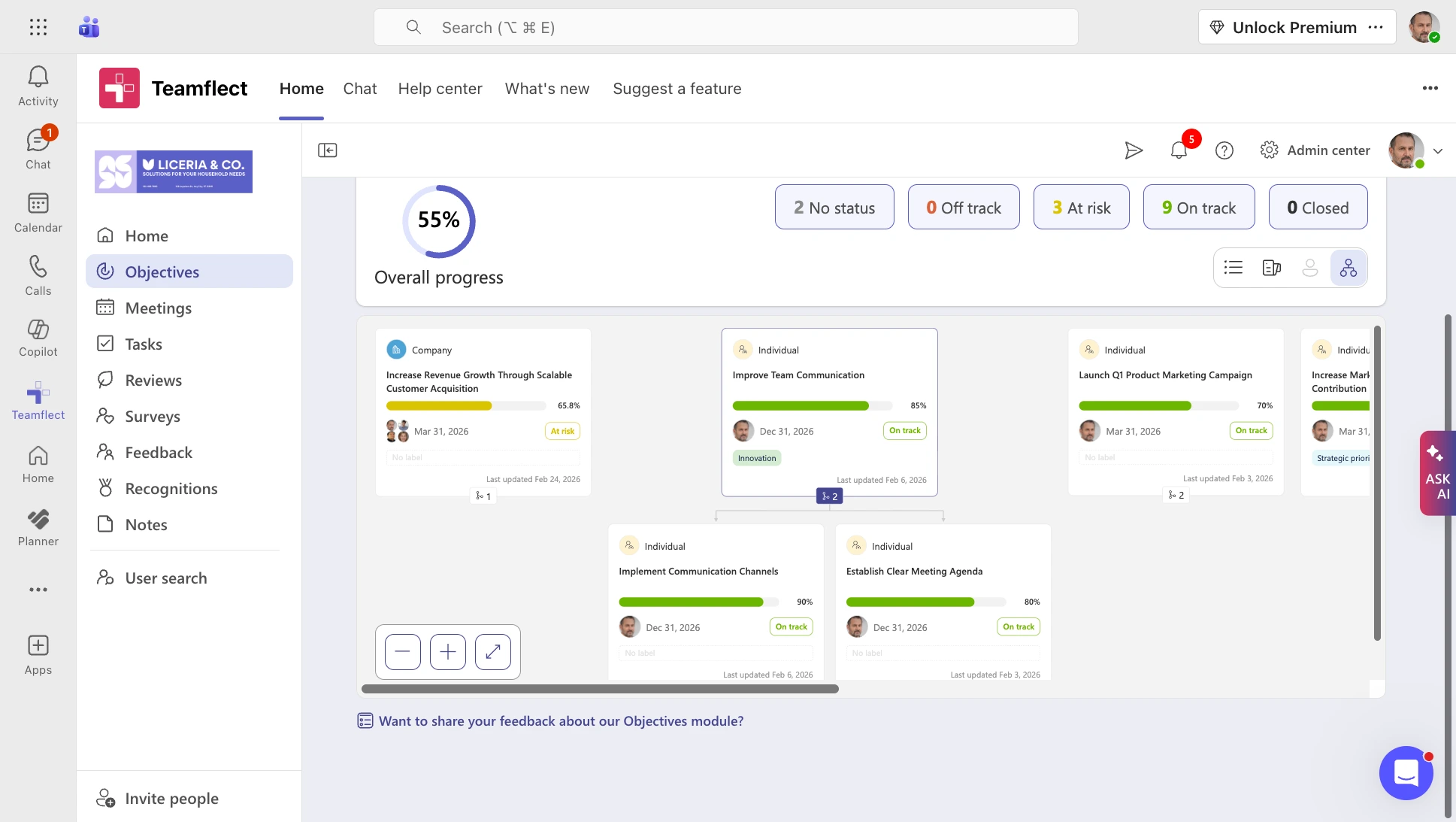
Teamflect runs OKRs, reviews, and one-on-ones natively inside Microsoft Teams and Outlook, so a check-in happens in the same window where the work already lives instead of a separate portal. For a Microsoft 365 organization, and especially one moving off Viva Goals, that single fact is most of the argument. Adoption climbs when nobody has to leave Teams to update a Key Result, and the friction that kills OKR programs by week four mostly disappears.
Teamflect also is one of the best all-in-one options on this list, integrating performance reviews and OKRs seamlessly to help companies boost accountability. The seamless Microsoft Teams integration also allows users to present OKR progress as interactive presentations inside ongoing teams meetings, truly keeping goals and OKRs as a key part of the conversation.
The trade-off is just as clear. Teamflect is built for the Microsoft ecosystem, so a Google Workspace or mixed-stack company is not the audience here. It is a performance and goals platform, not a system of record, so it sits alongside your HR system rather than replacing it.
G2: 4.5/5 - 155 reviews
Capterra: 4.7/5 - 143 reviews
Dominant positive theme
"It is very user friendly, have all the features you need and their support team is the best. It is helping us to manage our key priorities and staying at the top of them." - Microsoft AppSource Review
Reviewers return to the Microsoft Teams experience more than anything else, describing higher completion because goals, reviews, and feedback live where they already work. Fast setup and responsive support come up often alongside it.
Dominant critical theme
“I don't know if it can completely replace our SIRH. It lacks in areas like time management and compensation.” - G2 Review
The most consistent caveat is the Microsoft dependency, which reviewers outside the ecosystem name directly. A smaller thread asks for deeper reporting and more customization as programs mature.
See Teamflect plans in detail.
Best for teams building their first check-in habit
Founded 2021 · Sydney, Australia · Tested June 2026

| Weighted Score | Check-in & Update | AI & Automation | Goal & Cascade | Implementation | Pricing Transparency |
|---|---|---|---|---|---|
| 4.2 | 5.0 | 4.5 | 4.5 | 4.5 | 4.5 |
Tability built in Sydney by a team of former Atlassians, is organized around one idea: the weekly check-in is what keeps OKRs alive. So the product makes that cadence about as close to automatic as anything we tested. Reminders land in Slack or email, an update takes seconds, and a strategy map shows how each goal connects upward. It fits a team writing its first real OKRs and trying to lock in the habit before the quarter drifts.
The main trade-off is that there is no free plan, so evaluation runs on a time-limited trial and cost is per seat from the start. Tability is also a dedicated OKR tool with no performance-review layer, so if you want OKRs and reviews in one system you will be running two tools.
G2: 4.5/5 - 162 reviews
Capterra: 4.7/5 - 3 reviews
Dominant positive theme
"Usability is a key factor for our company, and it played a significant role in our decision to choose Tability. I appreciate having everything centralized, from OKRs to retrospectives and initiatives, which makes it much easier to manage our work." - G2 Review
Reviewers consistently praise how intuitive and easy to set up Tability is, its clear visualizations and strategy mapping for tracking progress, and its centralized approach to goal management. They also value the AI-generated prompts for goal-setting and the accountability features that keep teams focused.
Dominant critical theme
"I personally feel Tability needs to improve the user experience. Navigating some sections and folders is too complicated, making it user friendly and harder to use than it should be." - G2 Review
While the initial setup is praised as being intuitive, reviewers claim that down the line there is a steep learning curve that takes time and repetition to overcome, dashboard and layout issues that hurt clarity and make navigation harder. They also complain about some missing features and limited/superficial integrations.
Tability publishes its pricing.
Learn more about Tability's Pricing
Best for connecting OKRs to long-term KPIs and strategy
Founded 2014 · Berlin, Germany · Tested June 2026
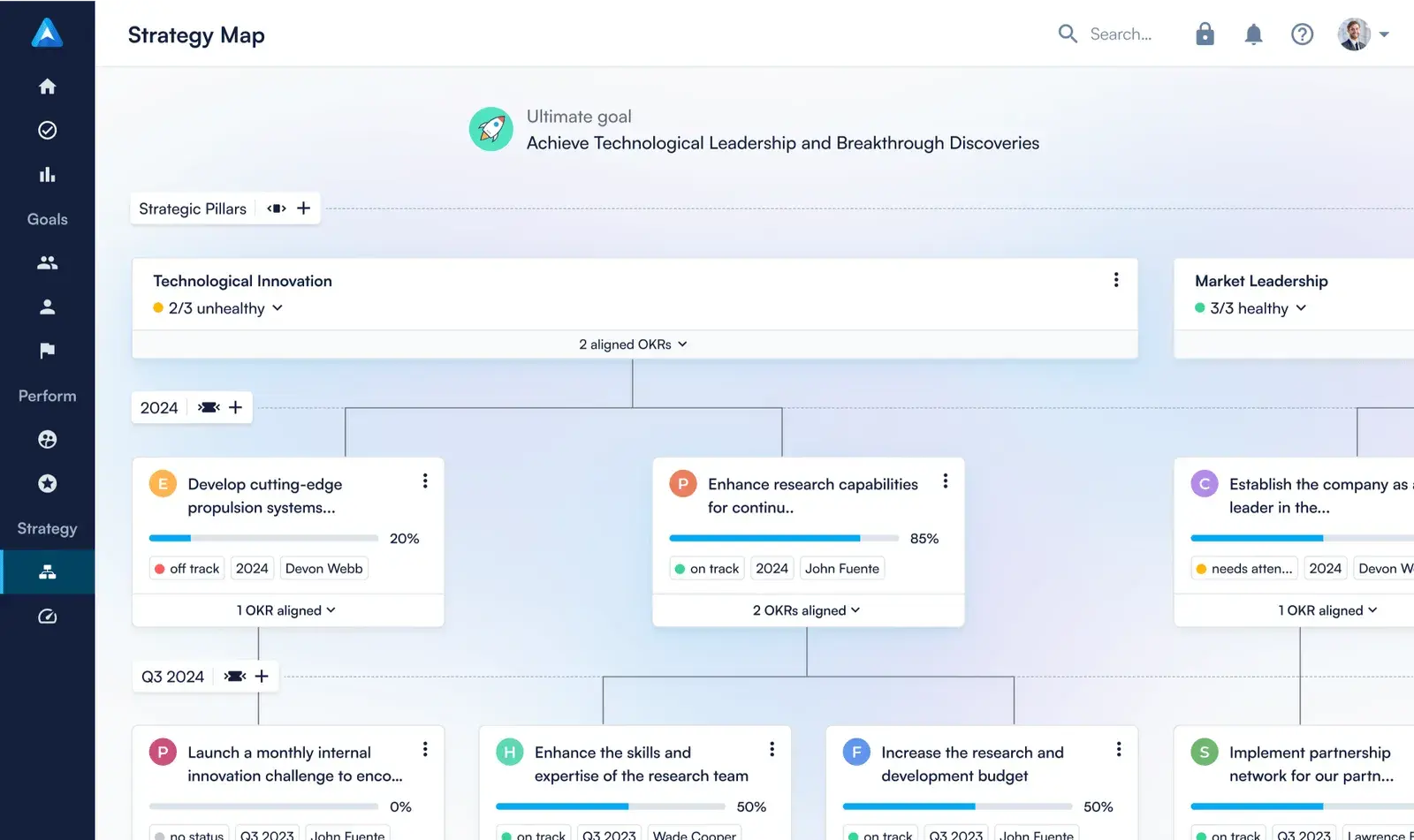
Perdoo, out of Berlin, keeps OKRs and long-term KPIs side by side and ties both to a Strategy Map that runs from company pillars down to the goals underneath them. Separating the ambitious objectives from the metrics you simply need to hold is what strategy-minded SMB and mid-market teams tend to want, and Perdoo does it cleanly.
It also carries the most complete free plan in the category, which makes a real trial easy. Worth noting for anyone reading older roundups: both competing lists call Perdoo dated and AI-free, but it now ships an AI Assistant and AI Coach on every plan, including the free one.
G2: 4.4/5 - 544 reviews
Capterra: 4.4/5 - 79 reviews
Dominant positive theme
"Before we started working with Perdoo, it was difficult to get everyone in the company to understand how we could all contribute to our shared success. With the visual strategy map, everything becomes much clearer." - G2 Review
Reviewers consistently praise how easy to use and intuitive Perdoo is, describing it as simple for team adoption and strategic planning. They value the clarity and utility of its goal-setting for collaboration and progress tracking, its comprehensive OKR management that boosts team alignment and focus, and its clean, user-friendly design. Responsive, helpful customer support also comes up repeatedly.
Dominant critical theme
"Customization options are somewhat limited, and it can take a bit of time for new users to fully understand how best to use all the features." - Software Advice Review
The common complaints center on navigation and discoverability, with reviewers finding important features hidden and hard to access and the Strategy Map layout clumsy. They also cite a steep learning curve that can feel overwhelming, missing features such as export options and multi-user roles, and limited customization for reports and visual tools.
Learn more about Perdoo's Pricing
Best for teams already living in Jira and Atlassian Cloud
Launched 2024 · Sydney, Australia · Tested June 2026
| Weighted Score | Workplace Integration | Goal & Cascade | Customization | Check-in & Update | Ownership & Accountability |
|---|---|---|---|---|---|
| 4.0 | 4.5 | 4.5 | 4.5 | 4.0 | 3.0 |
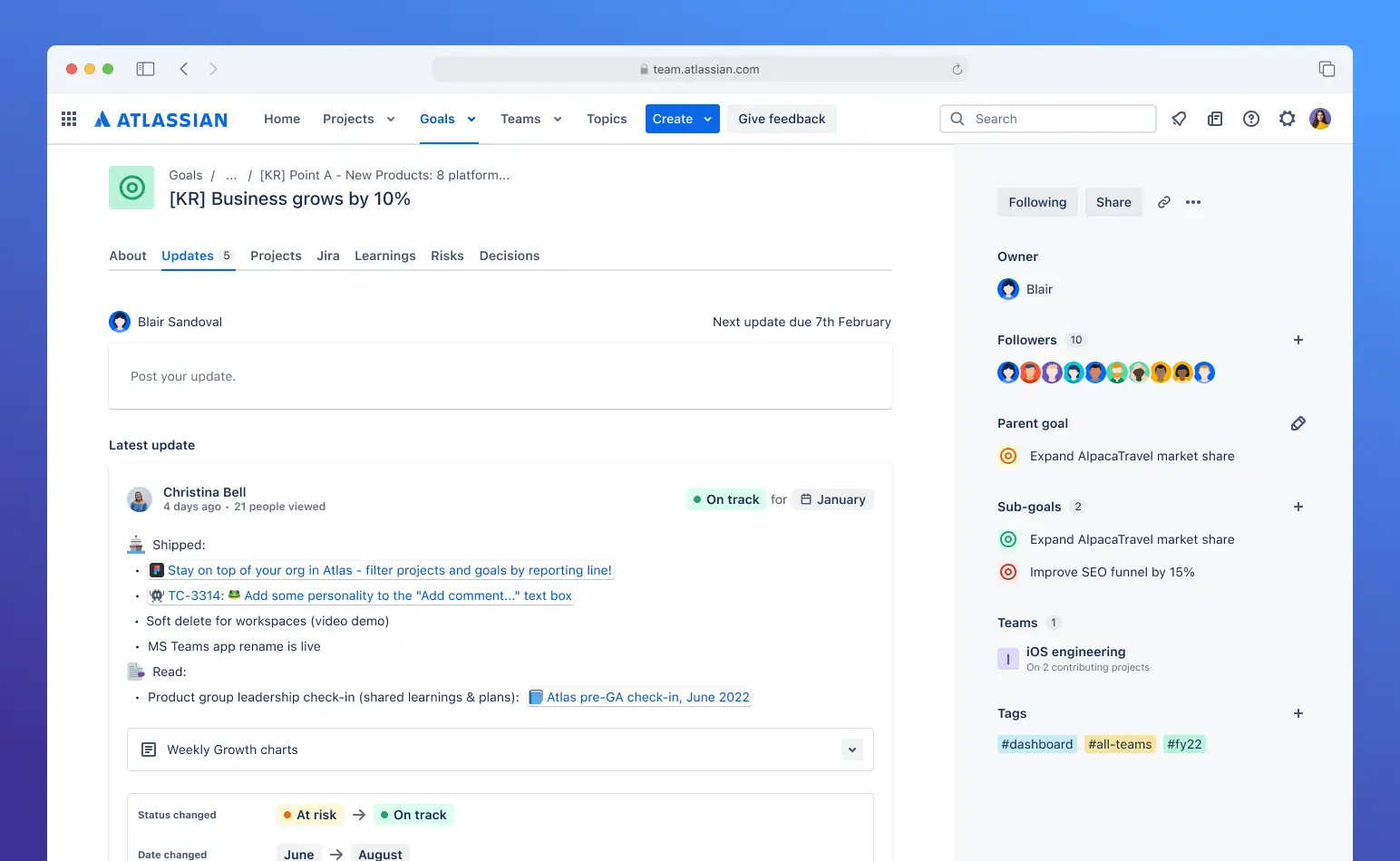
Atlassian Goals is the goal-tracking layer built into Atlassian Cloud, so for a team already running work in Jira, goals link straight to the epics and projects that drive them, and progress rolls up as that work gets done. It comes free with any Atlassian product, and Goal Types let you frame goals as OKRs, KPIs, or custom frameworks, with native 0.0 to 1.0 scoring that matches how OKR practitioners already grade.
For a displaced Viva Goals customer who happens to run Jira, this is close to the OKR tool you may already own. Teams that need deeper tracking than the native layer often pair it with a specialist plugin like Oboard.
Atlassian Goals has no meaningful standalone G2 or Capterra base, so this read is synthesized from public Atlassian Community discussions in early 2026, as well as discussions on Reddit.
Dominant positive theme
Practitioners value that goals live where the work happens through native Jira linking, the framework flexibility of Goal Types, the native OKR scoring, and that it comes free with Atlassian products. Development is visibly active.
Dominant critical theme
The most repeated technical complaint has been limited automation for programmatic goal management, which the GraphQL APIs added in early 2026 have begun to address. Community members also flag historically wide-open edit permissions now being fixed in stages, clunky Jira linking, hard navigation of nested goals, and reporting gaps, including Learnings, Risks, and Decisions being absent from CSV exports.
Atlassian Goals is free for Atlassian Cloud customers with at least one active product. There is no separate per-seat charge, since it is part of the platform, and admins control user access. A standalone web app offers a 30-day trial with no card.
Learn more about Atlassian Goals
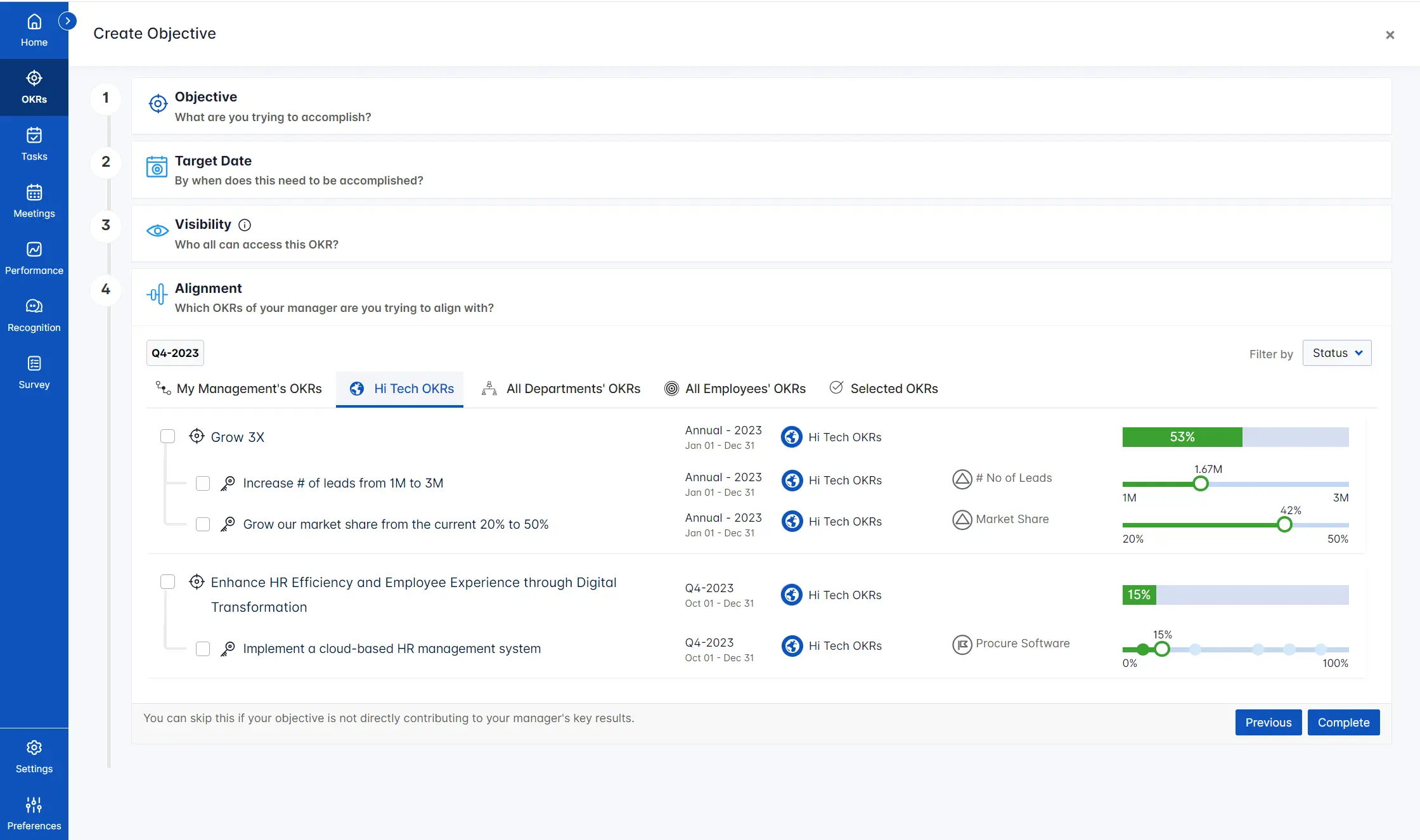
Profit.co is the feature-depth maximalist of the group. It carries a library of more than 300 KPI metrics, weighted OKR scoring, multiple Key Result types, and even Balanced Scorecard and Hoshin Kanri modules that almost nobody else offers, all wrapped in a full performance suite. That makes it a strong fit for a governance-heavy organization that wants OKRs run with real rigor and a paper trail.
The costs are the flip side of that depth. The interface is dense enough that reviewers say it slows check-ins, setup carries a genuine learning curve
G2: 4.7/5 - 494 reviews
Capterra: 4.8/5 - 225 reviews
Dominant positive theme
"The integration of OKR's, Goals & Continuous Feedback makes this a powerful team for aligning and growing team members." - Software Advice Review
A standout, recurring praise is the highly responsive Customer Success support that eases onboarding and improves the overall experience. They also value the intuitive goal-setting capabilities that sharpen focus and alignment, the structured onboarding behind its OKR management, and progress tracking that links tasks directly to Key Results
Dominant critical theme
"Some processes in Profit.co still require too many manual steps. In addition, the UX is not very intuitive; our team often reports difficulties with navigation and overall usability." - G2 Review
The common complaints center on a steep learning curve, with the platform's depth and complexity feeling challenging for new users, and on navigation, which several reviewers describe as difficult with too many clicks and hard-to-reach settings and detailed views
Profit.co does not publish list pricing. It moved to fully custom, quote-based pricing, with a proposal offered within 48 hours, and a 30-day trial with no card.

| Weighted Score | Ownership & Accountability | Pricing Transparency | Check-in & Update | AI & Automation | Workplace Integration |
|---|---|---|---|---|---|
| 4.1 | 5.0 | 5.0 | 4.5 | 4.5 | 3.5 |
OKRs Toolis built for startups, scaleups, and mid-market teams that need strong goal alignment without the overhead of enterprise systems. It focuses on clarity, speed, and execution, helping teams define meaningful OKRs, track progress continuously, and adapt priorities as work unfolds.
The platform is designed to be intuitive from day one. Teams can create OKRs in minutes, while AI assists with writing sharper objectives, defining measurable key results, and suggesting initiatives to drive progress. An alignment map clearly shows how company, team, and individual goals connect across cycles, improving visibility and accountability.
OKRs Tool is especially effective for remote and hybrid teams. Slack-native updates and asynchronous check-ins keep goals visible in daily workflows without adding meetings or process friction.
Pros & Cons:
Pros:
“The interface is clean and easy to use, and the AI suggestions actually helped us write clearer OKRs without overthinking them.” - G2 Review
Cons:
“It can occasionally seem complicated or take a lot of time to update and manage” - G2 Review
Pricing:
Best for engineering teams that want Key Results to update from Jira automatically
Founded 2018 · Kyiv, Ukraine · Tested June 2026
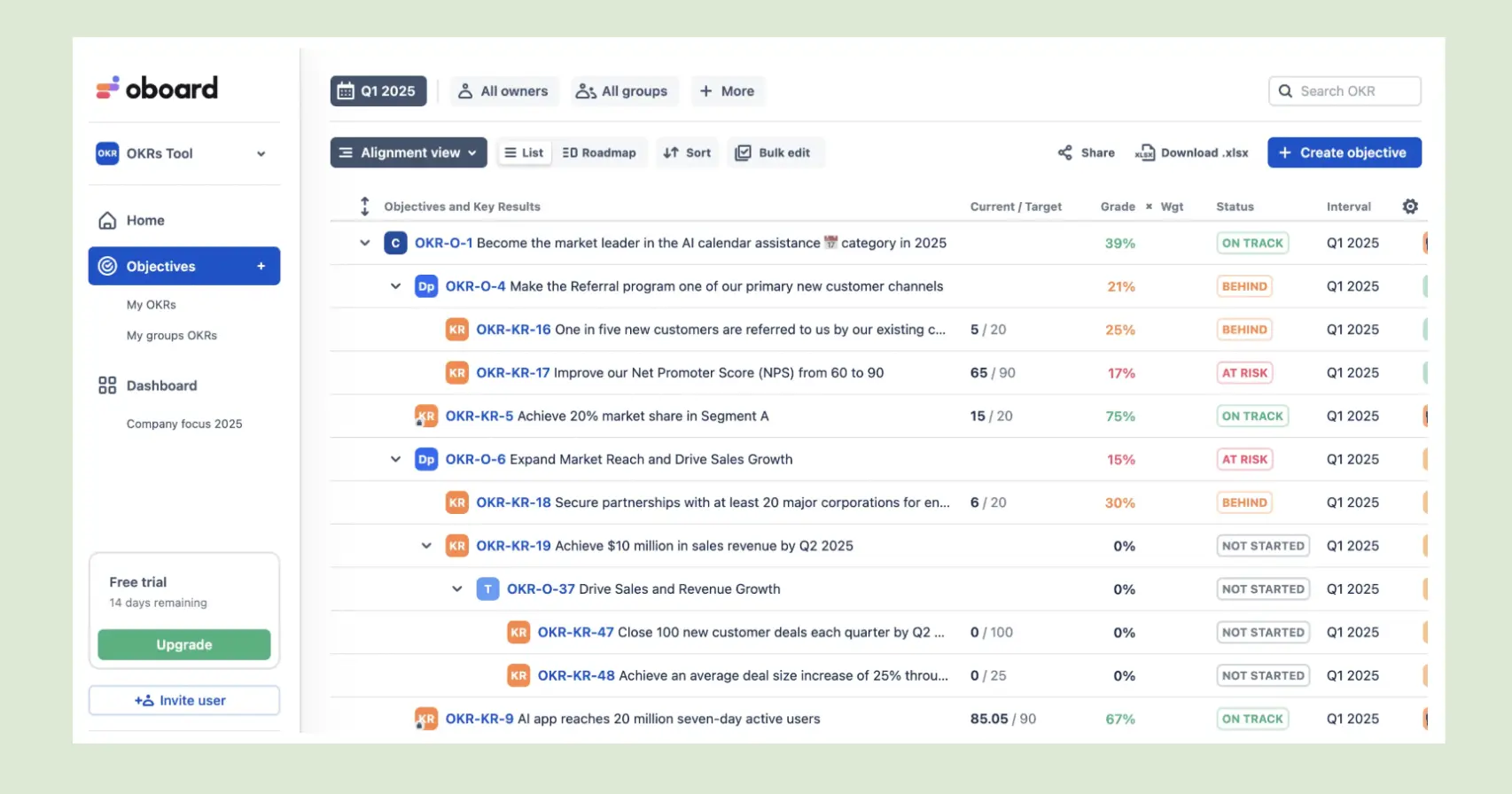
| Weighted Score | Workplace Integration | Goal & Cascade | Ownership & Accountability | Reporting | AI & Automation |
|---|---|---|---|---|---|
| 4.0 | 5.0 | 4.5 | 4.0 | 3.5 | 3.0 |
Oboard's whole reason to exist is the two-way Jira sync. Link an epic or issue to a Key Result and progress updates itself as the work moves, which for an engineering or product org living in Jira keeps OKRs current with almost no manual entry. It runs natively across Jira, Confluence, Salesforce, and monday.com, plus a standalone web app, and it is the most-installed OKR plugin on the Atlassian Marketplace. This pairs naturally with Atlassian Goals above: Goals is the free native layer, and Oboard is the deeper specialist plugin.
G2 and Marketplace: ~4.6/5
Gartner: 4.2/5
Dominant positive theme
What I like best about OKR Board for Jira & Confluence is how effectively it connects strategic goals with day-to-day execution inside tools our teams were already using regularly. - G2 Review
Reviewers center on the Jira integration and automatic progress tracking, note that it is the most-installed OKR plugin on the Marketplace, and describe support as patient and responsive, flexible enough to self-serve complex structures.
Dominant critical theme
It has limited advanced reporting options and i personally feel it could use more templates for different OKR frameworks - G2 Review
The common asks are more reporting depth with ready-made reports, fewer clicks from board to task, and a gentler first-run experience than seeing every indicator red on day one. Confluence dashboard customization is also limited.
Oboard publishes its pricing. The Jira app starts around $1 per user per month, tiered by instance size, and is free for up to 10 Jira users.
Best for Slack-first teams that want OKRs and performance together
Founded 2019 · San Francisco, California · Tested June 2026
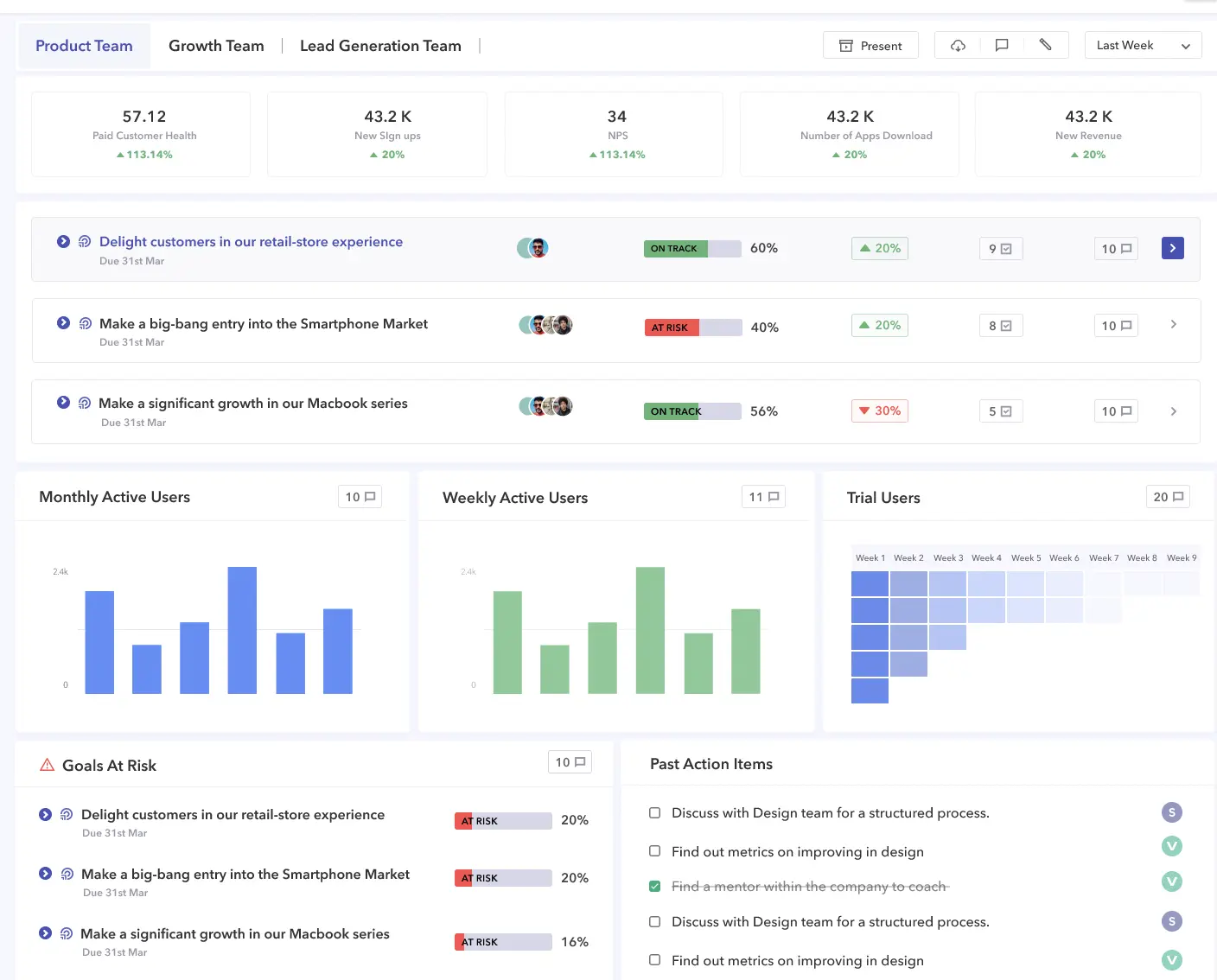
Peoplebox runs OKRs, business reviews, one-on-ones, and performance from inside Slack and Teams, and its strongest feature is that most of the tool runs inside chat. More than 50 integrations pull live progress into Key Results, and its Alex and Nova agents draft goals and summarize updates. It is the natural counterpart to Teamflect: for a Slack-first company Peoplebox is the chat-native pick, where a Microsoft Teams organization is better served by Teamflect.
G2: 4.5/5 - 365 reviews
Capterra: 4.6/5 - 244 reviews
Dominant positive theme
Peoplebox is very easy to implement, has most of the important features we were looking for, and includes several of the solutions we were looking for, namely Goals/OKRs, 1-1s, and 360s. -Software Advice Review
Reviewers consistently praise how easy Peoplebox makes goal tracking, valuing the way it aligns personal and corporate objectives. They find it easy to use, intuitive and quickly applicable across all levels, with an interface that simplifies both performance tracking and goal-setting.
Dominant critical theme
Sometimes, finding an option to edit is more cumbersome than it should be. Some more options of how to measure a goal could be helpful too. - G2 Review
The common complaints center on limited customization, which reviewers find frustrating when trying to personalize the experience, and on missing features that affect usability and overall satisfaction.
Peoplebox publishes its pricing, billed annually.
Learn More About Peoplebox AI Pricing
Best for budget-conscious teams that want OKRs with an optional performance layer
Founded 2014 · Chennai, India · Tested June 2026
| Weighted Score | Goal & Cascade | Customization | Implementation | Scalability | Ownership & Accountability |
|---|---|---|---|---|---|
| 4.0 | 4.5 | 4.5 | 4.0 | 4.0 | 3.0 |
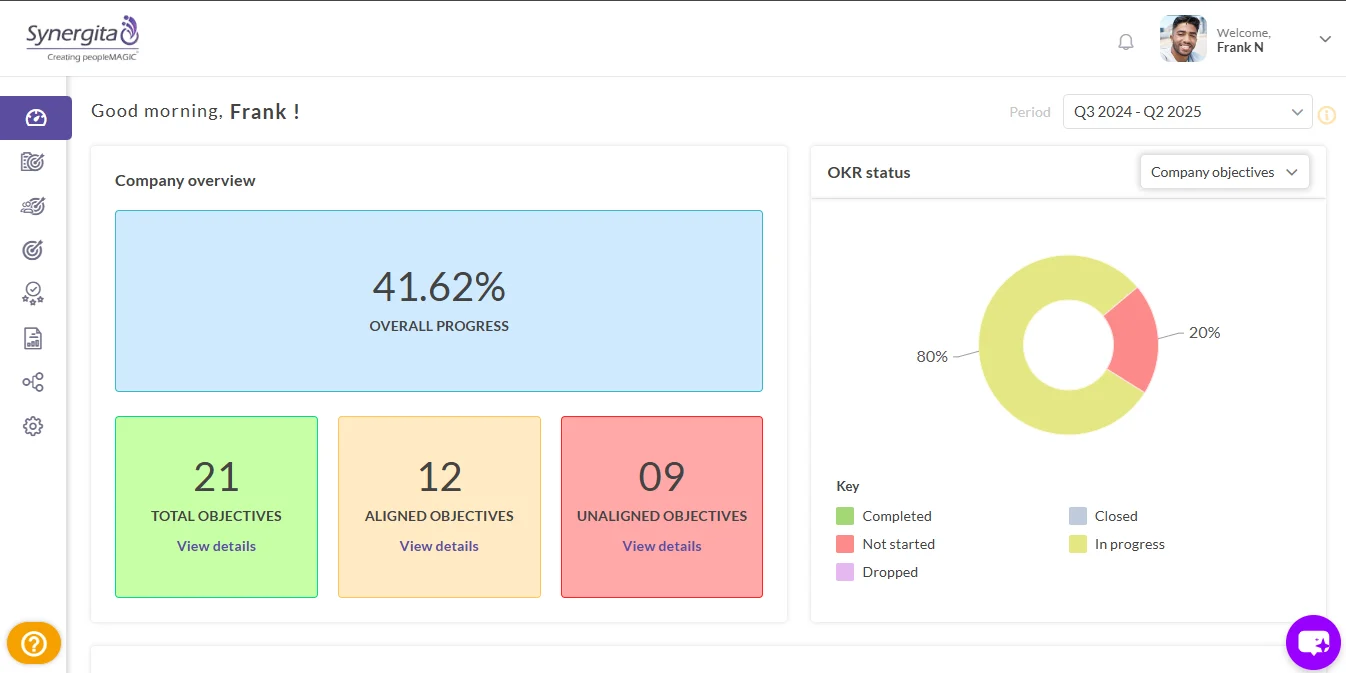
Synergita, out of Chennai, pairs a proper OKR tree with an optional continuous-performance layer at some of the lowest entry pricing in the category. The OKR side handles top-down cascade and bottom-up alignment, with lead and lag indicators and on-track trajectory analysis, and Key Results auto-update from linked Jira work. For a budget-conscious SMB or mid-market team, especially in India and APAC, that is a lot of capability.
G2: 4.6/5 - 53 reviews
Capterra: 4.3/5 - 34 reviews
Dominant positive theme
Synergita lets us manage OKRs and performance reviews. It has both Bottom to top alighment and cascading, and also offers customizable workflows, which suits my organization. - G2 Review
Consolidation and goal visibility lead the praise. Reviewers repeatedly describe Peoplebox as an all-in-one place for OKRs, KPIs, 1:1s, feedback, and performance reviews, and they value seeing how individual work ladders up to company goals
Dominant critical theme
I would love to have robust reporting mechanisms that are easily configurable as desired by customers. The engagement platform has to be improved and gamified with more interactive. - G2 Review
The recurring complaints center on navigation and UI/UX polish, especially around creating goals and the review/feedback workflow, where reviewers say the priority order of tasks isn't clear.
Synergita publishes its pricing.
Learn More About Synergita's Pricing
Best for small teams that want a weekly planning rhythm and human coaching
Founded 2012 · Tartu, Estonia · Tested June 2026

| Weighted Score | Check-in & Update | Goal & Cascade | Implementation | Pricing Transparency | AI & Automation |
|---|---|---|---|---|---|
| 4.0 | 5.0 | 4.5 | 4.5 | 4.5 | 3.0 |
Weekdone is built around PPP, its Plans, Progress, Problems weekly planning method linked to quarterly OKRs, and it is the most distinctive weekly-execution rhythm in the category. Company objectives roll up automatically, a satisfaction pulse tracks team mood, and every plan includes unlimited human OKR coaching at no extra cost, which nothing else here matches. For a small team that wants the weekly habit and a coach on hand, it is a real fit.
G2: 4.2/5 - 36 reviews
Capterra: 4.5/5 - 63 reviews
Dominant positive theme
We needed a method to track the Objectives and Key Results, but also we needed to learn and understand the general principles and methodology behind OKR's. Weekdone, both through its design, and especially through the great onboarding and coaching, facilitated both of these." - Software Advice Review
Reviewers repeatedly describe how Weekdone links every individual goal to team and company objectives, giving globally distributed teams a shared direction and real-time visibility into progress. Some users especailly point out how they value the weekly check-in rhythm.
Dominant critical theme
"Though Weekdone has a Free version for the users to access and maintain up to 2 Team Members. Pricing for the Upgrade plans is expensive for 3 or more members." - G2 Review
The recurring critiques center on setup difficulty and pricing. Several reviewers say configuring projects, especially for larger teams, is time-consuming and often needs help from the support team.
Learn More About Weekdone's Pricing
Best for teams that want OKRs connected to 360 feedback and development
Founded 2012 · Montreal, Canada · Tested June 2026
.webp)
Primalogik, out of Montreal, is a performance and feedback platform where 360-degree feedback is the strongest and most-praised piece, and OKRs sit alongside it as one connected module. For a team that wants goals tied to multi-rater feedback and development, that pairing is the draw, and it comes at a low entry price with a clean 30-day trial that needs no credit card.
The honest framing is that the OKR layer is secondary. The goal features are less refined than a purpose-built OKR platform, there is no dedicated mobile app, and scheduling and notification automation are on the lighter side. This is a 360-and-development tool with an OKR module, and it reads best that way.
G2: 4.7/5 - 25 Reviews
Capterra: 4.5/5 - 87 Reviews
Dominant positive theme
I find Primalogik's setup process easy and appreciate their excellent customer service. It offers an efficient way to conduct 360-degree performance reviews, benefiting my time management. - G2 Review
Ease of setup and 360-feedback simplicity lead the praise, paired with standout customer support. Reviewers repeatedly describe a clean, intuitive, quick-to-implement platform that let them replace manual, spreadsheet-based review processes
Dominant critical theme
Primalogik doesn't have exactly the best UI - it could be refined a bit. - G2 Review
The recurring critiques center on UI refinement and reporting depth. A few reviewers note the interface could be polished, and others want more versatile, exportable data reports and analytics/indicators for deeper analysis.
Leapsome is a broad people-management platform, with Goals and OKRs as one module among reviews, engagement surveys, feedback, one-on-ones, learning, and compensation. Its OKR piece offers alignment visuals with line of sight to company objectives, and goal completion feeds the performance record, so goals do not sit apart from the rest of the people data. We tested and scored it on its OKR capability alone, setting the breadth of the suite aside, which is why it sits where it does rather than higher.
G2: 4.7/5 - 2477 Reviews
Capterra: 4.5/5 - 97 Reviews
Dominant positive theme
Leapsome is well designed and genuinely supports meaningful performance conversations. Goal-setting, feedback and review cycles are intuitive and encourage continuous development rather than one-off evaluations. - Capterra Review
For OKR users, goal alignment within a unified platform leads the praise. Reviewers highlight that OKRs can be set and cascaded across senior-leadership, team, and individual levels, keeping everyone aligned to company objectives, and they value that OKR progress feeds into the same environment as performance reviews, continuous feedback, 1:1s, engagement surveys, and learning.
Dominant critical theme
One downside to using Leapsome is that the platform can get somewhat confusing, particularly when several team members are required to enter and handle a significant amount of detailed information for quarterly Goals. - G2 Review
The recurring OKR-related critiques center on complexity and setup effort. Because Leapsome bundles many modules, reviewers say there's a steeper learning curve for occasional users and that initial configuration of cycles, templates, and permissions is laborious and HR-intensive.
Leapsome does not publish list pricing. It is quote-only and modular, priced per employee with no free plan, and a 14-day trial with no credit card is the way in.
Learn More About Leapsome's Plans
📚 Recommended Reading: Leapsome was also featured in our 360-degree feedback software testing.

| Weighted Score | Customization | Goal & Cascade | Workplace Integration | Implementation | AI & Automation |
|---|---|---|---|---|---|
| 4.2 | 5.0 | 4.5 | 4.5 | 4.5 | 3.5 |
Mooncamp focuses on simplicity, offering an intuitive platform for teams new to OKRs or seeking minimal complexity. Its streamlined interface prioritizes core OKR functions, enabling rapid adoption and reducing the barriers to effective goal management.
The platform is ideal for organizations where ease of use is critical to success. Teams can quickly set up objectives, define key results, and track progress without navigating a steep learning curve, making Mooncamp a strong choice for small businesses or first-time OKR adopters.
Key Features:
G2: 4.8/5 - 298 Reviews
Capterra: 5/5 - 22 Reviews
Dominant positive theme
"I found the customer support absolutely amazing. I wrote an email and immediately received a response within minutes, asking if it would be convenient for me to talk and resolve my issue right away." - G2 Review
Intuitive OKR management with strong goal visibility leads the praise. Reviewers repeatedly describe a clean, user-friendly interface that makes creating, updating, and monitoring OKRs quick, with easy onboarding even for non-experts.
Dominant critical theme
"The CFR (Conversation, Feedback and Recognition) process could be more flexible. The registration area does not allow each participant to express their personal and individual opinions. This would be especially useful for discussing private issues that should not be visible to all members of the organization, but are necessary for personal development.." - G2 Review
The recurring critiques center on the CFR process, mobile experience, and some UI/plan details. Several reviewers want the CFR (Conversations, Feedback, Recognition) or check-in features to be more complete and flexible, and multiple note the lack of a strong mobile app.
Pricing:
Learn More About Mooncamp's Pricing
Best for organizations that want OKRs inside broader strategy execution
Founded 2014 · Sydney, Australia · Tested June 2026
.webp)
| Weighted Score | Goal & Cascade | Scalability | Customization | Workplace Integration | Pricing Transparency |
|---|---|---|---|---|---|
| 4.2 | 5.0 | 4.5 | 4.5 | 4.5 | 3.0 |
Cascade is the strategy-execution heavyweight of the group, where OKRs are one instrument inside a broader stack that runs from focus areas to objectives to projects to KPIs. That depth is why enterprises like PepsiCo, U.S. Bank, and Roche run it, and why it carries the enterprise end of this list. Its AI, positioned as a strategic brain, pulls metrics from connected systems and context from meetings and docs to surface focus areas and at-risk work.
One reason Cascade sits in tier one while similar enterprise tools sit in the market section is its free plan for up to four users with no time limit, the widest self-serve on-ramp among the enterprise-leaning options. The trade-offs are a paid model that is quote-based rather than public, an early complexity curve, and reporting that is stronger on screen than in exports.
G2: 4.7/5 - 251 reviews
Capterra: 4.9/5 - 26 Reviews
Dominant positive theme
Cascade gives us a consistent way to track objectives across multiple franchise locations. The AI-powered dashboards make it easier to spot performance trends and quickly flag locations that may need additional support. - G2 Review
Reviewers credit ease of use, planning, progress tracking, and support, and describe a framework that forces real alignment thinking and consolidates reporting that used to be scattered across tools. Setup is often called fast.
Dominant critical theme
It was too complex for our company that mostly just tracks progress on initiatives. Our leaders found that they could not delegate the updates to their team members, which meant they were using other methods as working documents and then going into Cascade for only the purpose of updating the leadership team. - Capterra Review
The recurring notes are an early-weeks complexity curve, advanced reporting that needs training, and exported or printed reports that come out weaker than the on-screen views. The interface is English-only, and a 2026 thread describes learning to phrase things so the AI does not make assumptions that miss reality.
Cascade offers a free plan for up to four users with no time limit. The paid tiers, Essentials and Enterprise+, are quote-based, with no public per-seat rate.
Learn More About Cascade's Pricing Plan
The tools below did not make the first round of testing. Some are queued for the full protocol in the coming months, and one of them moves up to a fully tested card each month. Others are adjacent tools, project management platforms and spreadsheets, that buyers ask about in almost every OKR evaluation, so we cover them honestly here. Some of these tools, like 15Five or Lattice, we have previously evaluated in other research projects for their performance review or 360-degree feedback capacities.
These are shorter, hands-off takes rather than scored cards, and a place on this list is a queue position, not a verdict.
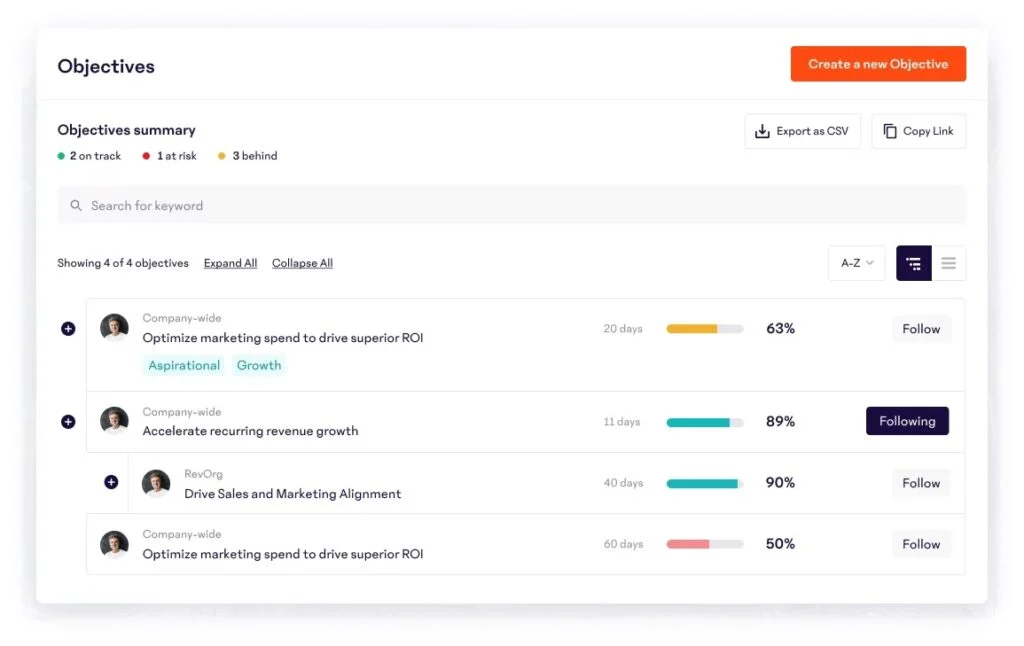
15Five is a continuous-performance platform built around the weekly check-in, with OKRs as one part of a broader people-management system. It fits HR-led mid-market teams that value feedback cadence and manager enablement more than deep OKR mechanics. The check-in habit and recognition features are the draw, and the honest caveat is that OKR cascade and parent-goal linking are shallower than a dedicated tool, with most features on by default so setup can feel heavy.
Key features:
📚 Recommended Reading: We put together a list of the best 15Five alternatives.
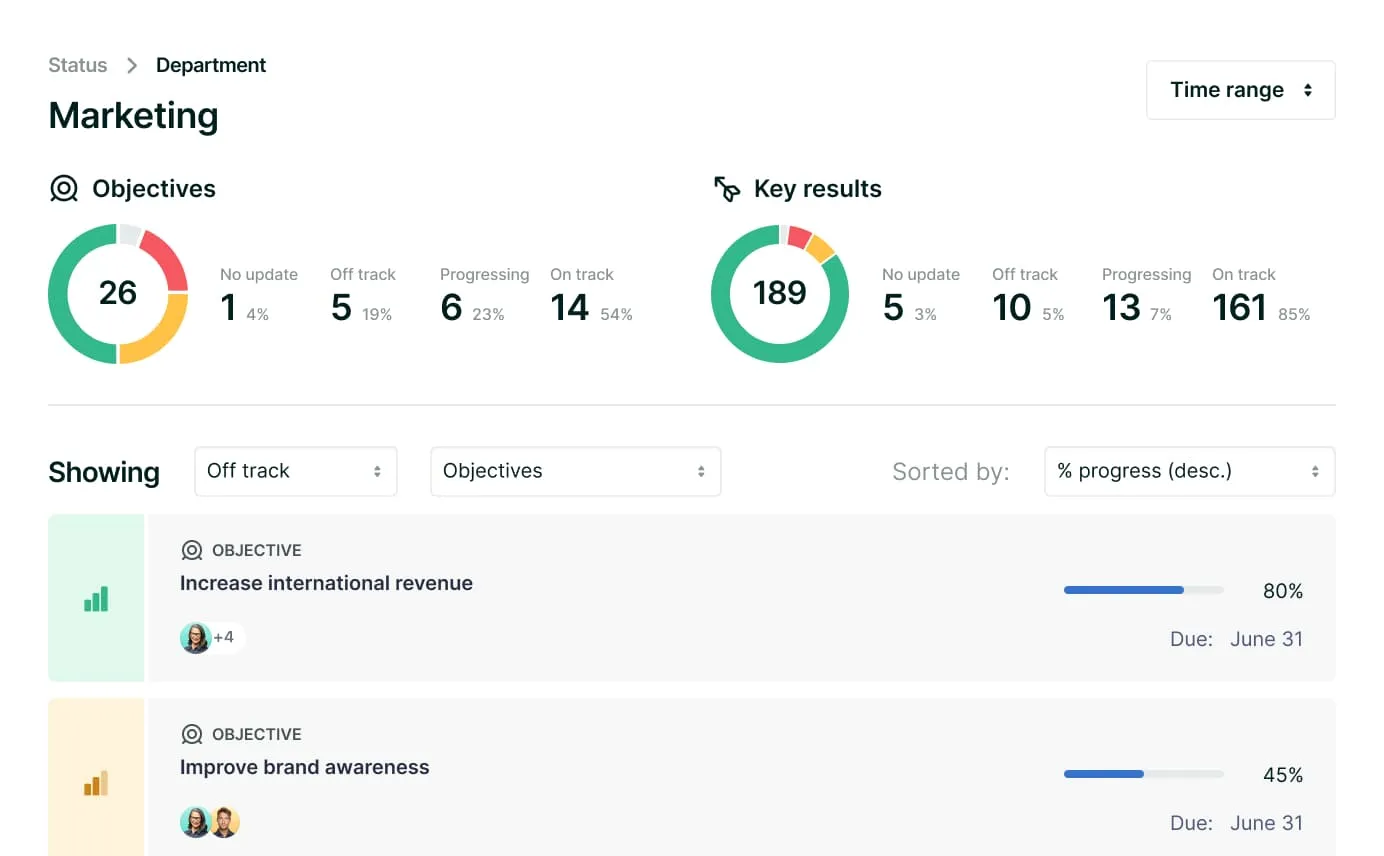
Lattice is a mature people-management platform where the standout is how cleanly Goals and OKRs connect to review cycles, compensation, and engagement. It suits companies building a structured, data-driven performance culture that already run a separate system of record. Two caveats matter for a buyer: modular pricing stacks up quickly and carries a $4,000 annual minimum, and Lattice is sunsetting its HRIS and payroll products to refocus on performance, with HRIS access ending July 31, 2026, so it should not be evaluated as a system of record.
Key features:
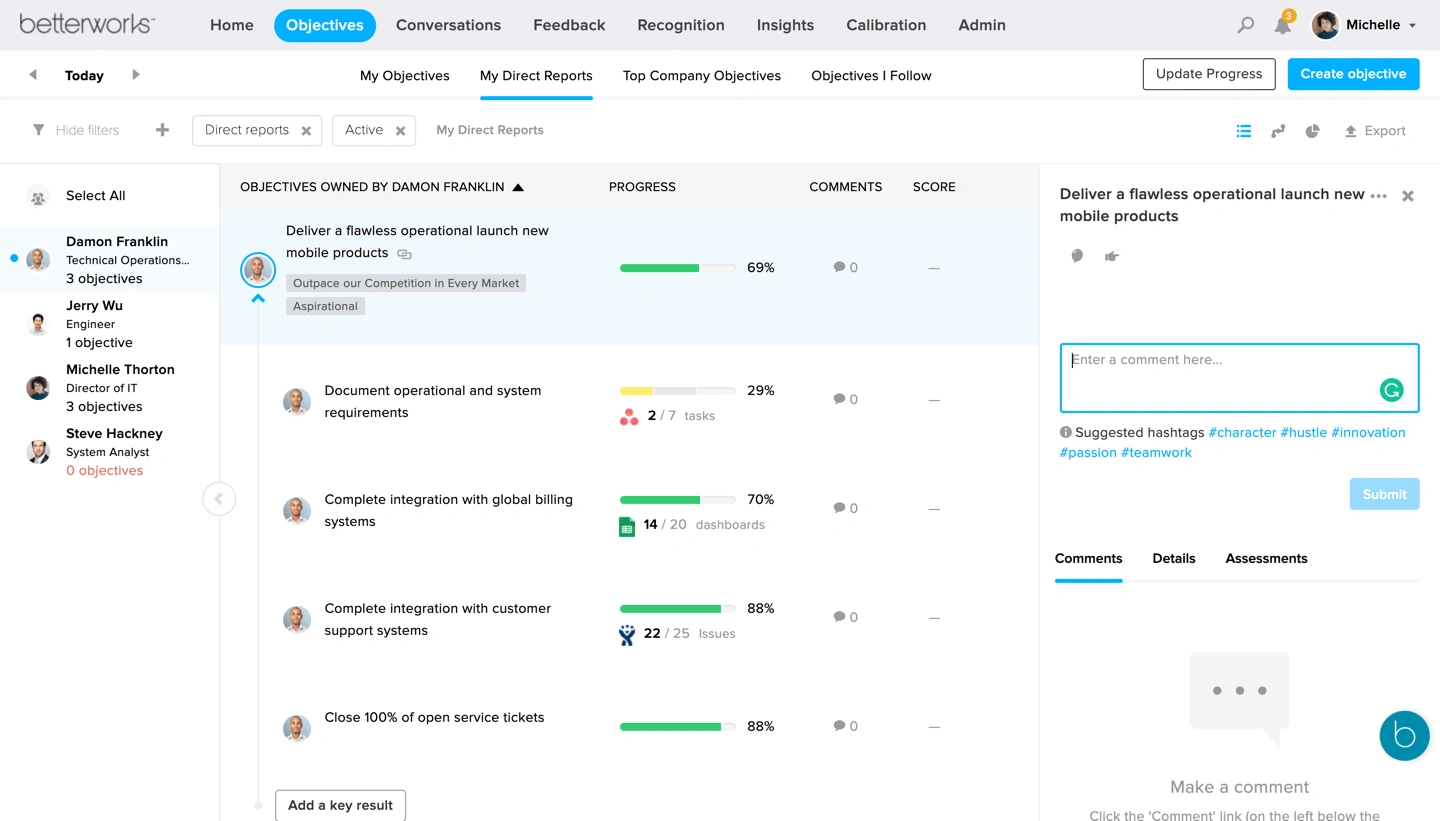
Betterworks is a strong OKR software whose strongest asset is deep OKR cascade and a standout calibration module for consistent ratings across large, distributed workforces. It fits organizations of 500 to 50,000-plus that have committed to OKR methodology and can support a real implementation. The honest caveat is access and cost, since access is sales-led with no self-serve path, and implementation fees sit on top of enterprise per-user pricing.
Key features:
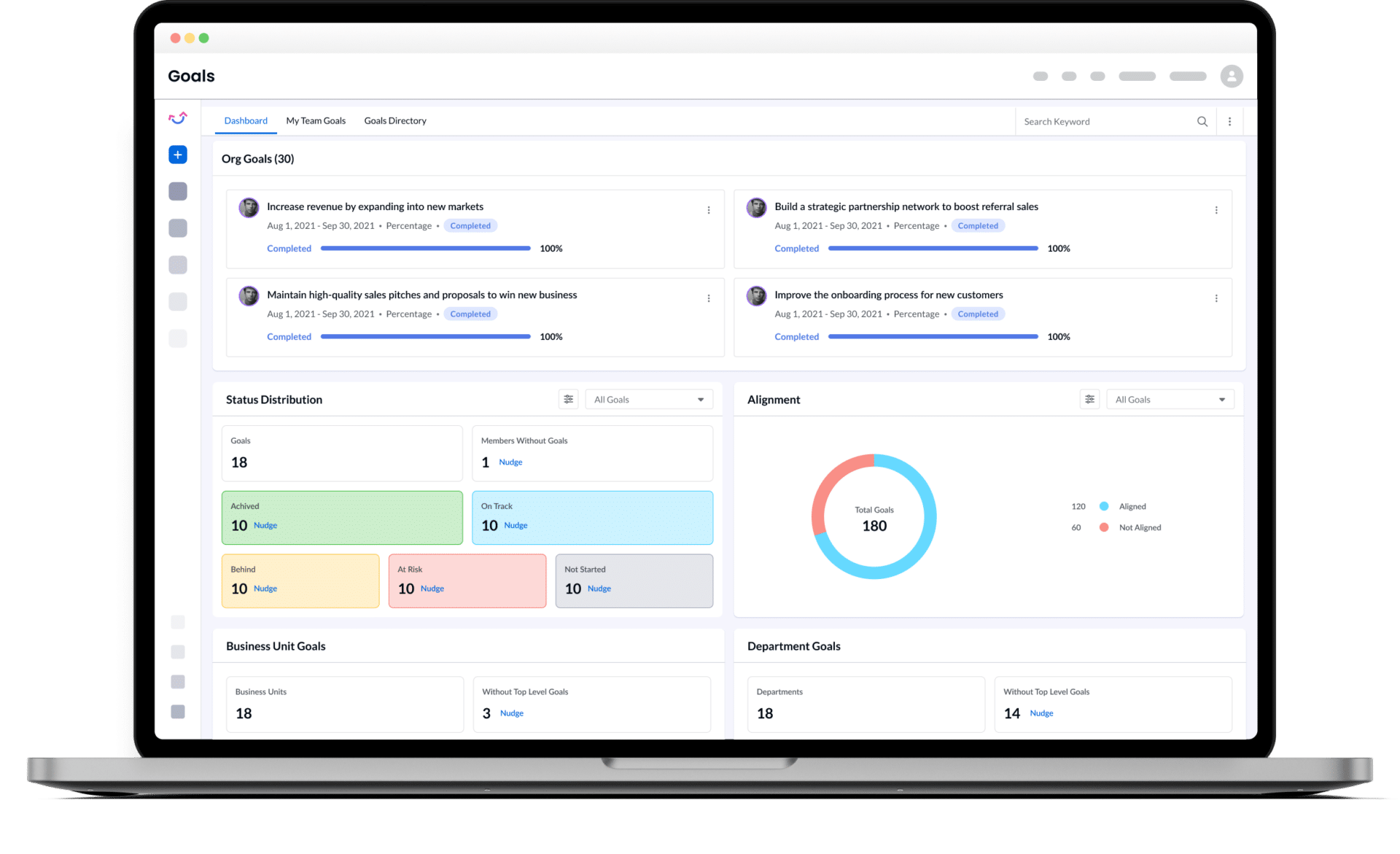
Engagedly bundles performance management, OKRs, engagement, and a real learning management system under one subscription, which is its core value argument, since it offers suite breadth at a lower price than the category leaders. It fits mid-sized organizations that want development tied to performance without paying for two platforms. The trade-off is polish, since the interface is less refined than Lattice or 15Five, setup takes effort, and reporting depth is basic. You can also find a more detailed review of Engagedly as a whole along with a list of alternatives here: Top Engagedly Alternatives.
Key features:
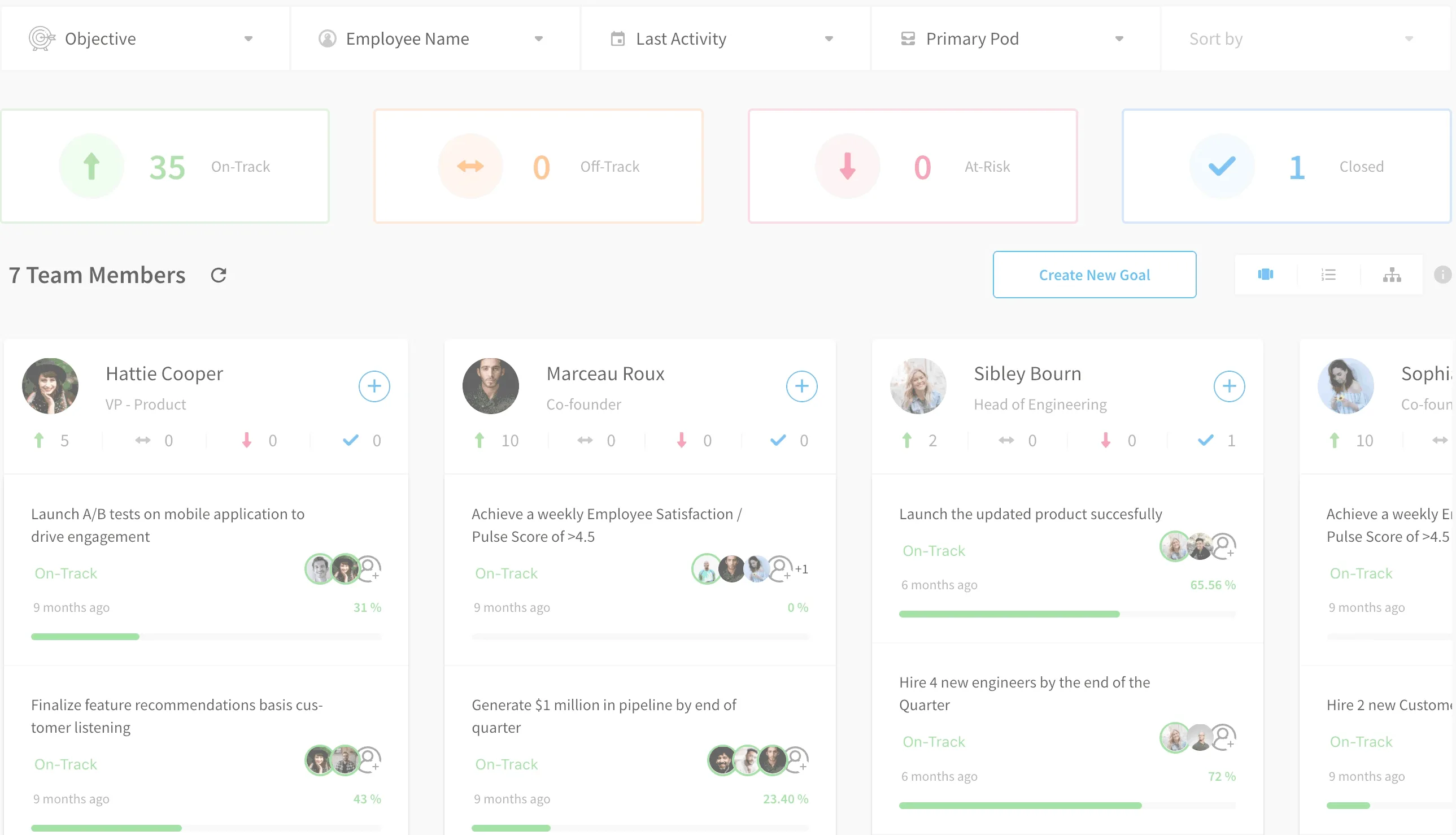
Mesh is a well-reviewed, AI-forward performance and OKR platform with automated nudges and a meeting assistant. It is strong on the merits and clearly liked by its users, which is why it sits in the queue rather than off the list. It stays in the market section for now because access is sales-led, with annual upfront contracts and no self-serve signup, so it did not fit the first round's self-serve requirement.
Key features:
.webp)
Futureworks is an Oslo-based strategy-execution and OKR tool whose distinctive feature is Meeting Mode, a structured, timed check-in agenda run through Slack or Teams. It fits smaller European teams that want a lightweight rhythm and simple, no-gating pricing with a self-serve start. The caveat is maturity signals, since the third-party review base is very thin and the team is small, so we want a full hands-on test before promoting it.
Key features:
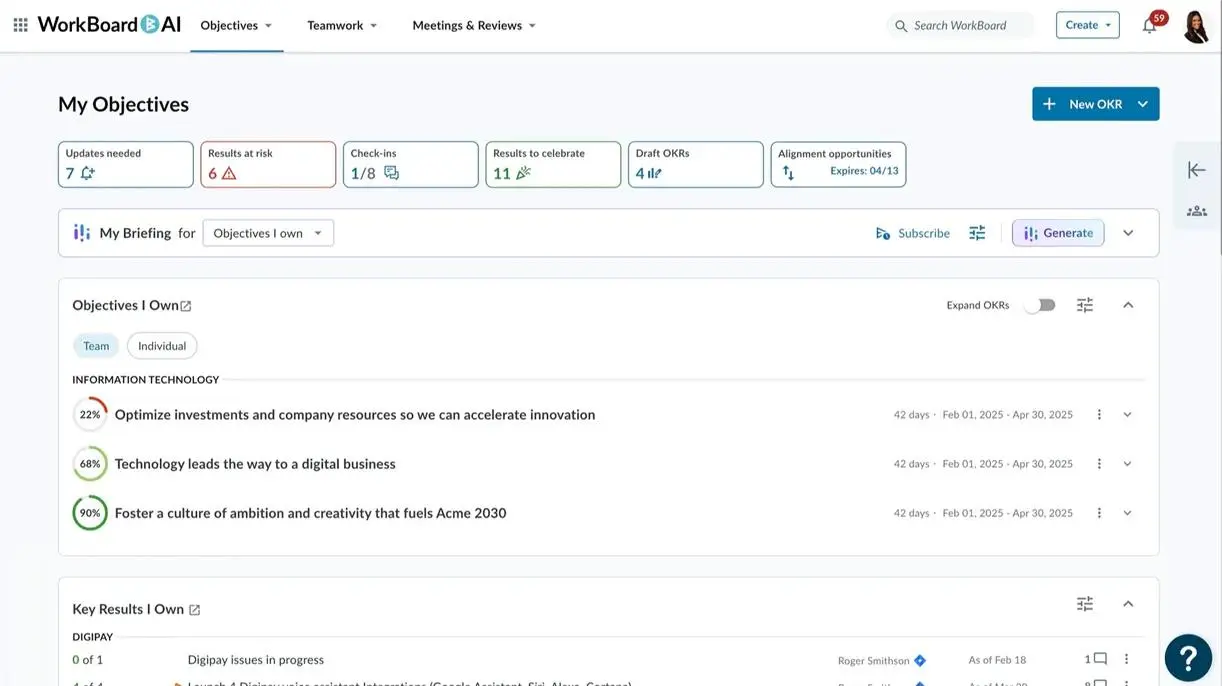
Workboard is enterprise strategy-execution software that connects company objectives to workstreams and to the weekly and quarterly meeting cadence, and it is now heavily AI-native. It fits large organizations, with customers including Boeing, Cisco, and Microsoft, that need OKRs to operate at board and C-suite level. The caveats are the familiar enterprise pattern: quote-based pricing with a significant minimum and no self-serve path, on top of an involved implementation, which is exactly why it sits in the queue.
Key features:

Range is an async check-in and standup tool that layers lightweight goal tracking on top, letting teams tie daily work to top-level goals through hashtags. It fits distributed, Slack-centric teams for whom staying connected matters as much as tracking goals. The caveat is scope and ecosystem: it is a check-in tool first with light goal tracking rather than a dedicated OKR platform, and it leans toward Slack and Google over Microsoft 365.
Key features:
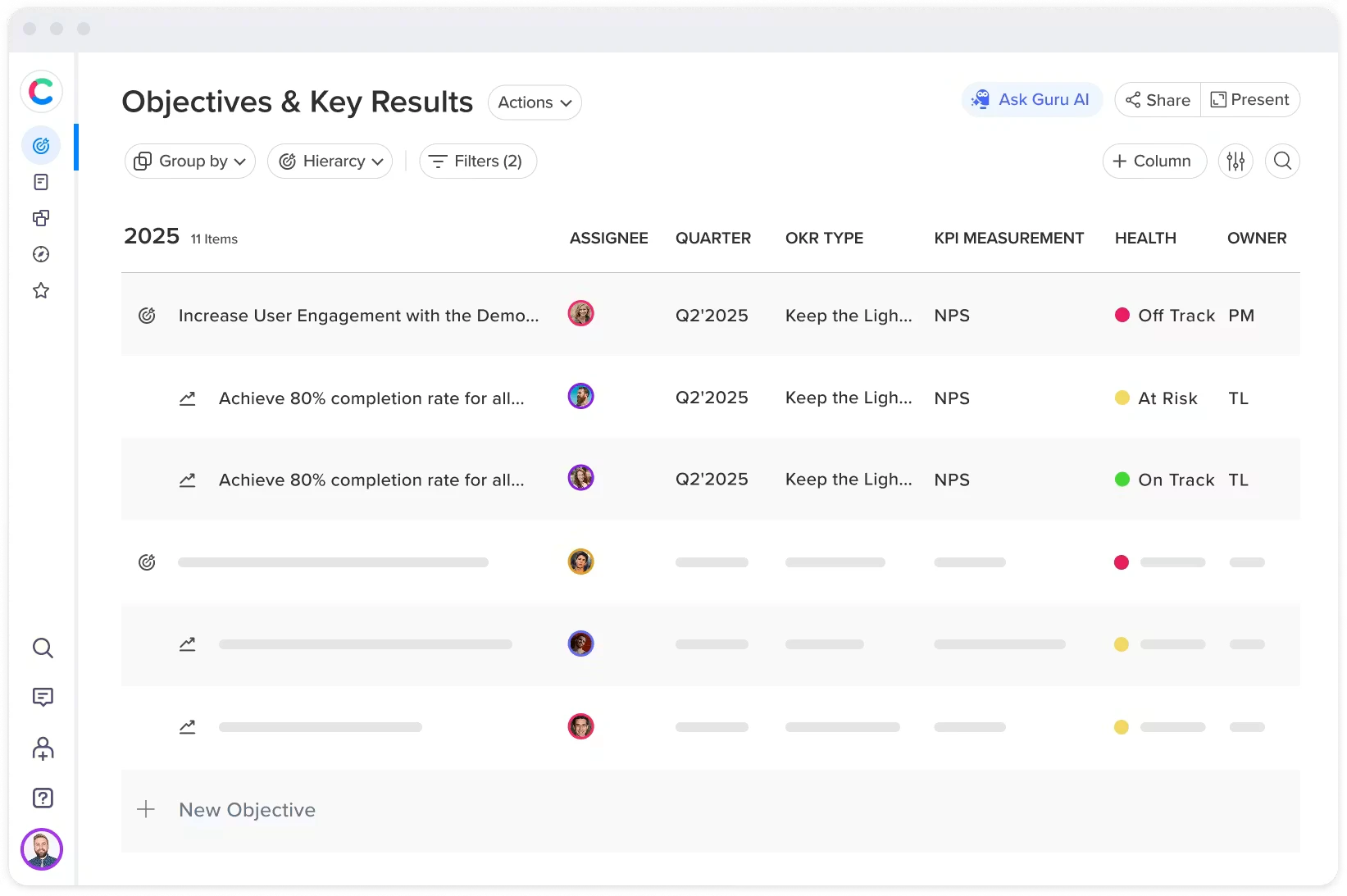
Craft.io is a product-management platform that includes an OKR module, most useful when goals connect to roadmaps and capacity planning for product teams. It fits product-driven organizations that want strategy and delivery in one place. The honest caveat is that OKRs are a secondary module rather than the core focus, and with steep per-editor pricing, non-product teams will pay for a lot they will not use.
Key features:
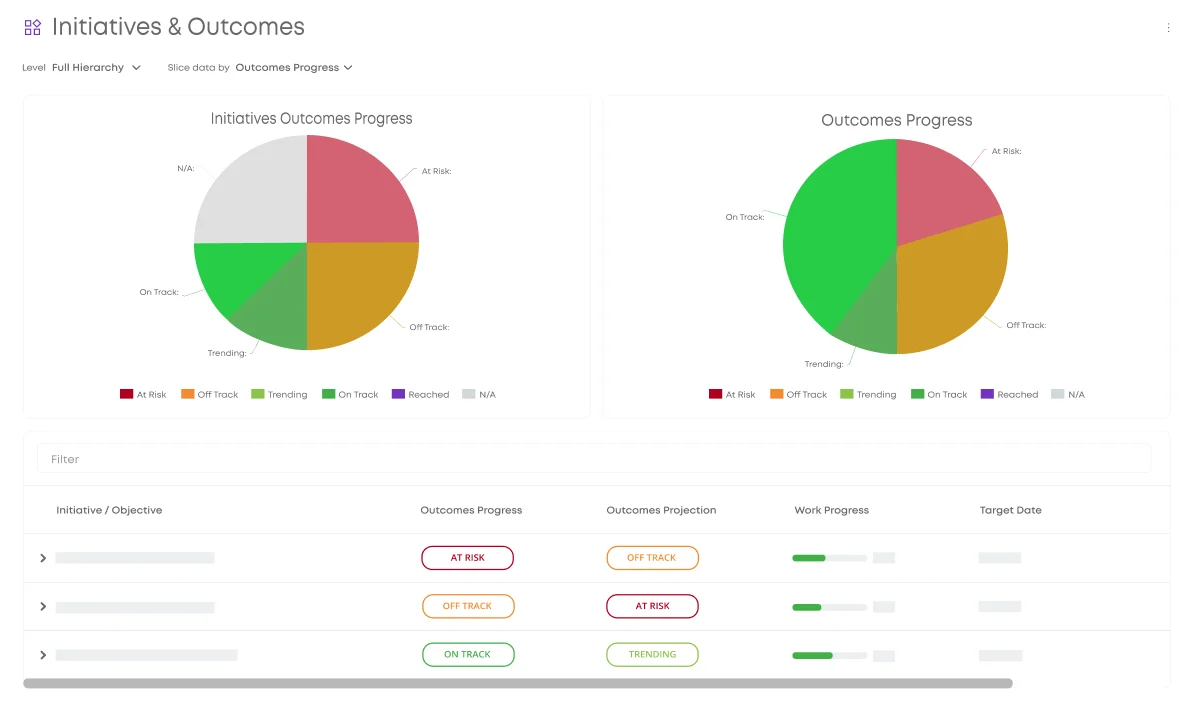
Businessmap, formerly Kanbanize, connects OKRs to Kanban boards, portfolios, and workflow management, so strategy stays visible inside the delivery system where work actually happens. It fits organizations running agile delivery that want goals and execution in one platform, with a strong configurable widget dashboard. The caveats are a 15-user minimum and the fact that this is a Kanban and portfolio platform with OKRs layered on, so it is heavy if you do not run Kanban.
Key features:

PeopleGoal is a configurable HR and performance platform built on an app model, where teams assemble their own workflows for OKRs, reviews, 1:1s, and development plans. It fits organizations whose process no out-of-the-box tool matches, since its flexibility runs deep. The trade-off is that flexibility means configuration overhead, pricing is quote-only with no public rates, and OKRs are one app among many rather than the product's focus.
Key features:
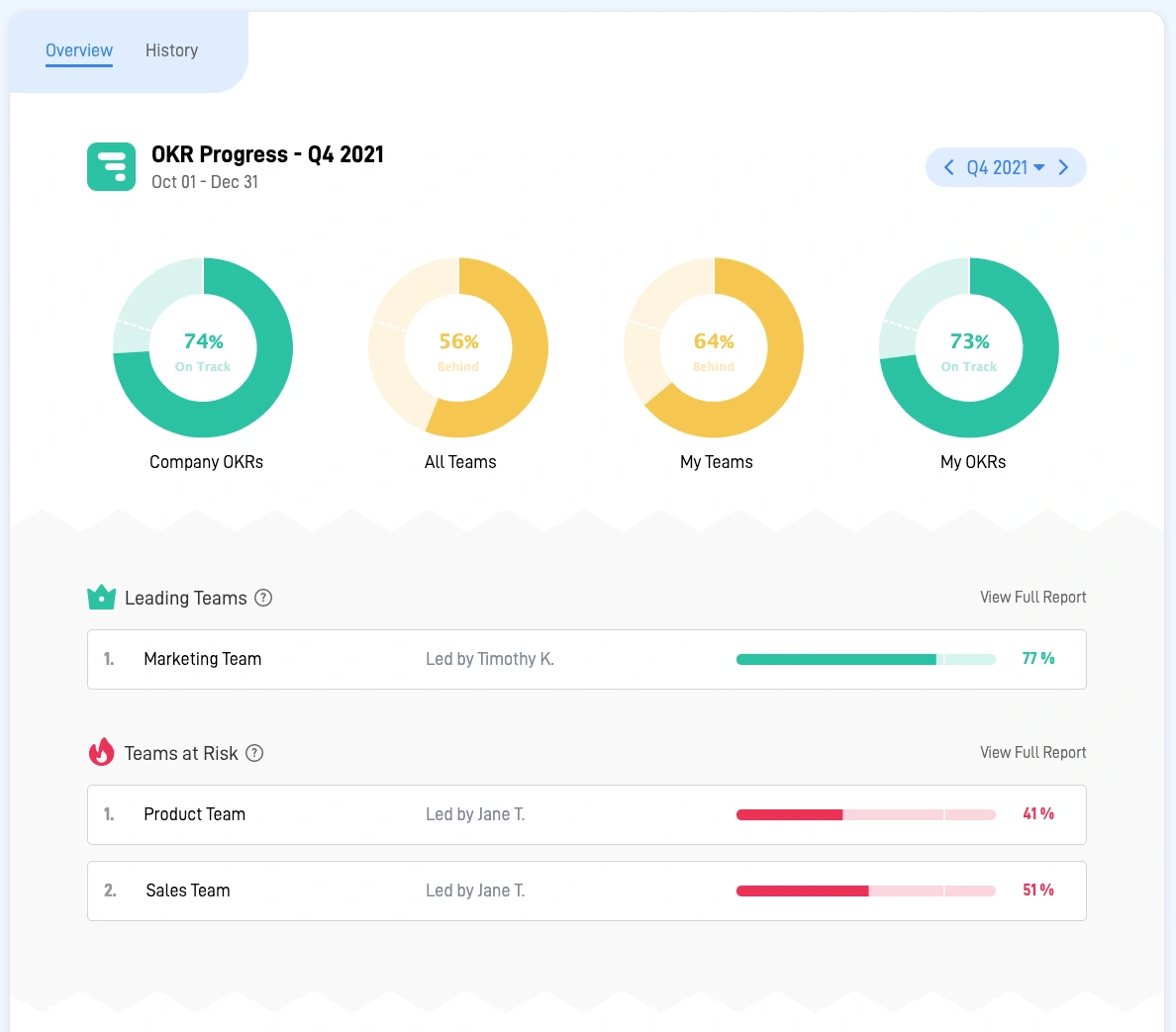
SugarOKR is a lightweight, free-forever OKR tracker, now the free tier of the Happy5 suite, built for the simplest possible setup, with a live goal reachable in a few minutes. It fits small teams testing whether OKRs will stick before investing in more infrastructure, and its color-coded status slider makes updating intuitive enough that skeptical members actually do it. The caveat is that it is deliberately basic, with no automated check-in nudges and only minimal reporting, plus an upsell path to Happy5 once you need reviews.
Key features:
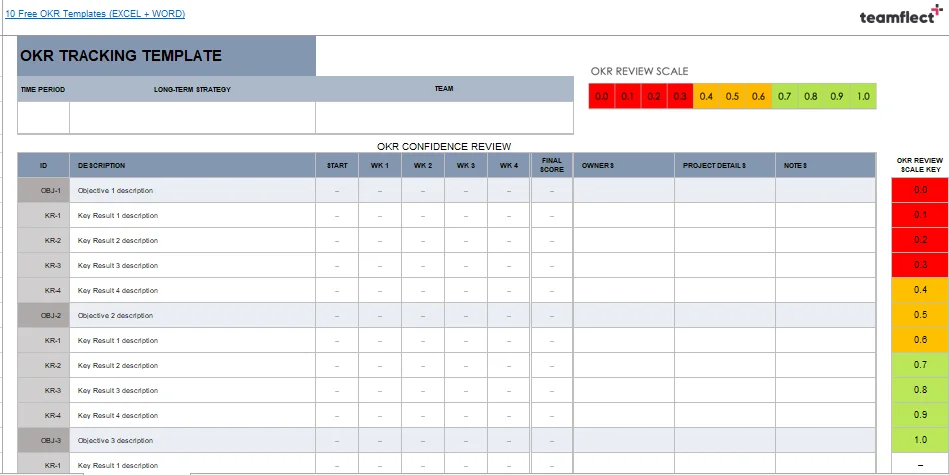
A spreadsheet is the most common starting point for OKRs, and for a small team running its first cycle it is often the fastest path from zero to a live set of goals. It fits teams testing whether OKRs will stick before committing to a tool. The caveat is well documented: the friction arrives around cycle two or three, when the manual upkeep of chasing updates and spotting at-risk goals by hand starts to cost more time than the spreadsheet saves.
Key features:
📚 Recommended Reading: Planning to use Excel or Google Sheets? Download a free template to get started.
The next three tools, Asana Goals, ClickUp Goals, and Notion, share one story. Each lives inside software your team already uses to run its work, so goals sit beside the tasks, projects, or docs you track every day, and progress can roll up from that work automatically. That closeness is the appeal, and it is also the ceiling: each one stores OKRs rather than running the OKR process.
None runs an automated check-in cadence, and none surfaces at-risk objectives against a real company-to-individual alignment tree the way a dedicated tool does, so all three start to strain once an OKR program grows past roughly 50 people. In Asana and ClickUp, the OKR-relevant features are also gated to a paid tier, the $24.99 Advanced plan and the $12 Business plan respectively.
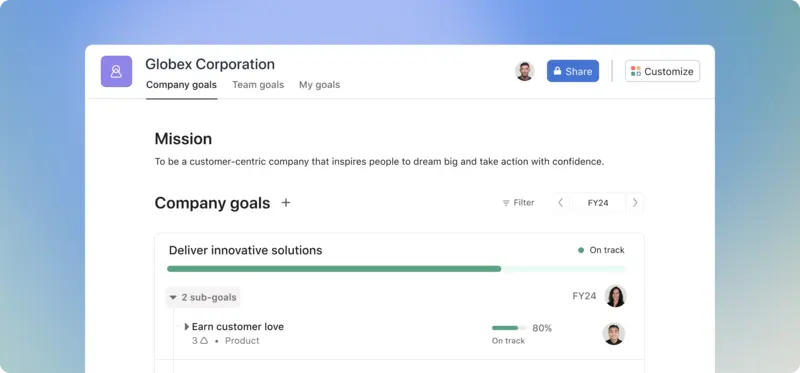
Asana Goals is the goal-tracking layer of a widely used work-management platform, and its real appeal is automatic progress: connect projects and tasks to a goal and its completion updates itself. It fits teams already invested in Asana who want light OKR visibility without adding a second tool, provided they can justify the Advanced tier, which is where Goals lives.
Key features:
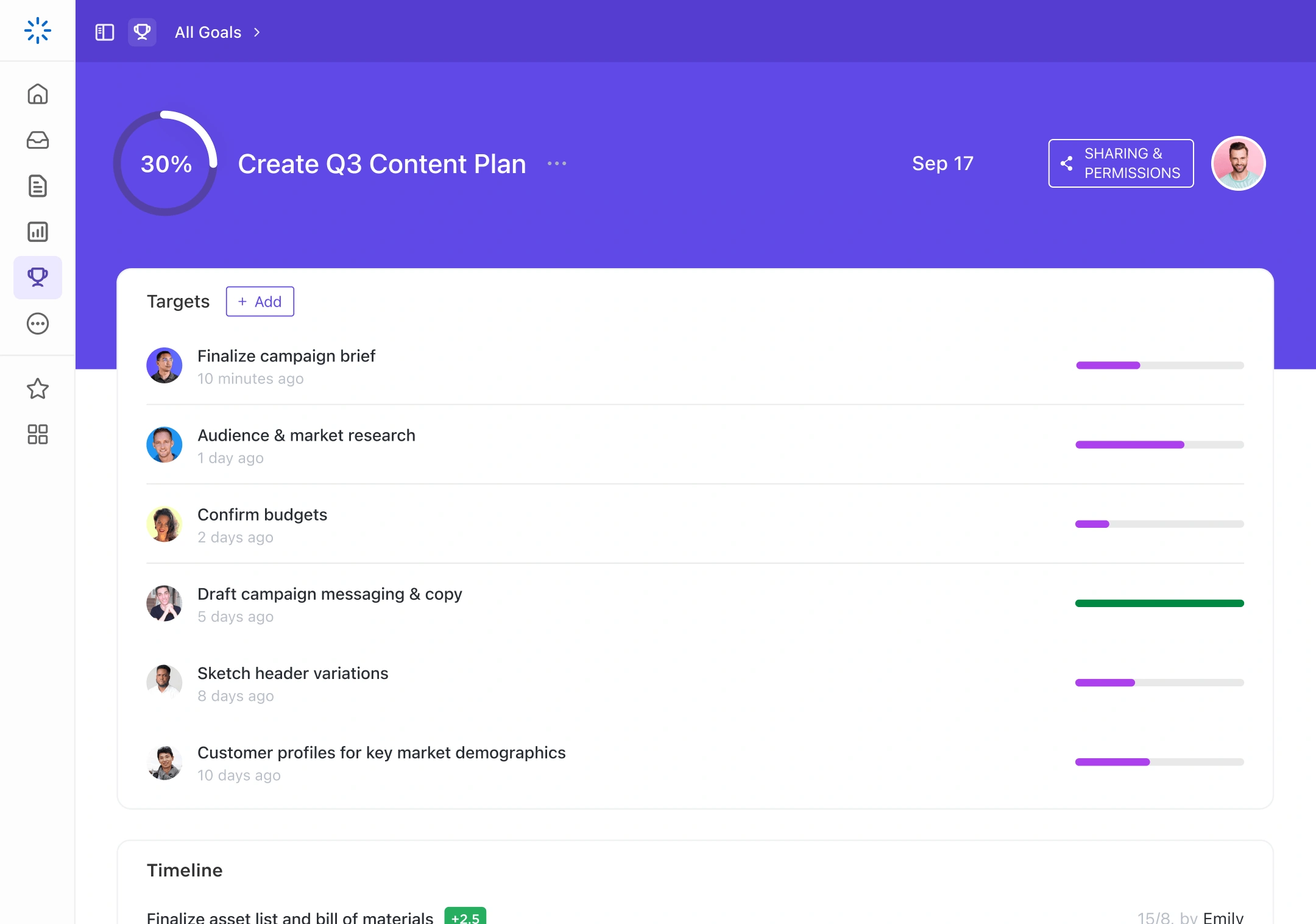
ClickUp Goals maps Objectives to Goals and Key Results to Targets, with four target types and progress that rolls up automatically as targets and tasks complete. It fits smaller teams already living in ClickUp who want goals in the same place as their work. The caveat is that Goals is a side feature rather than a dedicated OKR system, with no real check-in cadence or health dashboard, and meaningful use is gated to the Business tier.
Key features:
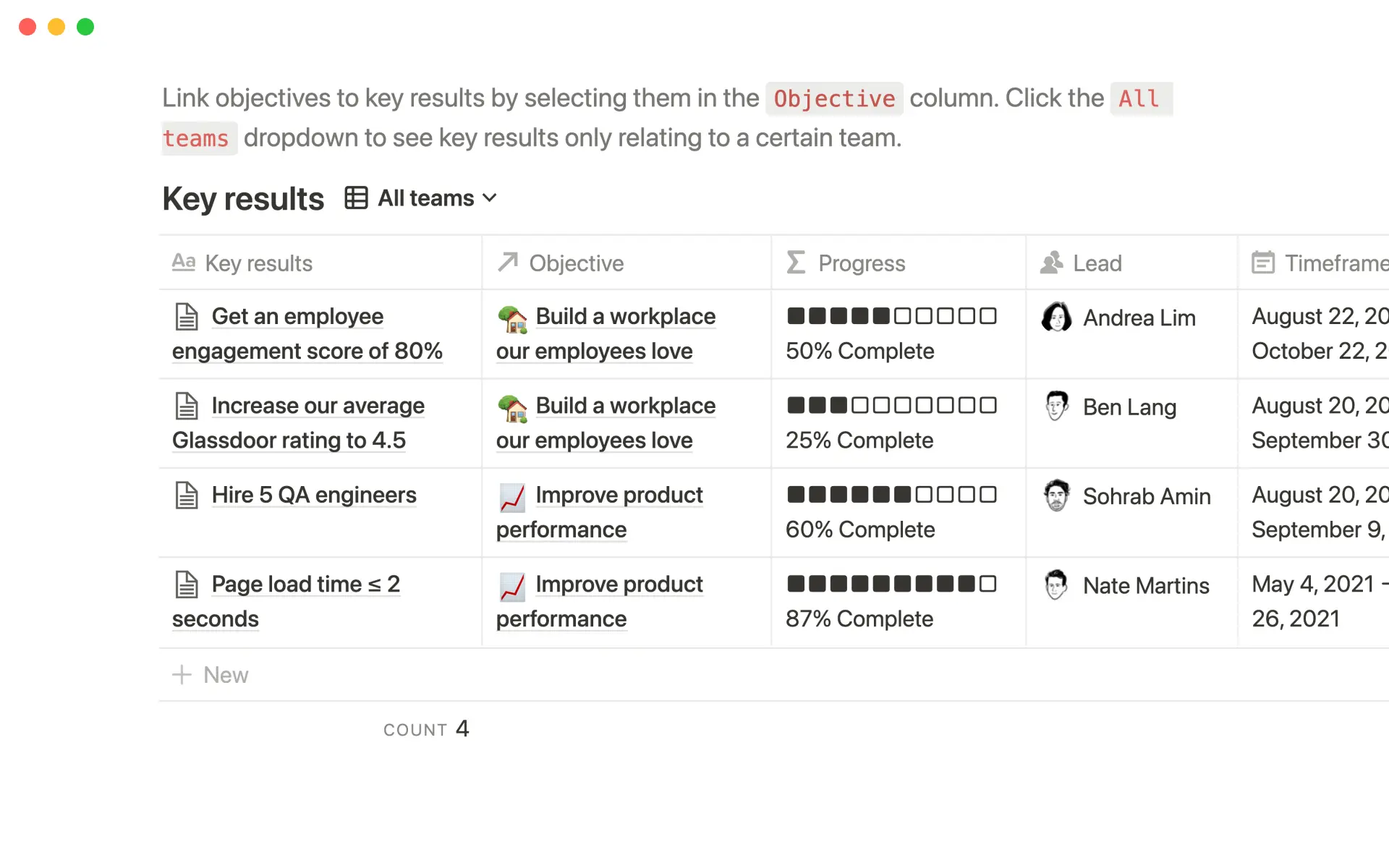
Notion tracks OKRs through databases and free templates, using relations and rollups to compute a progress percentage from the numbers you enter. It fits small teams that want goals to sit beside the docs and wikis they already maintain, and it starts fast. The trade-off is upkeep: the tracker is only as live as the person maintaining it, since there are no built-in nudges and no alignment logic beyond the formulas you build yourself.
Key features:
The scores rank these tools against our weights, and yours will be different. The more useful question is whether a platform fits your stack and the way your managers actually run check-ins. Here is how we would route the situations we hear most often from buyers.
| Your Situation | Best Fit | Why |
|---|---|---|
| Embed OKRs in your Microsoft 365 workflow | Teamflect | Runs natively in Teams/Outlook. No second login, no adoption friction. |
| Jira or Atlassian stack | Oboard or Atlassian Goals | Oboard integrates natively with Jira. Goals keeps everything in one vendor. |
| Need OKRs and performance reviews together | Leapsome, Peoplebox, 15Five, Lattice | Unified platform for goals and reviews. Teamflect if you use Microsoft 365. |
| New to OKRs, want the simplest start | SugarOKR, Tability, or Google Sheets | SugarOKR is free and fast. Others add check-in cadence without complexity. |
| Need deep customization or strict methodology | Mooncamp, Profit.co, or Perdoo | Mooncamp is most configurable. Profit.co enforces framework. Perdoo balances both. |
| Rolling OKRs out at enterprise scale | Cascade, Profit.co, or Teamflect Enterprise | Handle cascades, security controls, and large hierarchies well. |
| Already live in Asana, ClickUp, or Notion | That platform's native goals feature | OKRs sit beside work you track. Enough for small programs; limited as they grow. |
We revisit this list on a schedule, so a tool that is queued today may move into the tested set next quarter. If your situation sits between two of these branches, the individual cards above carry the detail to break the tie.
The clearest thing Fetican's testing surfaced is that an OKR program survives on cadence more than feature count. The platforms that make the weekly check-in almost frictionless are the ones where teams are still updating goals in week four, and the ones that treat check-ins as an afterthought go stale no matter how long the feature list runs. That is why our rubric puts the most weight on check-in infrastructure, and it is the lens I would keep in front of you while you choose.
One last note, about the page itself. This is a living document that we keep current. Every month we fully test one more platform and add a fresh tool to the market watch. We recheck pricing and trial terms on the same schedule, and each card shows the date it was last tested. A tool sitting in the rest of the market section today may be a fully scored card next quarter, so bookmark this page and come back when your shortlist changes.
.avif)

Create high-performing and engaged teams - even when people are remote - with our easy-to-use toolkit built for Microsoft Teams
.svg)