 Request a DemoRequest a Demo
Performance reviews, goals, feedback, engagement, talent and AI, native to Teams and Outlook. See exactly which plan includes each feature.


Review cycles that run inside Microsoft Teams and Outlook, from template to sign-off.
Explore Performance Reviews →Customize review templates or build your own, with your scoring criteria and question types.

Automate appraisals at any frequency: first 30 days, quarterly, annual and more.

View review results on a 9-box grid of performance and potential.

Add personal and professional growth goals right inside reviews.

Attach relevant files to any performance review.

Employees and managers sign reviews electronically.

Include a calibrator in the review process for fair, consistent ratings.

Download every review result in your organization as PDF at once.
Improve review responses with AI suggestions.

AI highlights strengths, growth areas and trends across review responses.
Employees can appeal a review, and admins respond right inside it.

Let employees start their own reviews when they need one.

AI shortcuts for summarizing, rewriting and finishing reviews faster.

Calibrate a whole review cycle at once from a single view.

Rate employees on the competencies defined for their role.

See 360 results and average scores right in the review.

Share reviews and surveys with a link or QR code.

Walk through a review together inside a Teams meeting.
AI suggests where each employee belongs on the 9-box grid.
Reviews and feedback are translated into each reader’s language.
Change grid size, labels and axes to fit your talent model.

Flag biased or unclear language in review responses.

Align every team behind company strategy with OKRs, goals and check-ins.
Explore Goals & OKRs →Track objectives and key results at company, department and team level.

Automated or manual check-ins, filled in through Teams or email.

Label OKRs to show priority levels.

Follow OKR changes and updates in a list or feed view.

Customize existing goal types or create your own.

Decide how goals cascade across your organization.
Require approval before goals are finalized and assigned.

Update goal progress automatically from Power BI, Power Automate or the API.

Bring existing goals over from Excel or Viva Goals.

Update goal progress from Excel files and Microsoft Planner.

Export goals to a structured Excel file.
See how goals cascade in a tree view.

Organize and share goals with custom groups.

Track goals that must stay above or below a threshold.

Rename goals, OKRs and key results to match your language.
Assign more than one owner to a goal.
Generate detailed goal descriptions with AI.

Control who can edit goals and notify employees of changes.

Roll out goals faster with ready-made templates.

Continuous and cycle-based feedback from every perspective.
Explore 360° Feedback →Request feedback from peers, managers, direct reports and more.

Give or request feedback with templates, without leaving Teams chat.
Collect feedback from people outside your organization.
Request and give feedback anonymously for honest input.
Detailed feedback summaries generated by AI.
AI turns 360 results into strengths, gaps and next steps.

Compare competency scores by provider group on a radar chart.

Reveal results after the deadline and lock late submissions.

Employees can start their own 360 feedback requests.

Run 360 feedback cycles on an automatic schedule.

Structured meetings with shared agendas and notes, before, during and after.
Explore 1-on-1 & Team Meetings →Bring Teamflect into one-on-ones with customizable agendas.
Run team meetings with shared agendas and follow-ups.

Talking points and action items, available before, during and after meetings.

Shared and private meeting notes in one place.
Helpful tips based on the type and purpose of each meeting.

Collect quick check-in answers before each 1-on-1.
See all your meetings in a calendar view.
Set how much time each talking point gets.

AI notes, decisions and action items from Teams transcripts.

Assign and track tasks in Teams, Outlook or the Teamflect web app.

Classify tasks with your own labels.
Daily, weekly or monthly tasks on autopilot.

Automation scenarios such as onboarding task lists.
Tasks stay in sync with Microsoft Planner and To Do.
Turn any Teams chat message into a task.
Break tasks into checklist items.

Mark tasks as in progress to see what is moving.

Connect tasks to the goals they support.
Generate task descriptions with AI.
Assign task groups by department, location or other attributes.

Engagement and pulse surveys inside Teams, summarized with AI.
Explore Engagement Surveys →Run surveys from preset or custom templates.
Automate pulses weekly, monthly or at any interval.
Choose whether results are public or anonymous.
Measure employee advocacy and track it over time.
Detailed survey summaries generated by AI.
Compare results across cycles to see how engagement changes.
Answer surveys right inside a Teams chat message.

Hide results until enough people have responded.

Send surveys without revealing the sender’s name.

Recognition tied to company values, with points and real rewards.
Explore Recognition & Rewards →Praise employees with existing or custom badges.

A public feed that celebrates great work.

See top recognition receivers at a glance.

Assign points to badges and reward high performers.

Build a custom employee rewards catalog.

Gift cards, prepaid Visas or charity donations via Tango Card.

Celebrate work anniversaries with recognitions sent automatically.

Celebrate birthdays with recognitions sent automatically.
AI suggests team members who deserve recognition.
Show rewards by country, department or other attributes.
React to recognitions with emojis and GIFs.

Let managers award specific badges without admin access.
Give reward cards in each employee’s local currency.

A modern intranet for news, resources and internal opportunities.
Explore Intranet →
Updates and announcements on a custom company newsfeed.

Search roles, people and open positions across your organization.

Centralize tools, policies and key documents.
Celebrate birthdays, anniversaries and new hires.

An anonymous box for suggestions, concerns and feedback.

List openings and career opportunities for internal candidates.
Browse your organization on an interactive org chart.
Show news to the right audience and notify them.

Roles, competencies, career paths and development plans in one place.
Explore Career Development →Generate role descriptions, responsibilities and competencies with AI.
Define key competencies per role and use them in reviews.

Map potential career trajectories for every employee.
Plans built on career goals and competencies.
AI sets development goals based on performance data.

Connect employees with competency experts in your organization.

Identify the learning resources your company can provide.
Managers create and manage IDPs for their direct reports.
Give each competency its own weight.
Import roles and competencies from Excel.
Generate competency descriptions and expectations with AI.

Plan successors for every critical role with real performance data.
Explore Succession Planning →Map career paths and succession plans for each role.
Spot high performers and high potentials on a 9-box grid.
Managers build and maintain succession plans for their team.
AI built into every module, plus an agent that takes action for you.
Explore Teamflect AI →
An AI agent that understands how your company works and takes action in Teamflect.

Better responses in reviews, feedback and surveys.
Summaries of feedback and survey results.
Development goals suggested from performance data.
AI notes from Teams transcripts, with no extra bot in the call.

Use Teamflect data in ChatGPT, Claude and Microsoft Copilot.

Upload internal documents so AI answers with company context.

Teach Teamflect AI about your company and terminology.

AI-generated summaries on employee profiles.
Company reports in the Teamflect admin center.
Export company data as CSV or XLSX.
Connect your data and build your own Power BI dashboards.
Goal completion, 9-box placements and more for each manager’s team.

Teamflect BI engineers build dashboards for your leadership.
Goal progress and completion reports across the company.

Track development plan progress across the organization.

See succession coverage and readiness in one report.
Native in Teams and Outlook, connected to the tools you already use.
Explore Microsoft 365 & Integrations →
Teamflect lives inside Microsoft Teams, including chat.

Teamflect works fully inside Microsoft Outlook.
Use your Microsoft account, with no separate login.
Trigger Teamflect actions from Power Automate.
Sync with 200+ HRIS platforms.

Connect Teamflect with your other systems.

Add employees who don’t have a Microsoft 365 account.
Your logo, colors and app name in Teams and Outlook.
Use Teamflect in 15+ languages.
Full Teamflect experience on mobile.

Keep manager relationships in sync with your HRIS.
Send notifications from your domain with your company logo.
Enterprise-grade security that passes IT review.
Explore Security & Compliance →Independently audited, GDPR and CCPA compliant.

A fully isolated instance with its own database and app layer.

Bring, rotate, revoke and audit your own keys.
Host data in the Azure region that fits your compliance needs.

Retention rules by module, record or employee.

IP allowlisting, role-based permissions and SIEM audit logs.
Give admins access limited to specific users or attributes.
Every admin impersonation is logged and reviewable.
Let employees update selected profile attributes in the app.
A dedicated CSM for your organization.

Open as many tickets as you need.

Free implementation with training sessions and welcome kits.
Training sessions for admins and employees.

A dedicated team from setup to launch.
Flexible hours with Teamflect experts.
Engineers help build HRIS connections and API workflows.
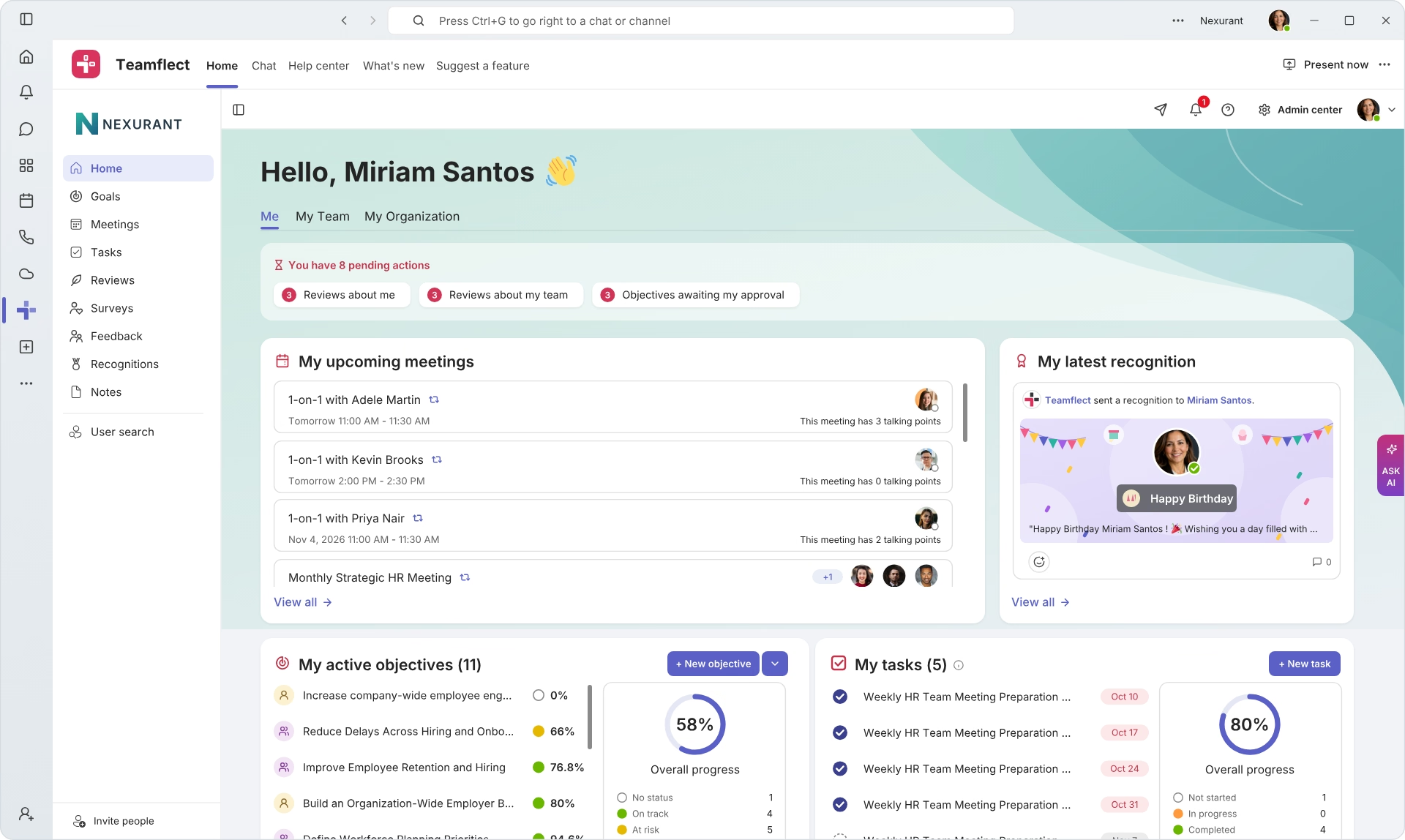
Create high-performing and engaged teams - even when people are remote - with our easy-to-use toolkit built for Microsoft Teams

