AI Meeting Notes for Microsoft Teams

Your AI meeting assistant that keeps everyone on track

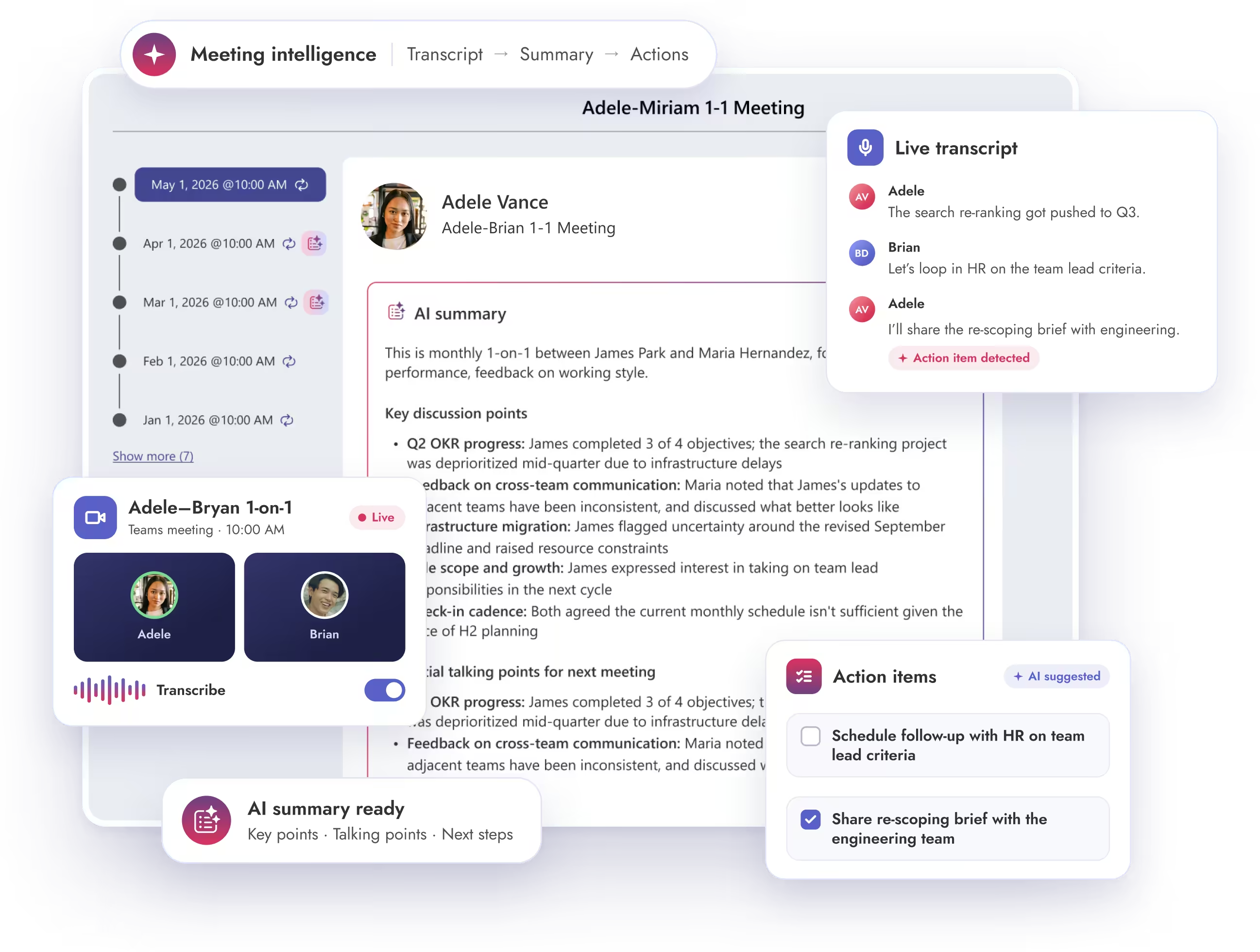
Stay in the conversation while Meeting Intelligence captures the summary and action items from your meeting transcript. Everything lands in Teamflect, ready to become tasks, goals, and follow-ups before your next 1-on-1.
Teamflect Meeting Intelligence turning a Microsoft Teams 1-on-1 transcript into an AI summary and action items
Trusted by 1,000+ organizations — from Fortune 500 enterprises to fast-growing startups.
Meeting Intelligence

Better meetings for managers, with peace of mind for IT

Meeting Intelligence works from the transcript Microsoft Teams already generates and keeps your notes inside Teamflect. Managers get better follow-through, and IT doesn't have to vet another listening app.

No extra bot joining your Teams calls

Meeting Intelligence reads the transcript Teams creates on its own, so no bot joins your meeting. Your calls look exactly as they do today, whether you're talking to a teammate or a client.

Notes connected to goals and tasks

Action items from a 1-on-1 or team meeting can become goals and follow-up tasks in Teamflect. The work you agreed on keeps moving after the call ends, with nothing to retype.

Meets your IT team’s security standards

Teamflect supports Single Sign-On through Microsoft 365 and hosts data on Microsoft Azure with SOC 1 and SOC 2 Type I and II certification. Meeting Intelligence runs on that same setup, so there's no separate tool to approve.

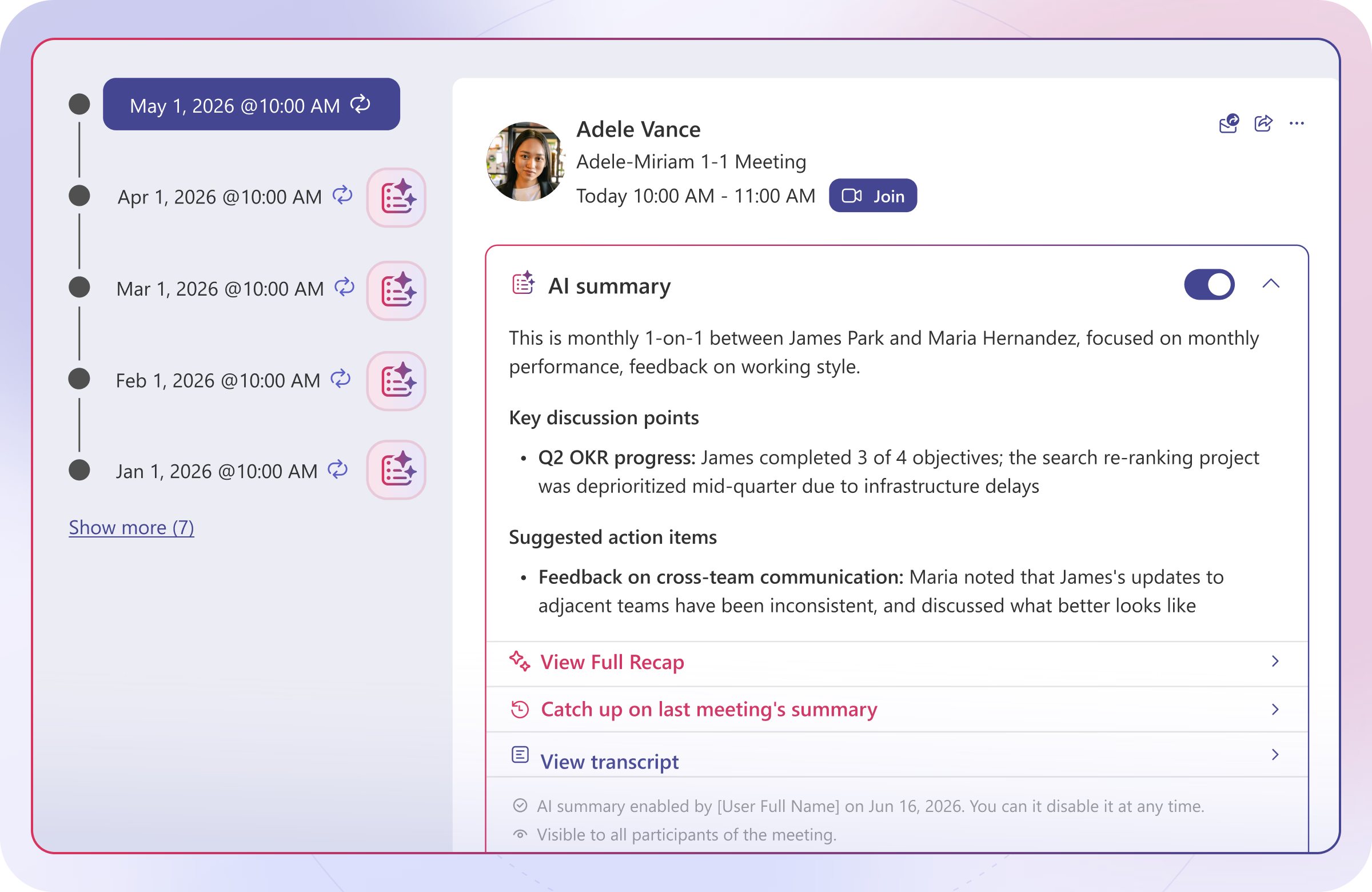
AI meeting notes created from a Microsoft Teams transcript in Teamflect

Meeting notes built from your Microsoft Teams transcript

Teamflect gives HR the infrastructure to make structured 1-on-1s the norm across the organization, while giving managers and employees the tools to make every conversation count.

Receive talking point suggestions based on previous meetings
Capture the key decisions and discussion points from each meeting
Have your follow-up tasks ready after your meetings

Personal coaching for managers after every meeting

Most managers never get feedback on how they run their meetings. Meeting Intelligence looks at what happened in each conversation and gives managers private, practical tips on what went well and what to try next time, so they get a little better with every 1-on-1.
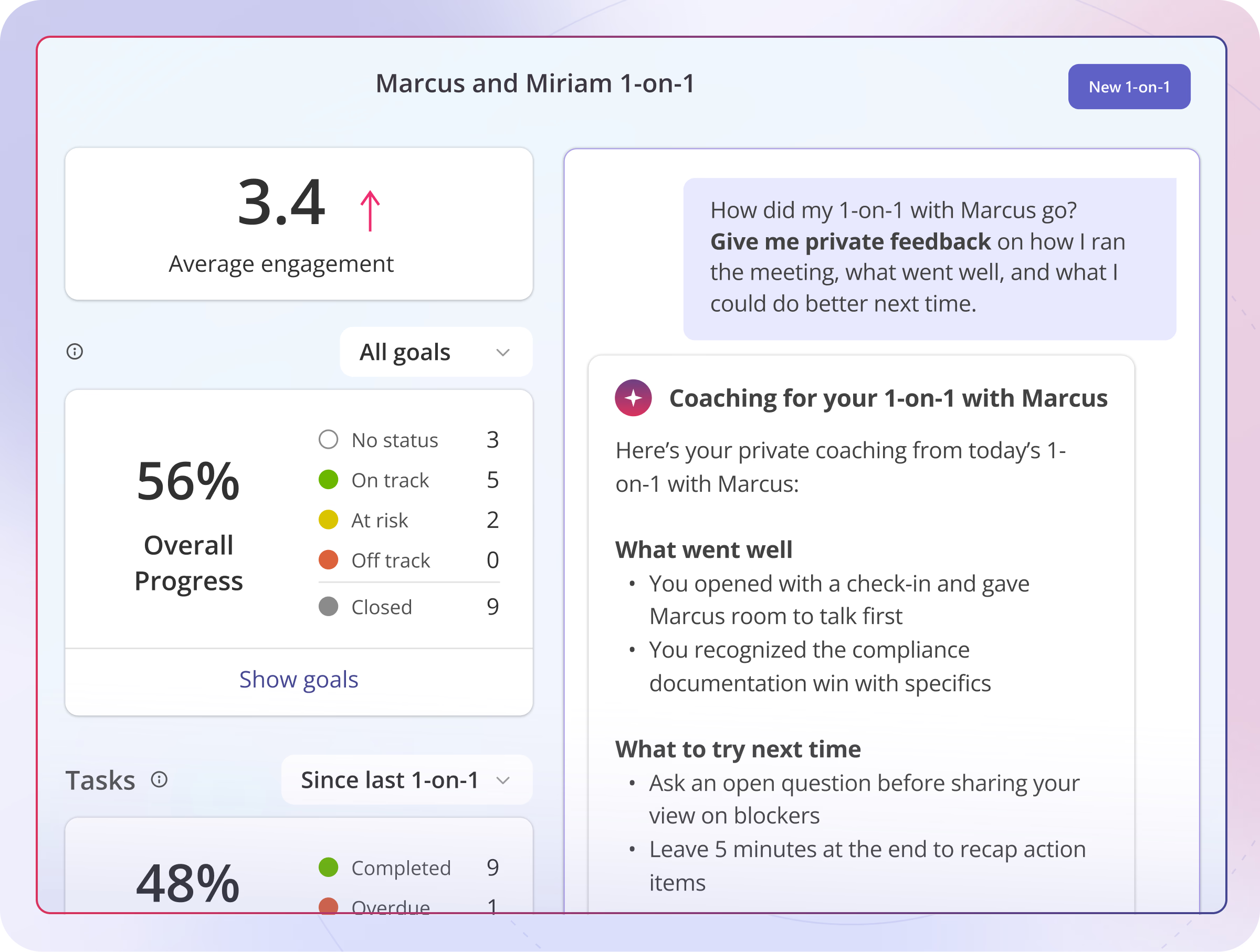
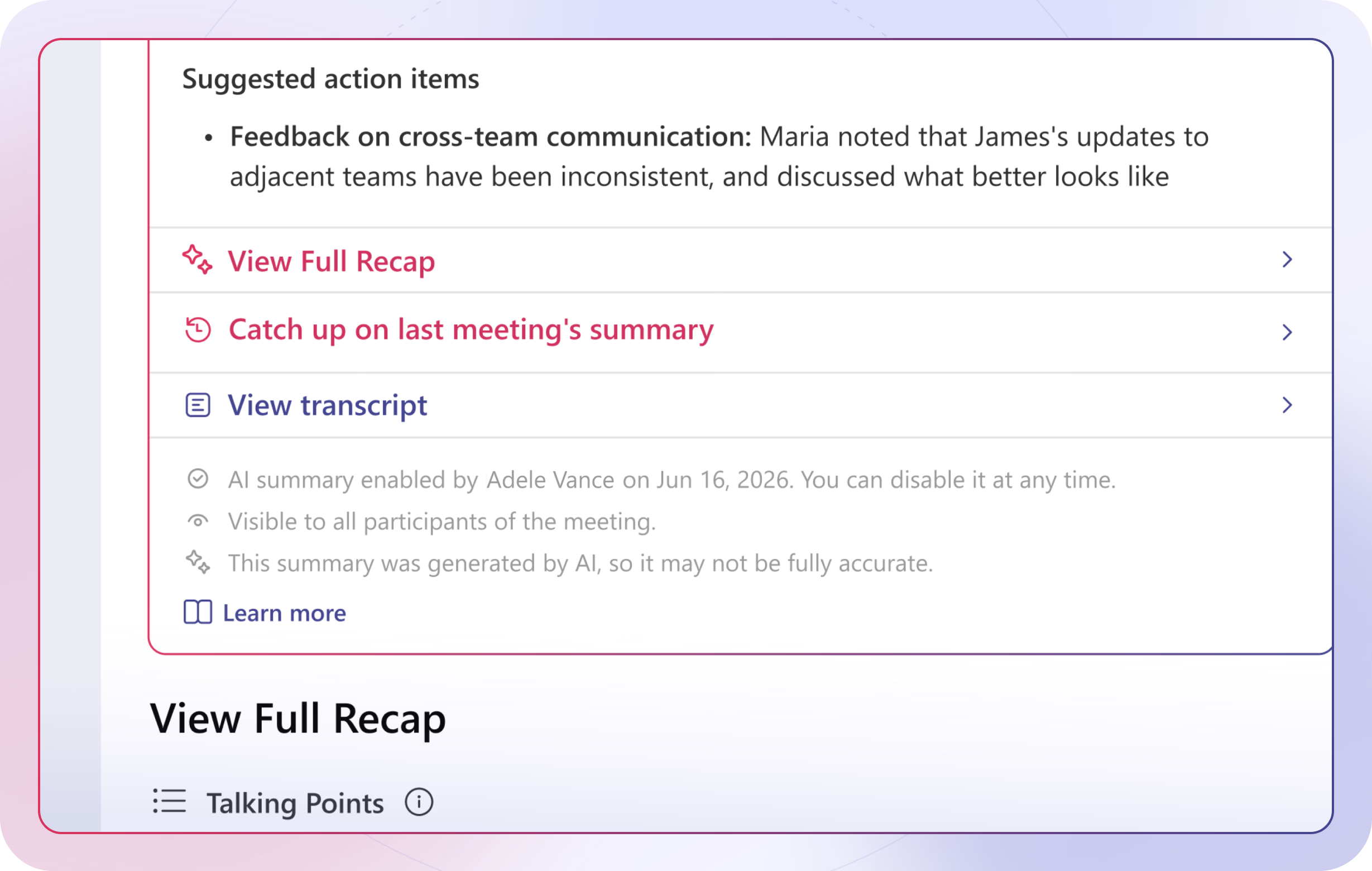
Private AI coaching for a manager after a 1-on-1 in Teamflect
Recap and past meeting summary for a recurring 1-on-1 in Teamflect

Keep the full context across all your recurring meetings with recaps

Recurring meetings lose momentum when nobody remembers what came up last time. Meeting Intelligence looks across every meeting in a series and brings you recaps and past talking points, so each conversation builds on the one before it.


Connect what's said in meetings to your performance management process

Standalone note takers leave you to copy action items into another tool. Because Meeting Intelligence lives inside Teamflect, action items from a 1-on-1 or team meeting can become goals or follow-up tasks right where the rest of your performance data lives.
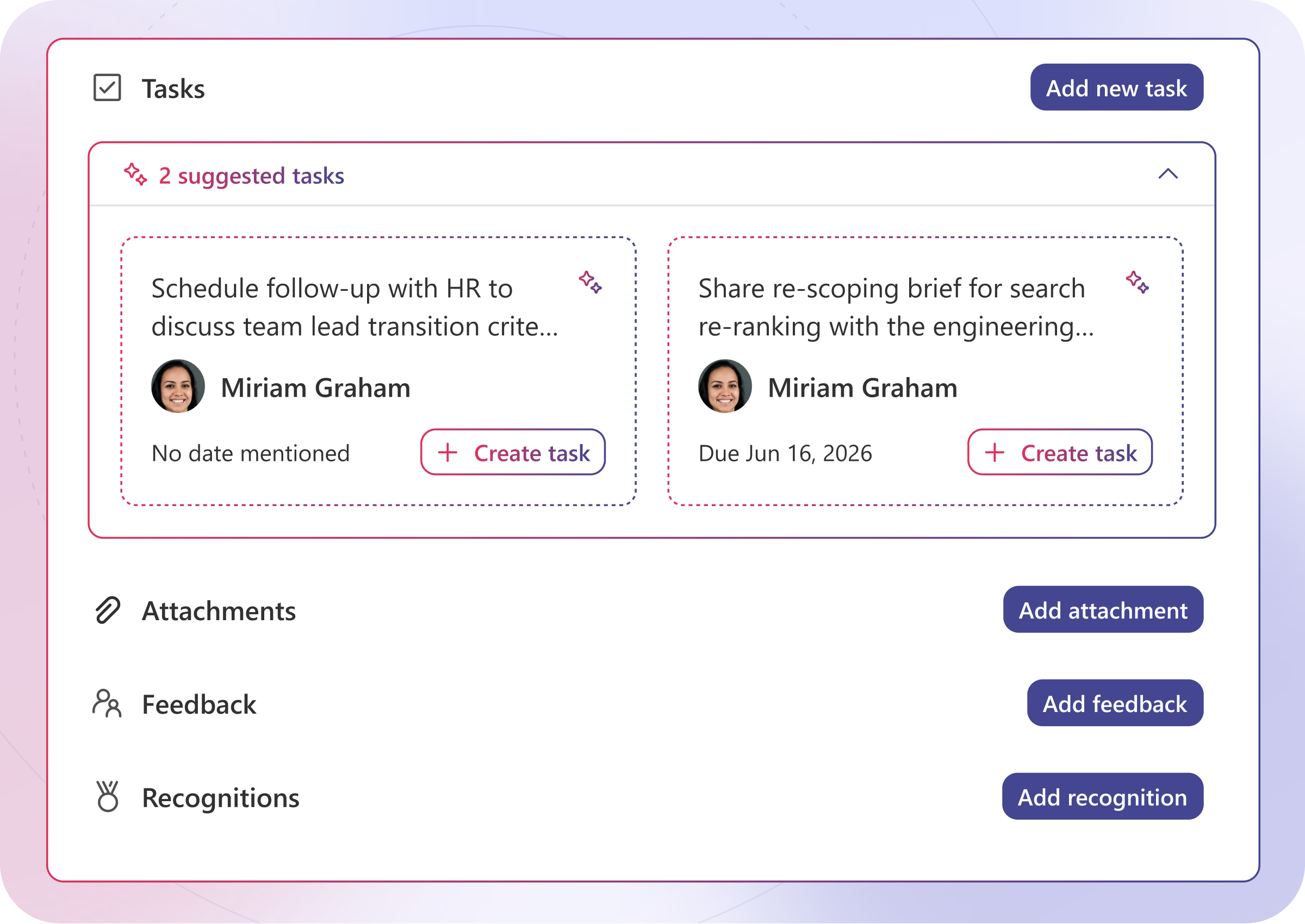
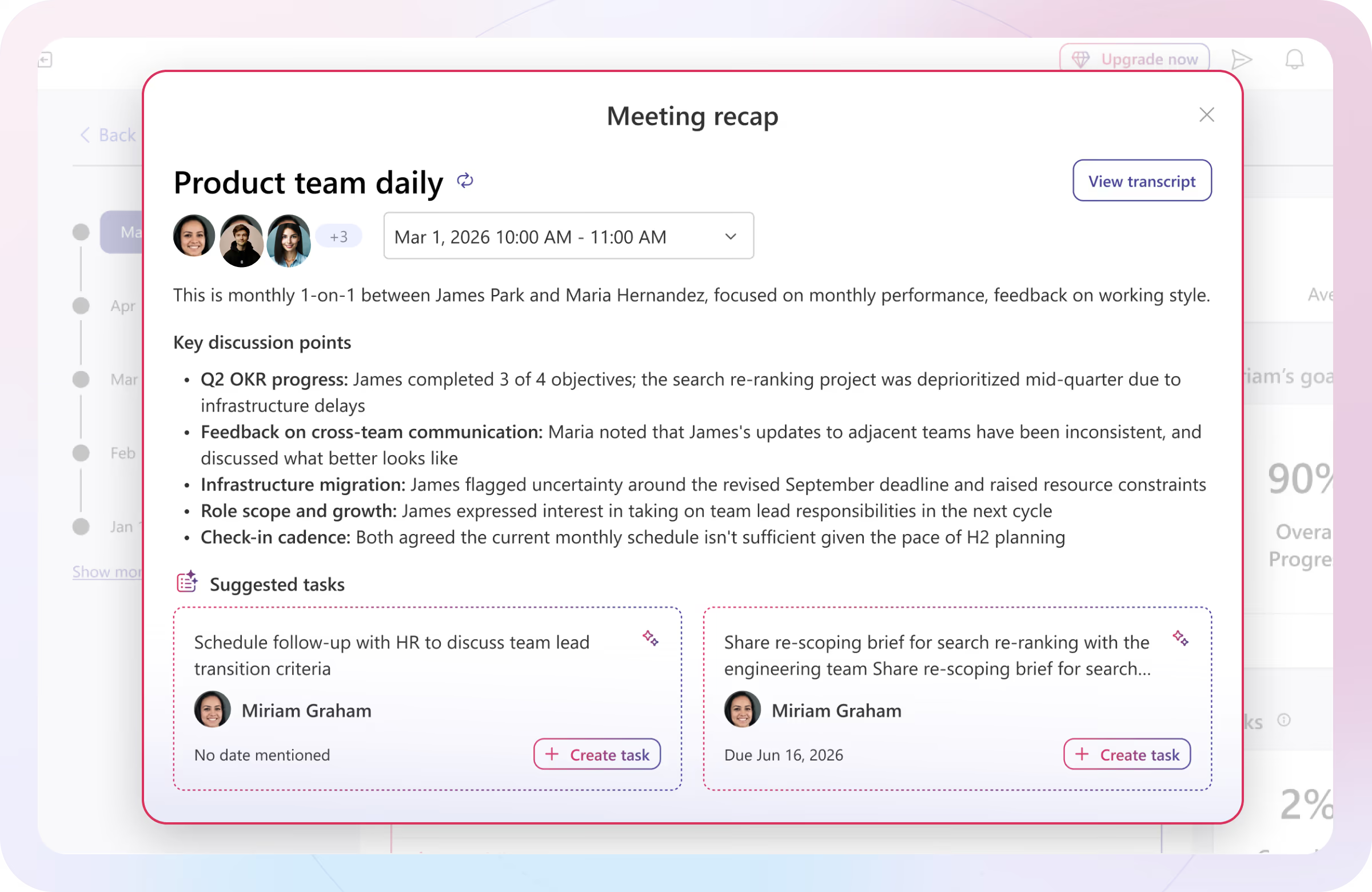
Suggested tasks from a meeting, ready to create in Teamflect
Teamflect meeting recap with key discussion points and suggested tasks

Catch up on any meeting in a minute


Missed a meeting or joined halfway through? Meeting Intelligence gives you a short summary of what was discussed and a list of action items with the person responsible for each. You can get up to speed in a minute and go straight to what needs doing next.
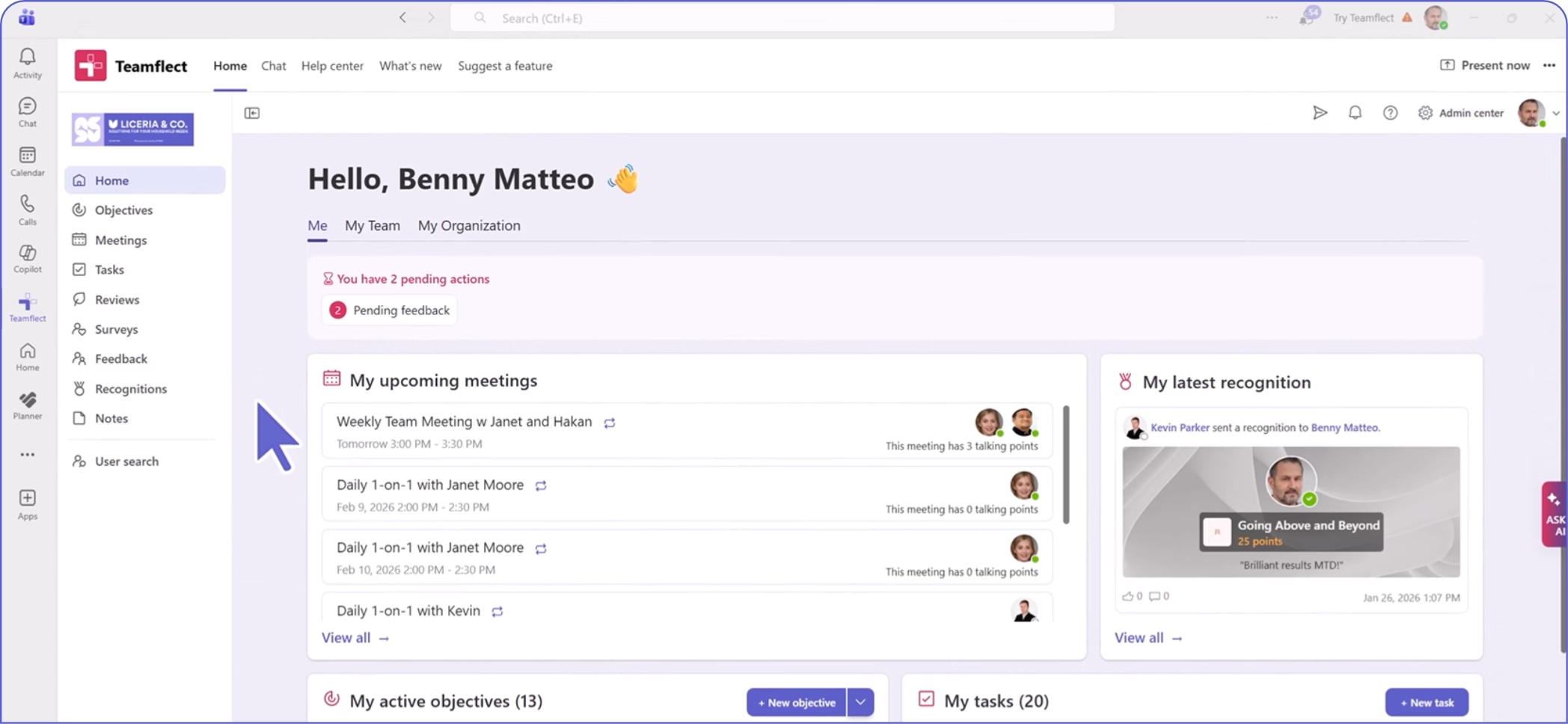
Teamflect dashboard with pending actions, upcoming meetings, recognition received, and active objectives and tasks

Create high-performing and engaged teams — even when people are remote — with our easy-to-use toolkit built for Microsoft Teams

Frequently Asked Questions

Here are some of the most frequently asked and heavily researched questions about Meeting Intelligence software.

Does a bot need to join my Microsoft Teams meeting for Meeting Intelligence to work?

Is Meeting Intelligence secure enough for an IT review?

Does Meeting Intelligence cost extra?

Do I need to install anything to use Meeting Intelligence?

Can I search notes from old meetings?

Who can see the AI meeting summary?