Teamflect November 2026 Updates: Meeting Intelligence, Non-Microsoft User Access, Review Appeals, and More!

0
min. read

Updated on:
November 20, 2026

Prefer Teamflect as your HR source on Google

 Request a Demo
Late November is when review season hits its stride. Self-reviews are coming in and calibration sessions are on the calendar, while the year-end deadline gets closer every week.
If November's releases share one word, it's reach. Teamflect now reaches people who were never on Microsoft 365 to begin with, and its AI now reaches the written comments in your review cycles. Employees also get a formal way to be heard after a review is locked.
Here is everything new in November.
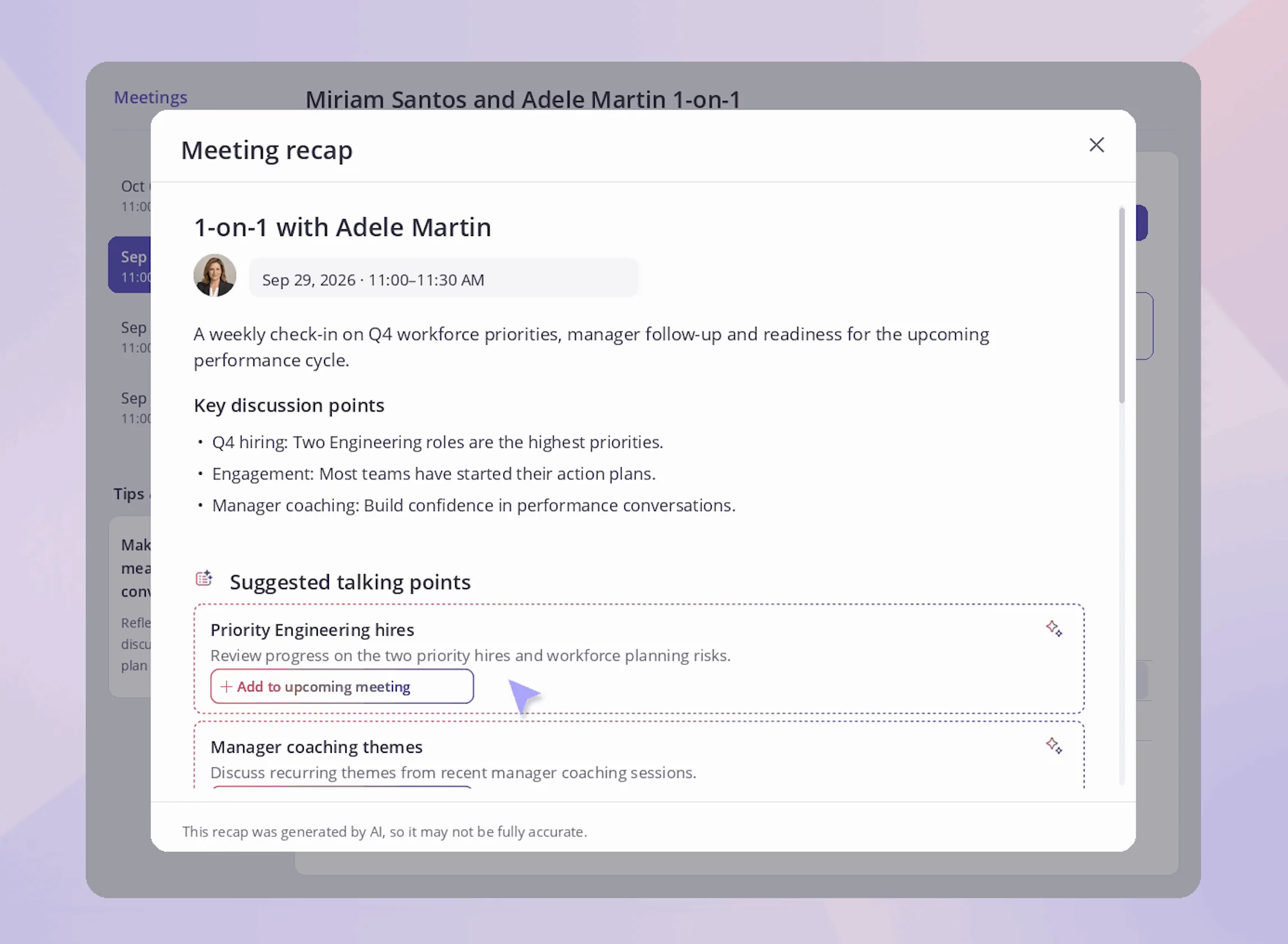
We previewed it in our Q3 roundup, and now it's official. Meeting Intelligence is live inside the Meetings module, and it's one of the releases we're proudest of this year.
It reads your meeting transcript from Microsoft Teams and gives you back everything you'd normally scramble to write down. You get a summary of the conversation, plus action items, tasks and goals drawn from what was actually said.
For recurring meetings, it also recaps the previous meeting in the series and suggests talking points based on it. So when a 1-on-1 starts, you already know what was agreed last time and where to pick up.
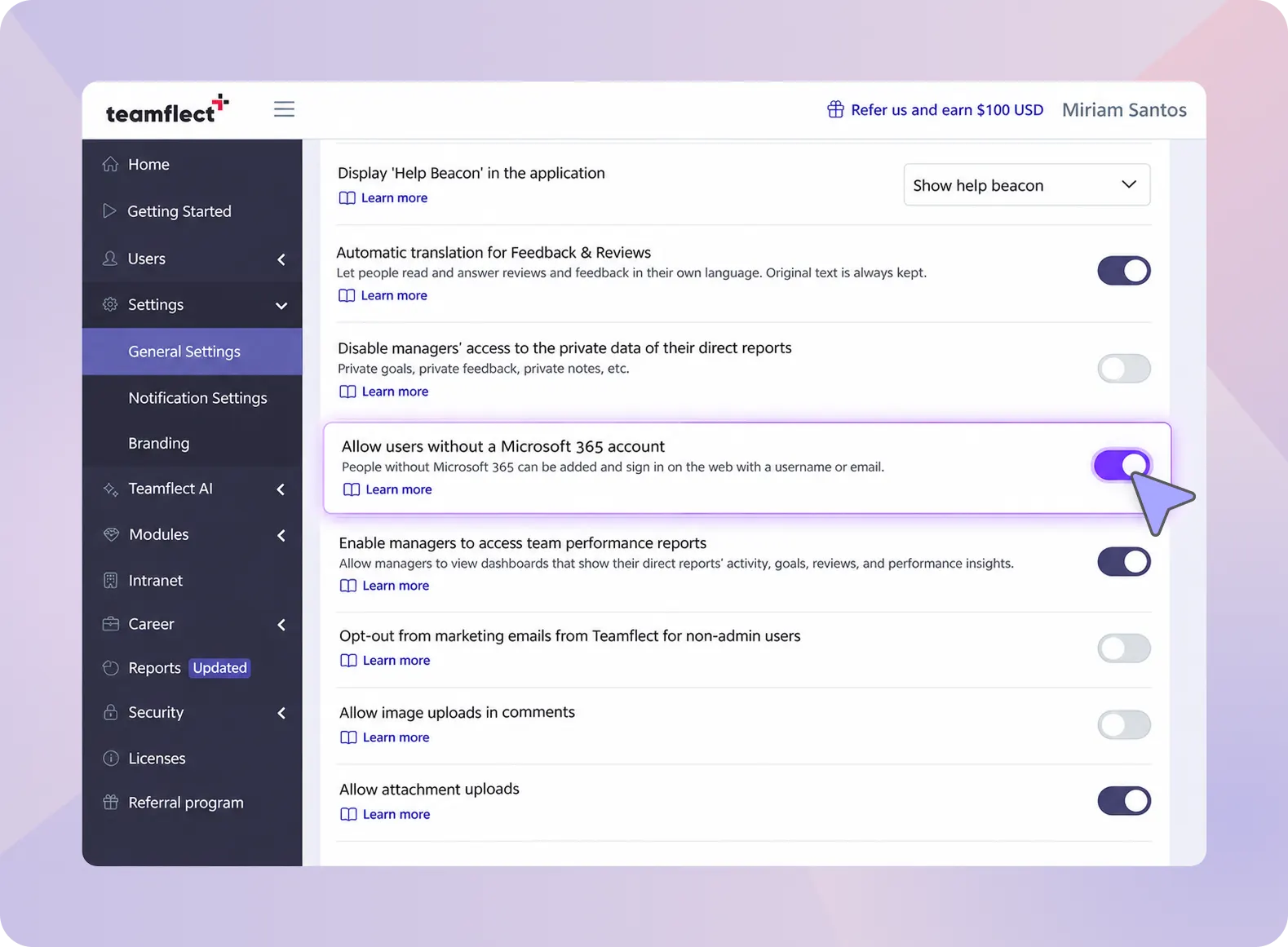
Teamflect has always required a Microsoft 365 account. For most of our customers that's never been an issue, but it occasionally left frontline employees and external collaborators out of the picture.
Admins can now grant access to users outside your Microsoft environment, directly from the Admin Center.
The people who were previously invisible to your review cycles can now take part in them. For organizations with a large frontline workforce, that closes a gap that's been there since day one.
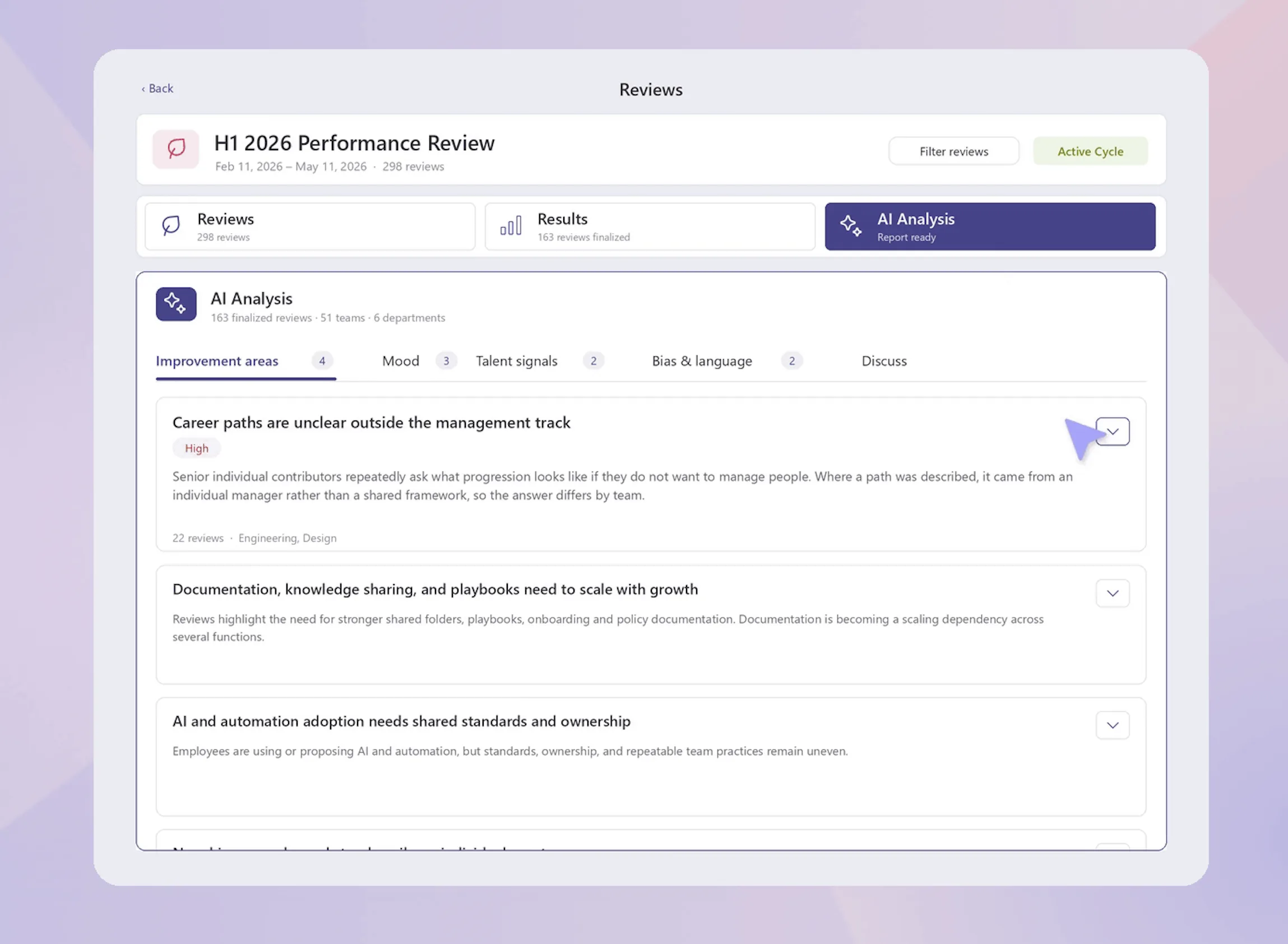
When we launched the Cycle Detail page in Q3, the third tab was marked coming soon. It's now live.
The Results tab already covers the scores. AI Analysis covers the written feedback, every comment in the cycle that usually goes unread because nobody has time to work through hundreds of text fields. It returns sentiment analysis, theme-based analytics, talent signals and improvement areas. A discussion area lets you put your own questions to Teamflect Agent and dig into what the comments are telling you.
It's the hub for the qualitative side of your performance review data, arriving right in the middle of review season.
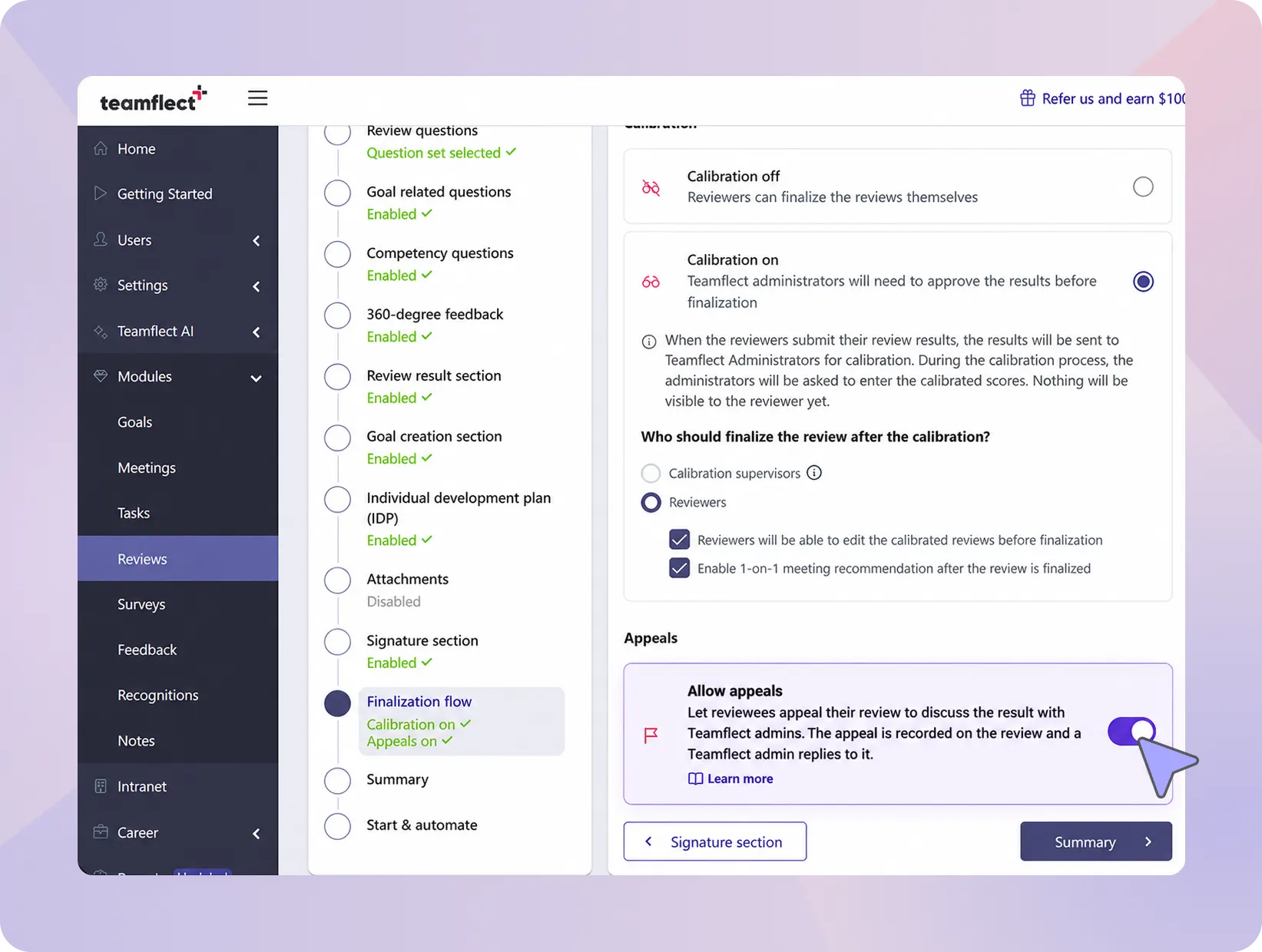
Once a review is locked, an employee who disagrees with part of it usually has two options. They can let it go, or raise it informally and hope it gets picked up.
Employees can now request a re-evaluation of a locked performance review, pointing to the specific part they want reconsidered. Admins are notified as soon as an appeal comes in and can respond in writing, so the concern and its resolution both stay on record.
To turn it on, open your review template and go to Appeals in the Finalization Flow section.
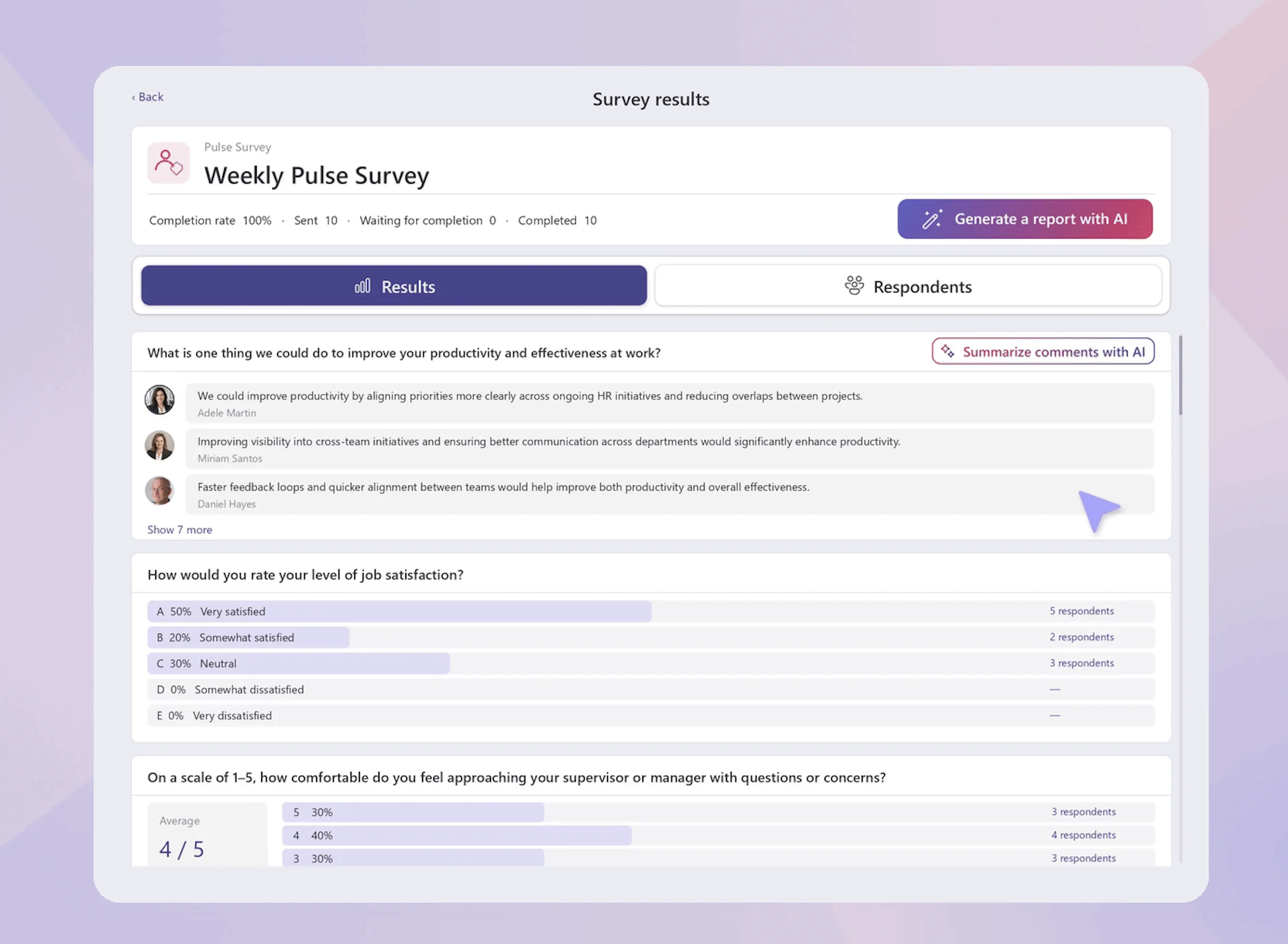
Some updates are about polishing what's already there. The Survey Results page was due for one.
We gave it a timely redesign. The new layout is cleaner and far easier to navigate, so getting from a closed survey to the answers that matter takes less scrolling and less hunting.
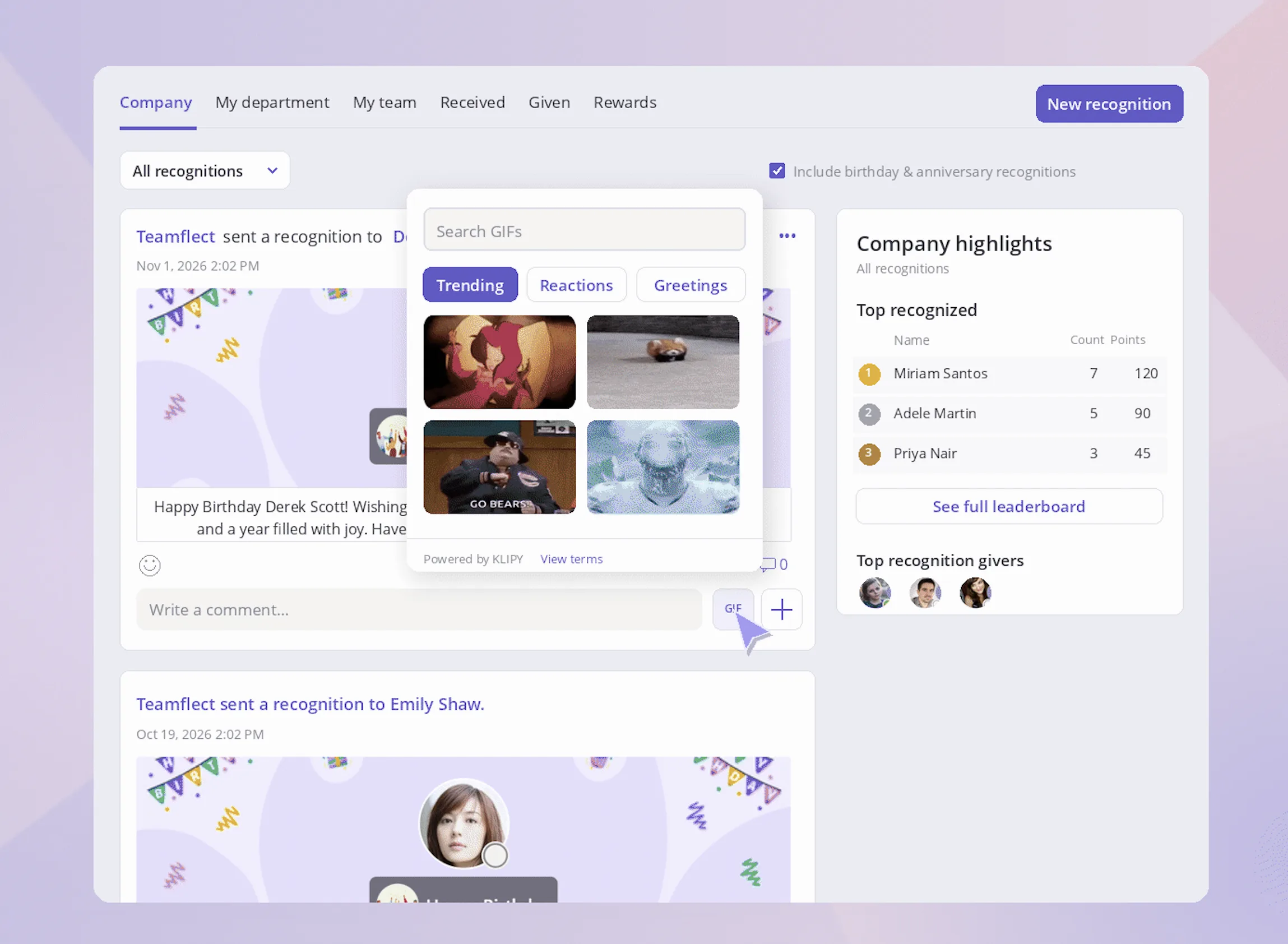
Last but not least, something a little less serious.
Comments on recognitions can now include GIFs, pulled from the Klipy library through a picker right in the comment field. You can add text alongside them if actual words are still called for.
Admins can switch the feature on or off from the Admin Center.
The product team isn't slowing down for the holidays. Here's a look at what's on the way:
If you want to see any of this in action, the Teamflect YouTube channel is where the short product walkthroughs and Microsoft Teams how-tos live. For something longer, The Team Check-In podcast sits down with HR and workplace leaders on where work is heading.
New to Teamflect? What you have read here barely scratches the surface of what the platform does inside Microsoft Teams and Outlook. Book a quick call and we will walk through what would make the biggest difference for your team.


Create high-performing and engaged teams - even when people are remote - with our easy-to-use toolkit built for Microsoft Teams