.svg)
.svg)
HR Software Integrations: The Seven Must-Haves and How to Verify Each One Before You Sign

Updated on:
October 21, 2026

Prefer Teamflect as your HR source on Google
.svg)

An HR software integration is a connection that keeps two systems holding the same facts about the same people, without anyone retyping them. Seven of those connections are close to mandatory for a company above fifty employees. This guide covers what each one must actually sync, how to prove it exists before you sign, and why one of the seven is routinely sold as something it is not.
This is written for the person choosing the software, not the person building the connector.
Seven categories: payroll, the HRIS system of record, identity and single sign-on, time and attendance, applicant tracking, communication and collaboration, and learning and performance.
The pool of possible connections is large. Okta's Businesses at Work 2025 report puts the average number of apps per customer at 101. The seven below are the ones that carry the employee data every other system depends on.
Each row below names what the connection has to carry, which way the data runs, and when it moves from useful to essential. Treat the "What it must sync" column as a minimum field list. If a vendor's connector covers less than that, it's a partial integration, whatever the integrations page calls it.
Background screening, benefits administration and expense tools matter too, but they are situational: they become must-haves only when the process behind them is already running at volume.
Background screening shows the threshold well. At a handful of hires a quarter, passing a candidate to a provider such as Checkr by hand takes a few minutes. At fifty hires a month, the same handoff becomes a queue that delays start dates.
The HRIS row carries the most weight in the table. It's the system of record for names, managers and departments, so every other connection reads from it. Teamflect's HRIS integrations follow that pattern: job titles, reporting lines, departments and org structure sync from the HRIS, and performance workflows run on top of that data.
Payroll is the row where a broken sync reaches people fastest. A 2017 survey by the Workforce Institute at Kronos, reported by HR Dive, found that 49% of American workers would start a new job search after only two problems with their paycheck.
Identity is the row that turns into an audit issue fastest. Provisioning on day one saves IT an afternoon per hire. De-provisioning on exit is a control, because an account that stays live after someone leaves is access nobody approved.
Vendors use the word integration for four different things, and the difference decides who maintains the connection when it breaks.
The model settles two questions before you sign: who writes the connection, and who pays to repair it when a change on either side breaks it. Technical guides on this topic spend their length on details like API rate limits, which matter to whoever builds the connector. For a buyer, those details come down to one question. When either vendor changes its API, whose team updates the connection, and how long does data stop flowing until it's fixed?
Ask which of these four a vendor means before you accept the word 'integration' in a proposal.
Most HR teams deal with two of the four. A pre-built connector covers the systems on a vendor's list, and an iPaaS or a point-to-point build covers whatever falls outside it. Unified API middleware is designed for software companies. If a vendor's proposal relies on one, ask who holds the contract with the middleware provider and what happens to your sync if that contract ends.
An iPaaS is the closest thing to an HR integration platform for an in-house team, and it's worth costing honestly. The licence is only part of it. Someone on your side configures the rules, watches the error queue and updates the flows when a field changes in either system.
There are two kinds of collaboration integration, they are sold with the same word, and only one of them changes whether people use the software.
Both kinds sit on an integrations page under the same logo and the same line, usually "works with Microsoft Teams" or "integrates with Slack." One version posts a message when a review is due and links to the vendor's web app. The other lets the manager open the review, write it and submit it from the chat window. A manager with eight reviews to write has a very different week depending on which one the company bought. One question during the demo separates them, and it works because it asks the vendor to perform the task live.
The chat app tells the employee something happened and links out. Useful, but the task is still completed in a separate portal, and adoption still depends on people going there.
The task itself is completed inside the app the employee already has open. The review is written, the 1-on-1 agenda is filled, the feedback is given without a second login.
The test question for a demo: 'show me an employee completing this task without leaving the chat app'. If the answer is a link out to a portal, the integration is notification-grade.
The distinction carries the most weight inside Microsoft 365. Microsoft reported more than 320 million monthly active Teams users in its fiscal Q1 2024 earnings (October 2023), the most recent figure it has published. For most of those people, the chat app is already open all day.
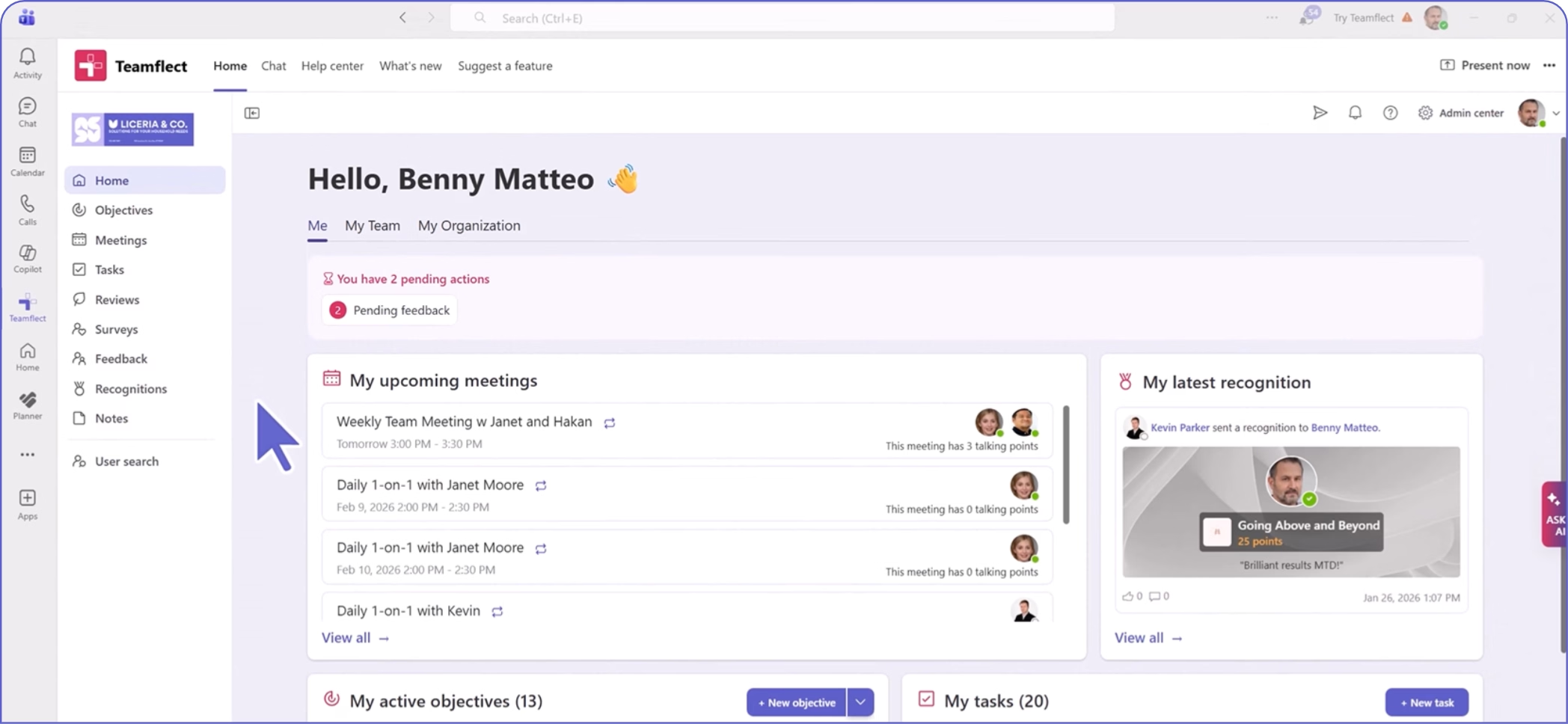
On Teamflect, for example, the task is completed inside Microsoft Teams: managers and employees write reviews, fill in 1-on-1 agendas, update goals and give feedback from the Teams app they already have open.
The same test works for any collaboration tool and any HR process. Run it on the process your managers complain about most, because that's the one where a second login costs the most completions.
The seven are not equally urgent; the order changes with headcount, and buying them out of order is how integration budgets get spent on the wrong connector.
Headcount stands in for two things here: how much manual re-keying costs each month, and how many people a single access mistake can affect. Move a row up if either is already high for your size. A 150-person company with shift workers across several sites, for example, needs time and attendance as urgently as a much larger one.
One rule survives every size: the HRIS integration goes first, because every other connection inherits the employee record it produces.
It's also the cheapest rule to follow. Gartner puts the average annual cost of poor data quality at $12.9 million per organization, based on its 2020 research, and an HRIS that feeds the wrong manager into six downstream tools is how that kind of cost starts.
Identity moves into the first column at 200 employees because that's roughly where leavers stop being individually remembered. Below that size, IT usually knows who left last week. Above it, de-provisioning has to be triggered by the HR record, or it doesn't reliably happen.
Once the first column is running, sequence the rest around your HR tech stack and the processes that already run at volume.
A logo on an integrations page is a claim, not a connection; six questions turn it into evidence.
Each question below comes with the answer you should accept. Send them in writing before the demo, then use the demo to check the answers. A vendor that answers question two with a field mapping document and question six with a sandbox has a real connector.
Send these six questions to every shortlisted vendor in the same email, and the answers will differ more than the pricing does.
Keep the replies side by side. Two vendors can both answer "yes" to question one and still differ on everything that follows, and the differences usually show up in questions two and five.
This is one worked example of the second integration in the list, so you can see what a complete answer to question two looks like.
It walks through one HRIS integration in detail: Teamflect's connection to Workday, where Workday stays the system of record and the performance platform reads from it. Your vendor should be able to produce the same level of detail for the HRIS and edition you actually run.
As of September 2026, the first four rows are documented as a one-way sync from Workday, with no custom development or Workday Integration Cloud configuration needed to connect. When any vendor describes a bidirectional sync, ask which objects travel in each direction. A one-way sync for profiles plus a write-back for ratings is a common split and a perfectly workable one, as long as it's stated plainly.
Before go-live, name a data owner for each object in the table. A change made in the wrong system then has someone responsible for sending it back to the right one.
HR integrations are connections that keep the same employee facts aligned across HR systems without manual re-entry. HR system integrations can sync data in one direction or both. They range from vendor-supported connectors to custom builds on a vendor's API.
The most common HRIS integrations connect the system of record to payroll and identity, followed by time tracking and applicant tracking. Collaboration and performance tools usually pull employee and manager data from the HRIS as well.
A native integration is a vendor-supported connector to a named system, and the vendor maintains it. An API integration is built by your team or a middleware provider on the vendor's API, and the builder maintains it. The difference decides who owns the connection when it breaks.
You don't usually need an iPaaS for one supported HRIS connection. An HR integration platform of this kind starts to make sense when several systems need recurring data flows that no vendor connector covers. Someone on your team still owns the rules and fixes failures.
Ask for the named systems and plan tiers supported, then get the exact field list and sync direction in writing. Then ask for a sandbox demo using your own field names. A field-level demo on your own data is the evidence; a logo is a starting point.
Set up the HRIS system-of-record integration first, since every downstream connection depends on accurate employee and manager data. Payroll is just as urgent where the HRIS doesn't already handle it. Identity becomes essential once you're provisioning access for more than about 50 people.

.svg)
.avif)
Create high-performing and engaged teams - even when people are remote - with our easy-to-use toolkit built for Microsoft Teams