Microsoft Copilot helps HR teams write job descriptions, summarize meetings and policies, analyze survey comments and answer employee questions inside Word, Excel, Outlook and Teams. This guide lists the use cases by HR process, with a ready prompt and a human check for each one, plus the risks to manage.
What Microsoft Copilot Can Do for HR
Copilot for HR works on three levels: Copilot Chat for questions, Copilot inside Microsoft 365 apps for documents and data, and agents built in Copilot Studio for repeat tasks such as employee self-service.
Copilot is one part of AI in HR, and this guide stays with what Microsoft's assistant does in day-to-day HR work.
Copilot for HR: Chat, Apps and Agents
| Level |
What it does for HR |
Example |
| Copilot Chat |
Answers questions and drafts text from your prompt and the files you can open |
Draft a policy summary for employees |
| Copilot in Microsoft 365 apps |
Works inside Word, Excel, Outlook, Teams and PowerPoint |
Turn recruiter notes into a job description in Word; find trends in an HR sheet in Excel |
| Agents (Copilot Studio) |
Answers repeat questions from approved documents |
An HR self-service agent that answers leave and benefits questions from the policy library (more HR use cases for AI agents) |
Microsoft publishes its own HR scenarios in the Copilot Scenario Library, and this guide adds the prompts, the checks and the risks that page leaves out.
Copilot for Recruiting and Onboarding
In recruiting and onboarding, Copilot drafts the first version of job descriptions, interview questions, onboarding plans and welcome emails, and a recruiter or HR partner checks every one before use.
Copilot Prompts for Recruiting and Onboarding
Microsoft's recruiting scenario shows more examples of drafting job descriptions and interview questions.
Agents from Copilot Studio can also answer new hires' first-week questions from your handbook, but only if HR keeps the source documents current.
Copilot for Performance Management and Feedback
Copilot can organize notes, tighten feedback wording and summarize data before a review, but a manager makes and records every rating.
Copilot Prompts for Performance Reviews and Feedback
Do not paste another employee's review, medical details or salary into a prompt unless your company policy allows it. Copilot summarizes what you give it, and the summary can be wrong or biased.
Copilot for Employee Questions, Policies and Training
For employee questions, Copilot summarizes policies, compares policy versions and, as an agent built in Copilot Studio, answers repeat questions from approved documents.
Copilot Prompts for Policies, Self-Service and Training
| Use case |
Prompt example |
Where |
Human check |
| Summarize a policy |
Summarize the new leave policy in 5 bullet points for employees. Use plain language. |
Word or Copilot Chat |
Legal or HR confirms the summary matches the policy. |
| Compare policy versions |
Compare these two versions of the travel policy and list every change in a table. |
Word |
HR reads the table against both versions. |
| Self-service agent |
Build an agent that answers leave and benefits questions using only the documents in this SharePoint folder. When it cannot find an answer, it tells the employee to contact HR. |
Copilot Studio |
HR owns the source documents, tests 20 real questions before launch and reviews unanswered questions every month. Compare the best Copilot agents before you build your own. |
| Training outline |
Create a 60-minute outline for a training on giving feedback, with 3 exercises and a 5-question quiz. |
Word or PowerPoint |
The L&D lead edits the content and examples. |
For policy changes, Microsoft's policy-update scenario shows how Copilot compares versions and drafts the announcement.
Copilot for Engagement Surveys and HR Analytics
Copilot is useful after a survey closes: it groups open comments into themes and summarizes HR data in Excel, as long as you remove names first.
Copilot Prompts for Survey Comments and HR Reports
| Use case |
Prompt example |
Where |
Human check |
| Survey comment themes |
Group these 200 survey comments into themes. Give the share of comments per theme and 3 example comments for each. The file contains no names. |
Excel or Copilot Chat |
HR reads a sample of comments to check the themes. |
| Pulse survey draft |
Write 5 pulse survey questions about workload and manager support. Use a 1 to 5 scale. |
Word or Forms |
HR checks that questions are neutral and not leading. |
| Turnover report |
Summarize turnover by department and month from this table. List 3 trends and one possible reason for each, marked as a guess. |
Excel |
HR checks the numbers against the HRIS. |
| Meeting actions |
Summarize this HR meeting by theme. List action items with owners and deadlines. |
Teams |
The meeting owner confirms owners and deadlines. |
Copilot works best on comments that a survey tool has already collected. A pulse survey in Teamflect collects responses inside Microsoft Teams and shows results by team before you export any comments for analysis.
Risks of Using Copilot in HR: Data, Bias and Human Review
The main risks of Microsoft Copilot in HR are oversharing of sensitive data, biased or outdated output and decisions about people made without a human check.
Copilot HR Risks and How to Manage Them
| Risk |
What can go wrong |
What HR does |
| Oversharing |
Copilot can show content that a user is allowed to open but should not see, such as salary files in a wide-open folder |
Ask IT to review SharePoint and OneDrive permissions on HR folders before rollout |
| Sensitive data in prompts |
An employee pastes a colleague’s review or medical note into a prompt |
Write it into the usage policy and train managers on it |
| Bias and outdated content |
Output can repeat old patterns in your data or old policy text |
Review job ads and review wording, and keep one owner for every source document |
| Wrong output |
Copilot can state a wrong number or policy with confidence |
Check every number and policy statement against the source before use |
| Decisions about people |
A hiring, pay or promotion decision rests on a Copilot summary alone |
Require a named person to make and record the decision. Ask Legal about local rules on AI in hiring and performance decisions. |
Microsoft states that prompts, responses and Microsoft Graph data aren't used to train the foundation models behind Microsoft 365 Copilot. Its privacy documentation also explains that prompts and responses are stored in activity history, with retention controls, so treat a prompt like any other company record.
A short usage policy and role-based training reduce all five risks, and our Copilot adoption plan for HR includes a policy template you can copy.
Where Copilot Stops and HR Software Starts
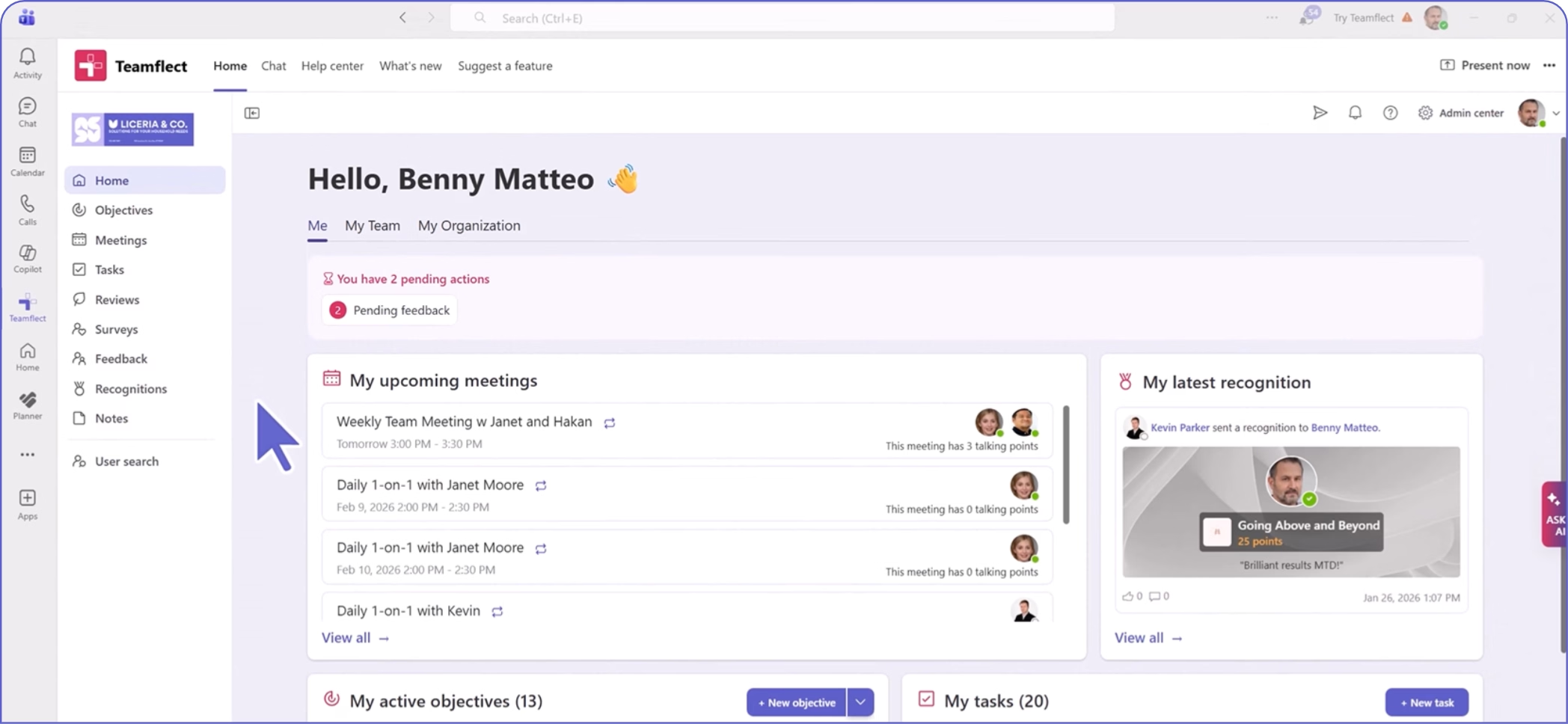
Copilot helps HR write, summarize and analyze, while an HR platform runs the review cycles, goals, 1:1s and surveys that give Copilot something worth summarizing.
Copilot vs HR Software in Microsoft Teams
| Task |
Microsoft Copilot |
HR software such as Teamflect |
| Run a review cycle with reminders, sign-off and reports |
Does not run cycles. It can help write comments. |
Teamflect runs performance reviews in Microsoft Teams with reminders and reports. Only reviewers or admins can finalize a review. |
| Track goals and check-ins |
Can summarize a goals file |
Teamflect sends check-in cards in Teams chat and email at the interval you choose |
| Schedule and prepare 1:1s |
Can summarize past meetings |
Teamflect sends 1:1 reminders in Teams and email |
| Run an anonymous survey and track completion |
Can group the comments after the survey |
Teamflect sends the survey in Teams and shows completion and results by team |
| Write or rewrite the text of feedback |
Yes |
Teamflect also offers its own AI in Teams (see the AI agent page) |
Use Copilot for the writing and summarizing, and use an HR platform for the process that creates the data.
Microsoft Copilot for HR FAQs
How can HR use Microsoft Copilot?
HR can use Copilot to draft job descriptions and interview questions, summarize policies and meetings, group survey comments into themes, build onboarding plans and answer employee questions through an agent. A person checks every output before use.
Is it acceptable to use Copilot at work?
Yes, when your company allows it and you follow its usage policy. Use only the Copilot features that IT has turned on, check the output before you use it, and do not put personal data about colleagues into a prompt unless the policy allows it.
Can Copilot do performance reviews?
No. Copilot can organize notes and improve wording, but the manager decides and records the rating.
What is the difference between Microsoft Copilot and an HR agent?
Copilot is a general assistant inside Microsoft 365. An HR agent is built for one job, for example answering leave questions from your policy library, and it only uses the documents you give it.
Do you need a Copilot license for HR use?
Not for Copilot Chat, which Microsoft includes at no additional cost with eligible Microsoft 365 plans. Copilot inside Word, Excel, Outlook and Teams needs a paid license: Microsoft 365 Copilot for enterprise is US$30 per user per month, paid yearly, on top of a qualifying plan, and Microsoft 365 Copilot Business for organizations under 300 users has a lower list price. Prices change by region and contract, so confirm them on the Microsoft enterprise pricing page (checked October 2026).